External Audio Mode
When no Audio Cable is plugged in to nomad it is in Internal Audio Mode.
When an Audio Cable is plugged in, the unit automatically switches to External
Audio Mode and nomad can be used to listen to an external audio source. This
allows you to listen to an MP3 player, PC audio, movie soundtrack, or any other
audio source from any device with a standard headphone or line-out connector.
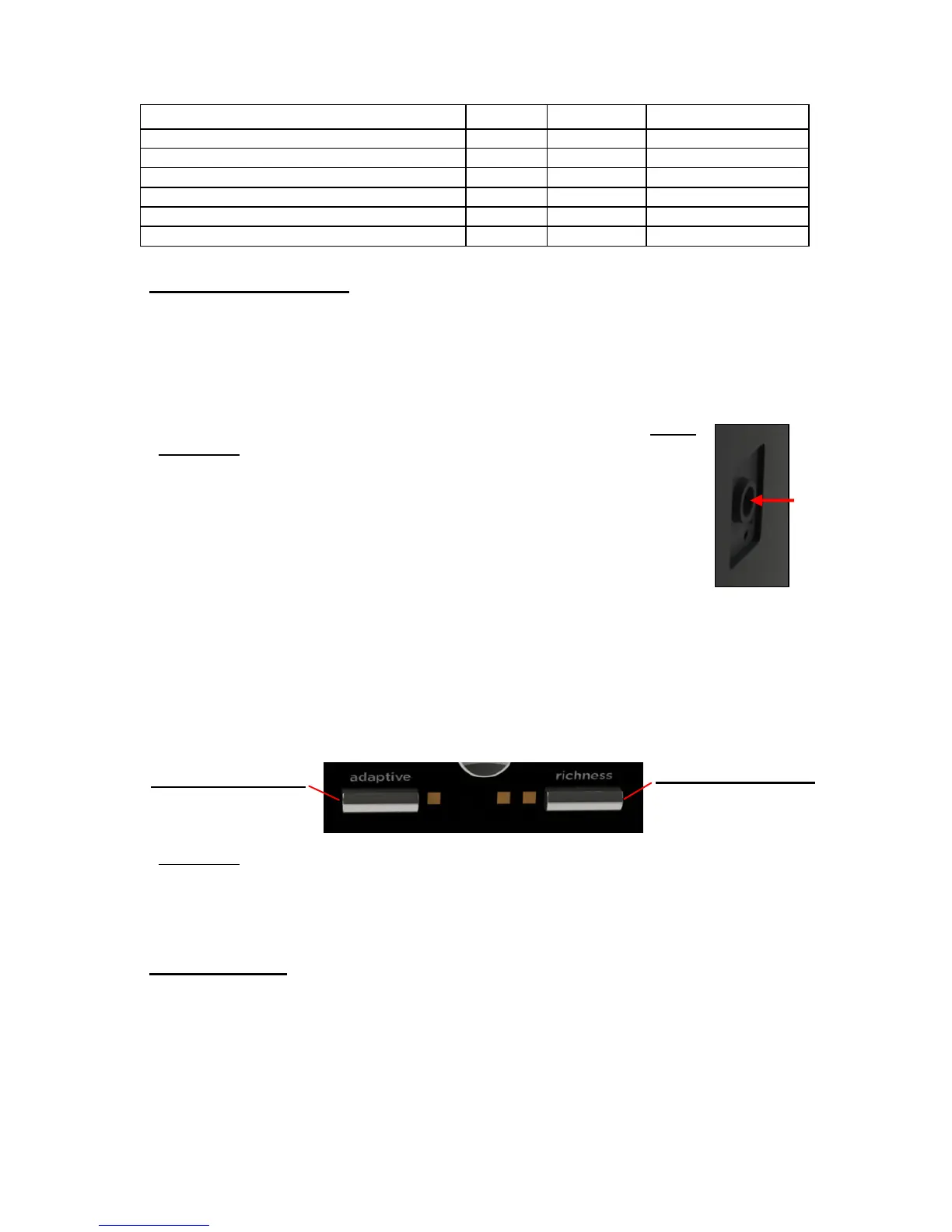
A standard 3.5 mm stereo Audio Input Jack is located on the upper
right side of the nomad unit (Audio Cable supplied). Simply
connect the headphone jack, or line-out jack, of the audio source to
the Audio Input Jack on the nomad with the supplied Audio Cable
and adjust the volume to your liking. When you remove the Audio
Cable, nomad switches back to Internal Audio Mode and plays the
selected SoundStory. Please note that volume and other settings
are maintained and saved separately for External Audio Mode and
the two Internal Audio Modes (Adaptive Mode and Manual Mode).
In External Audio Mode the Adaptive Button can be used to increase the audio
input level 6 dB. If you turn the Boost on (Adaptive light on), and the audio
material sounds distorted, you should turn the Boost off. The Boost may be
automatically disabled if operating nomad with weak batteries.
In External Audio Mode press the Richness Button to set the desired Timer
Mode. This controls the behavior of nomad after the Sleep Timer expires.
CAUTION: It is best to connect the audio source with care: 1) Turn nomad
volume down 2) Connect one end of Audio Cable to sound source 3) Connect
other end of the Audio Cable to the nomad Audio Input Jack 4) Turn on 6 dB
Boost if desired 5) Adjust the nomad volume to the desired listening level.
Display Lights
When any button is pressed or the Audio Cable is inserted or removed, the
lights on the front panel will come on and then automatically go off after 30
seconds in Internal Audio Mode or 5 seconds in External Audio Mode. In
Internal Audio Mode you can choose to have the lights on all the time. To do so,
when you turn the nomad unit On, press and hold the Power Button down for
about 2 seconds until the Timer lights go on then release the Power Button.


 To Next Page