EasyManua.ls Logo

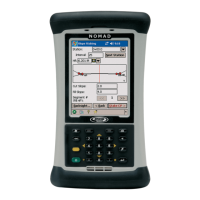
nomad X - User Manual

nomad X
16 pages
Print Icon
To Next Page IconTo Next Page
Loading...
1
Nomad X, XC, XE
Getting Started Guide
Welcome
This manual has supplemental information to the Nomad™
Getting Started Guide. It covers the additional wireless WAN
feature that has been added to this Nomad. This feature will allow
you to communicate from field to office, send E-mail messages,
send text messages, using a data connection from your local GSM
cellular provider.
Question and Answer IconNeed help?

Do you have a question about the nomad X and is the answer not in the manual?

Summary

Welcome

Setting Up Phone Features

Installing or Changing SIM Card

Step-by-step instructions for inserting or replacing the SIM card in the Nomad device.

Customizing Your Phone

Phone Number Settings

Configure ringtones for notifications and secure data connection with a PIN.

Call Forwarding Setup

Instructions for forwarding incoming voice calls to another phone number.

IMEI and SIM Card Identification

Explains IMEI, IMSI, and ICCID numbers and their significance for the device.

Radio Frequency Band Selection

Guide to selecting GSM/GPRS frequency bands for optimal network connectivity.

GPRS Connection Setup

Configuring GPRS Connection

Step-by-step guide to establish a new GPRS modem connection for data access.

Initiating GPRS Connection

How to manually or automatically connect to the GPRS network.

Using WWAN Features

Internet Browsing

Instructions for accessing web pages using the Nomad's mobile browser.

Internet Sharing Capability

How to share the Nomad's internet connection with other devices.

Sending SMS Messages

Guide to sending text messages from the Nomad device.

Sending Messages via Contacts

How to send data messages to contacts stored on the device.

Sharing Contacts with Other Devices

Method to transfer contact information to other Windows Mobile devices.

Email Setup and Usage

Steps to configure and use email accounts on the Nomad.

Data Connection Status Indicators

Notification LEDs

WLAN Visibility Settings

Features Not Available

Regulatory Information

USA FCC Compliance

FCC compliance information for the device's operation in the USA.

Canada Radio Noise Emissions

Compliance information for radio noise emissions in Canada.

Declaration of Conformity

Safety Precautions for Accessories

Important safety warnings regarding accessory use and product modifications.

RF Signal Exposure and Safety

Safe Carrying and Usage Guidelines

Guidelines for safely carrying the device to minimize RF exposure.

TIA Safety Information

Pacemaker Interference Precautions

Recommendations for users with pacemakers to avoid interference.

Hearing Aid Interference Considerations

Potential interference issues with hearing aids and suggested actions.

Medical Device RF Shielding Advice

Advice on consulting manufacturers for medical devices regarding RF shielding.
Other Nomad Resources

nomad X Specifications

General IconGeneral
Brandnomad
ModelX
CategoryHandhelds
LanguageEnglish

Related product manuals