1. Plug the AC / DC (120 V AC) power cord into the
power outlet on the AC wall. Your clock will turn on.
It's ready to use now.
2. When the device is ON, the LED will blink. Press
both "SNOOZE" and "DIMMER" together to set
the current time.
3. If desired, place the safety clip on the cable and
attach it to the furniture or wall.
Installation
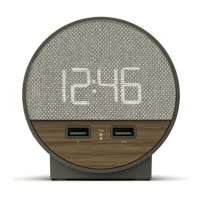
The Station E features dual USB charging ports
(2 X 2A) on the front of the unit which are designed to
charge most USB compatible devices. Simply plug in
a USB cable into the USB port then connect to your
device to begin charging.
USB Charging
Specifications
Power .............................................................................................................. DC 5V 4.0A Adapter
USB Charging Ports............................................................................................................. 2X / 2.A
Alarm Duration.................................................................................................................60 Minutes
Snooze Duration................................................................................................................ 9 Minutes


 To Next Page