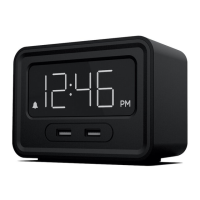
To set the alarm time, press the HR button and MIN
button to change the alarm time.
Press the ALARM button to turn the alarm ON/OFF.
When the alarm is on, the LED will be lit.
Setting the Alarm
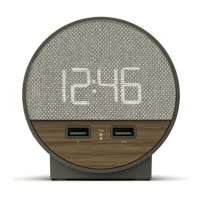
The Station O features dual USB charging ports
(1A/2.4A) on the front of the unit which are
designed to charge most USB compatible devices.
Simply plug in a USB cable into the USB port then
connect your device to begin charging.
USB Charging
To snooze, tap the SNOOZE button. The Alarm will
sounds again after 9 minutes. While the alarm is
being snoozed, the Alarm indicator LED will flash
To STOP Alarm, press any button (except the
SNOOZE button). To set the ALARM to sound
again the next day, press the alarm button to turn
the alarm “ON”.
Using the Alarm
There are three (3) levels of display brightness.
Repeatedly press the DIMMER button to select the
desired setting.
Display


 To Next Page