EasyManua.ls Logo

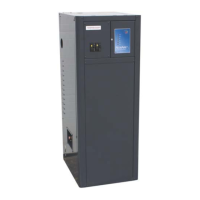
NorAire EB-HPH Series - User Manual

Default Icon
52 pages
Print Icon
To Next Page IconTo Next Page
Loading...
09/06/2018 BI903
Installation & Operating Instructions
Model: EB-HPH*
Application – This is a heating only product. There are no previsions for cooling mode operation
Radiant in-floor heating – Single zone or multiple zone.
Baseboard heating – Special “High Temperature Operation”
Hydronic water to air coil above an air handler – Special “High Temperature Operation”
Indirect domestic hot water (water to water heat exchanger) – Special “High Temperature
Operation”
Mixture of the above scenarios (max of one high temperature zone per application)
Accessories
From the factory, this unit will interface with two thermostats, two pumps / zone valves, a single
stage heat pump compressor, an internal or external electric boiler, an external gas boiler, and
special power company interface for load shedding applications.
Important Installer Information
The NorAire Heat Pump system must be installed by an experienced HVAC installer. Sufficient
knowledge of refrigerant line set installation, system charging, and heating performance testing is
required to perform warranty validation.
Heat Pump Outdoor Unit – manual NI217 contains installation information specific to the heat
pump ODU brand supplied by Electro Industries. Please visit www.electromn.com for
installation information specific to other brands.
DO NOT DESTROY THIS MANUAL. PLEASE READ CAREFULLY AND KEEP IN A SAFE
PLACE FOR FUTURE REFERENCE BY A SERVICE TECHNICIAN.
4003560

Questions and Answers

  • A
    amy89Aug 3, 2025
    What to do if I see an oil spot on my NorAire EB-HPH Heat Pump?
    • J
      John WolfeAug 3, 2025
      If you notice an oil spot on your NorAire Heat Pump, either at the outdoor or indoor unit, it probably indicates a refrigerant leak. You should report this to your installing contractor for further inspection and repair.
  • Q
    qreynoldsAug 11, 2025
    Why is my NorAire EB-HPH not producing heat?
    • M
      Mark MurphyAug 11, 2025
      If your NorAire heat pump isn't producing heat, start by checking the unit's display. It should show 'ACD', 'OFF', or an active mode screen. If the screen is blank, refer to the steps for a blank display. If it shows 'OFF', the unit isn't being told to turn on, so verify the field low voltage wiring (R & W1 and R & W2). If an active 'Mode' screen is displayed, compare the ST and DT values; if ST is greater than or equal to DT, the electric elements won't engage. If DT displays 'N.A', the heat pump or external gas boiler should be running, so check the appropriate heat source. Also, check line 4 of the LCD display for active system faults and use the Electro Industries App 'Fault Monitor' to see the history of faults.
  • R
    Richard BrownAug 18, 2025
    How to fix a blank display on my NorAire EB-HPH?
    • J
      jacquelinemcneilAug 18, 2025
      If the display on your NorAire Heat Pump is blank and nothing is turning on, begin by checking the 5A fuse located on the control board to ensure it's in good working order. If the 5A fuse is open, replace it. If the fuse is not open, check the primary and secondary side of the transformer to ensure power is available. If good secondary voltage is detected, disconnect all low voltage wires (excluding the 24VAC secondary side of the transformer) from the control module. If the screen remains blank, the board likely needs replacement. However, if the screen illuminates and displays 'ACD', it indicates an issue with the low voltage wiring.
  • C
    chavezsandraNov 24, 2025
    What to do if my NorAire Heat Pump is not outputting adequate water temperature?
    • J
      Jeremiah HerreraNov 25, 2025
      If your NorAire Heat Pump isn't outputting adequate water temperature, first check the general comments. When operating in 'Heat Pump Only' mode (as indicated on LCD line 1), the outdoor temperature affects the heat pump's output capacity. You may need to adjust the 'Boost In' time and 'Stage Disables' to better align the unit's operation with the building's requirements, potentially entering 'Boost' faster. In 'Boost Mode' (LCD line 1), the unit uses the 'Differential Temperature' setting (adjustable via the app) to determine the desired output temperature (RT + 'Differential Temperature' = DT). The factory default is 10°. If a larger differential is needed, increase the 'Differential Temperature' value using the app. Also, 'Stage Disables' are used in 'Boost Mode', so consider the outdoo...

Summary

Electrical Information

Electrical Data - Indoor Unit

Provides electrical specifications for the indoor unit, including power, current, and heating capacity.

Electrical Data - Outdoor Unit

Details electrical specifications for the outdoor unit, referencing manufacturer's manual for details.

System Configuration

Hardware Setup

Explains jumper settings (J4, J3) for system configuration and monitoring.

Software Setup

Describes software setup variables and system modes configurable via the product display.

Product Display Overview

Understanding the Product Display

Guides users on navigating and interpreting the 4-line LCD display for system status.

Product Display Modes and Data

Product Display Modes

Details various operational modes displayed on the LCD, such as OFF, HP ONLY, BOOST, etc.

Product Display Temperatures and Faults

Explains temperature readings (ST, OT, RT, DT) and fault indicators shown on the LCD.

Operational Procedures

Start Up Inspection & Observations

Outlines essential pre-operation checks and data collection for system startup.

Additional Hookup or Special Equipment Concerns

Covers advanced connection options and special equipment considerations for the unit.

Operational Indicators

Explains the meaning of various LEDs and indicators on the control board.

Troubleshooting Guide

Troubleshooting Flowchart

Provides a high-level flowchart for basic troubleshooting of system operation.

Troubleshooting Solutions

Offers specific solutions for common issues like blank display, no heat, or inadequate temperature.

Accessories and Parts

Accessories

Lists available accessories for the NorAire zone controller and system.

Replacement Parts

Provides a list of common replacement parts with their part numbers and descriptions.

Warranty Information

Limited Product Warranty

Outlines the terms and coverage of the residential limited product warranty.

Warranty Conditions and Limitations

Details the conditions, exclusions, and limitations applicable to the product warranty.

NorAire EB-HPH Series Specifications

General IconGeneral
BrandNorAire
ModelEB-HPH Series
CategoryHeat Pump
LanguageEnglish

Related product manuals