142
1� Dial the phone number for calling;
2� Select a name from the phone book to call;
3� Choose a record in the call history for calling;
4� When call is coming in, choose receiving or hanging up;
Hands-free Mode and Private Mode
During a call, touch [ ] and [ ] to switch between Hands-free mode and private mode;
Touch [ ] to mute microphone so that the receiver cannot hear from your side�
Disconnection
1� Touch the connected device name for disconnection;
2� Touch the dustbin next to the device name to disconnect;
3� End the connection directly on the mobile device;
Bluetooth Audio Music
The product supports A2DP, AVRCP, PBAP and HFP protocol;
Make sure Bluetooth device volume is turned to max.
Switch Tracks
1� Touch [ ] or [ ] to switch to previous or next music;
2� Using nger swipe left/right on the play interface to switch to previous or next music;
Play/Pause
Touch [ ] to play, touch [ ] to pause or operate on the connected device;
CarPlay
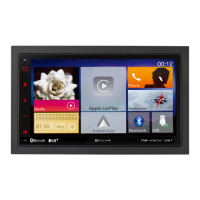
Using Apple lightning cable to connect iPhone with the product, and it will automatically show
the CarPlay interface; User could directly operate the common functions of iPhone on the
product. iPhone support: minimum iPhone5; Required iOS: minimum iOS 7.1.


 To Next Page
 Loading...