EasyManua.ls Logo

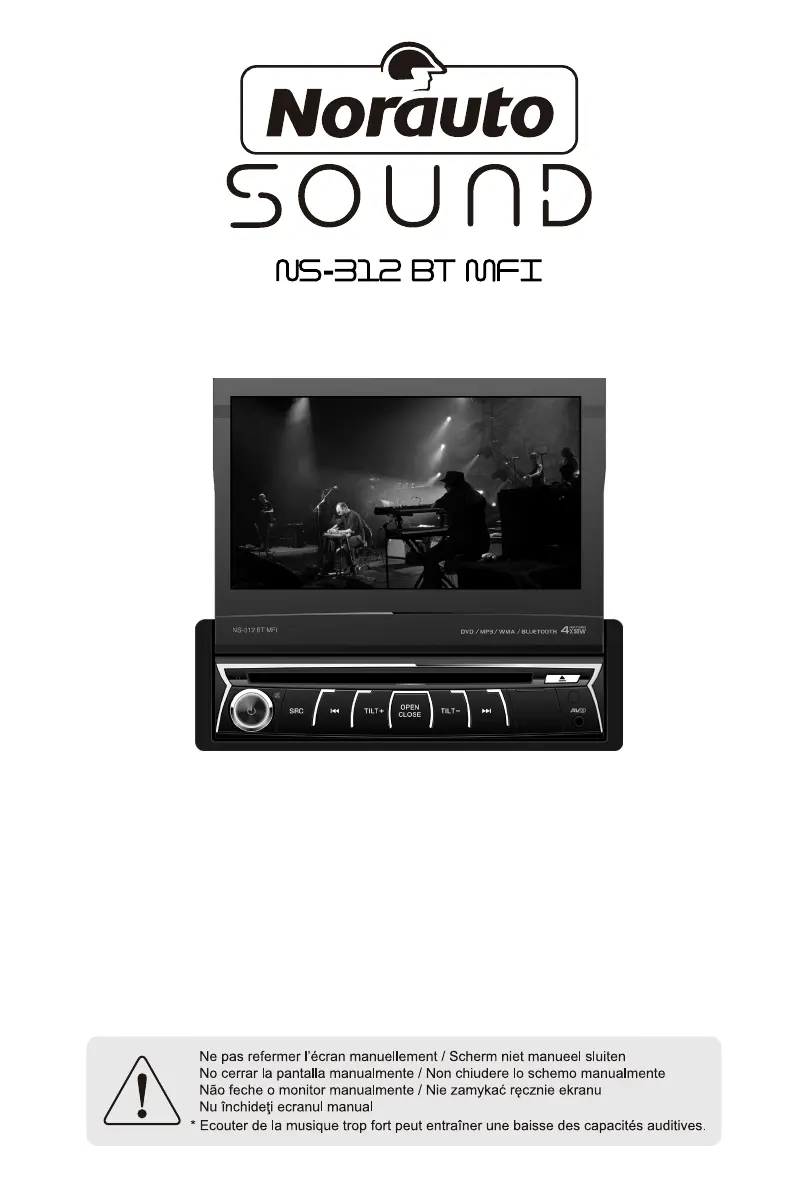
NORAUTO Sound NS-312 BT MFT - User Manual

NORAUTO Sound NS-312 BT MFT
153 pages
Go to English
Print Icon
To Next Page IconTo Next Page
Loading...
STATION MULTIMEDIA
DVD/CD/VCD/MP3/WMA/MPEG/USB PLAYER
BLUETOOTH/RADIO FM/AM
ART: 872503
FR ...................................1
NL ...................................26
IT ....................................48
GB ..................................77
PT ................................... 107
ES ...................................130

Table of Contents

Questions and Answers

  • C
    Caitlin ZimmermanAug 14, 2025
    Why is there no audio output from my NORAUTO Car Video System?
    • J
      Jennifer PerezAug 14, 2025
      If you are experiencing no or low audio output from your NORAUTO Car Video System, there might be several reasons: * Improper audio output connection: Check the wiring and correct it. * Volume set too low: Increase the volume level. * Speakers damaged: Replace the speakers. * Heavily biased volume balance: Adjust the channel balance to the center position. * Speaker wiring is in contact with the metal part of the car: Insulate all speaker wiring connections.
  • S
    shannon80Aug 17, 2025
    What to do if my NORAUTO Car Video System won't turn on?
    • V
      vvaldezAug 17, 2025
      If your NORAUTO Car Video System unit cannot power on, it might be due to: * A blown unit fuse: Install a new fuse with the correct rating. * A blown car battery fuse: Install a new fuse with the correct rating. * Illegal operation: Reset the unit.
  • H
    Heather StarkAug 21, 2025
    Why is the sound quality poor on my NORAUTO Car Video System?
    • J
      Jeffrey SchultzAug 21, 2025
      Poor sound quality or distortion in your NORAUTO Car Video System can be caused by: * Using a piratic disc: Use an original disc. * Speaker power rating does not match unit: Replace the speakers. * Wrong connections: Check wiring and correct. * Speaker is shorted: Check wiring and correct.
  • G
    gregory28Aug 25, 2025
    How to fix a flashing image on NORAUTO Car Video System?
    • F
      fisherbruceAug 26, 2025
      If you observe a flashing image or interference on the screen of your NORAUTO Car Video System, consider the following: * The color system of the DVD disc does not match the monitor: Adjust the color system of the DVD disc playing back or the monitor in use. * Using a piratic disc: Use an original disc. * Video cable damaged: Replace cables. * Improper video signal connections: Check wiring and correct.
  • I
    iweaverAug 28, 2025
    Why does the NORAUTO Car Video System remote not work?
    • A
      Angela JohnsonAug 28, 2025
      If the remote control for your NORAUTO Car Video System isn't working, check these: * Battery depleted: Change the battery. * Battery installed incorrectly: Install the battery correctly.
  • M
    Mary WilliamsAug 31, 2025
    Why does my NORAUTO Car Video System reset when the engine is off?
    • W
      wilsonlisaAug 31, 2025
      If your NORAUTO Car Video System resets itself when the engine is off, the cause might be an incorrect connection between ACC and BATT. To solve this, check the wiring and correct it.
  • J
    jenniferstantonSep 3, 2025
    What to do if warning information is always on NORAUTO Car Video System?
    • R
      Randy HannaSep 3, 2025
      If warning information is constantly displayed on your NORAUTO Car Video System, it indicates that the parking brake wiring is not correct. You should check the wiring and correct it.
  • T
    Tonya CampbellSep 6, 2025
    What causes Tel-Mute malfunction in NORAUTO Car Video System?
    • T
      Tammy HenrySep 6, 2025
      A Tel-Mute malfunction in your NORAUTO Car Video System can be caused by the MUTE wire being grounded. Check the ‘MUTE’ wiring and correct it.
  • D
    denise87Sep 12, 2025
    How to fix NORAUTO Car Video System monitor not opening automatically?
    • S
      Stephanie FloresSep 12, 2025
      If the monitor of your NORAUTO Car Video System does not open automatically, it is possible that the TFT Auto Open feature is turned off. Turn TFT Auto Open on.

Summary

Wiring Diagram

Component Connections

Details wiring for microphone, video out, controls, antenna, camera, power, and speakers.

Warnings

Safety Guidelines for Operation

Covers power connection, installation location, and safe usage practices.

Precautions

Handling, Cleaning, and Environment

Advises on unit care, environmental conditions, and disc usage.

Before Using

Panel Controls

Explains functions of buttons and slots on the unit's front panel.

Remote Control Operations

Details the functions of each button on the remote control.

Remote Control Usage Notes

Guides on remote sensor aiming, battery installation, and storage.

Basic Operations

Power, Mute, and Source Selection

Covers turning the unit on/off, muting audio, and selecting sources.

Volume and TFT Monitor Adjustment

Explains volume control, tilt angle, and programmable turn-on volume.

System Reset and Image Settings

Details system reset procedures and aspect ratio/image adjustments.

Radio Mode

Station Tuning and Presets

Details manual/auto tuning, preset stations, and seeking functions.

Radio Data System (RDS) Features

Explains RDS, AF, EON, TA, CT, and PTY functions for enhanced radio experience.

Playback

Media Insertion and Basic Controls

Covers inserting discs/USB, play, pause, stop, and file navigation.

Advanced Playback Features

Details repeat modes, PBC, audio/subtitle selection, and viewing angles.

Viewing and Information Display

Details changing viewing angles, playback info, and zooming.

USB mode

USB Source and File Management

Explains selecting USB source, file list, and playback controls.

iPod mode

iPod;iPhone Connection and Access

Guides on connecting iPod/iPhone and accessing content via USB.

iPod Playback and Navigation

Covers music playback controls, EQ, and track navigation for iPod.

Bluetooth mode

Pairing and Device Management

Instructions for pairing devices and managing connections.

Call and Music Operations

Details call handling, receiving/making calls, and Bluetooth music streaming.

Bluetooth Music Streaming

Explains playing music via A2DP and AVRCP profiles.

SWC mode

Steering Wheel Control Interface

Explains compatibility and programming of steering wheel controls.

Other modes

AV Inputs and Camera Functionality

Covers connecting external AV devices and rear camera integration.

Setup

General System Configuration

Details display, region, beep, and general settings.

Video, Audio, and Time Settings

Covers video, audio (subwoofer), time format, and language settings.

DVD and Volume Preferences

Explains DVD rating controls and volume adjustments for different sources.

EQ

Preset Equalizer Selection

Allows choosing predefined sound profiles like POP, ROCK, etc.

EQ Parameter Adjustment

Explains how to adjust Bass, Middle, and Treble levels.

Fader;Balance and Subwoofer Control

Guides on adjusting speaker balance and subwoofer volume.

Troubleshooting

Unit and Audio Issues

Addresses problems like no power, low audio output, and sound quality.

Monitor and Connection Problems

Covers monitor not opening, warning messages, and image interference.

Disc Playback Errors

Lists common issues with disc insertion, playback, and error messages.

Device Connections

Connection Guidelines and Controls

Provides safety notes, control cable functions, and region code info.

Specific Wiring Diagrams

Illustrates parking brake and reverse driving cable connections.

Installation and Uninstall

Unit and Trim Ring Procedures

Covers installation, uninstallation of the unit, and trim rings.

Specifications

Technical Details and Formats

Lists operational parameters, media formats, and display specifications.

NORAUTO Sound NS-312 BT MFT Specifications

General IconGeneral
BrandNORAUTO
ModelNS-312 BT MFT
CategoryCar Video System
Screen Size7 inches
BluetoothYes
TouchscreenYes
USB PortYes
Micro SD card readerYes
Power Output4 x 45W
AUX InputYes
Supported video formatsAVI, MP4
Supported audio formatsMP3, WMA
Supported image formatsJPEG
RadioFM
DisplayTFT

Related product manuals