EasyManua.ls Logo

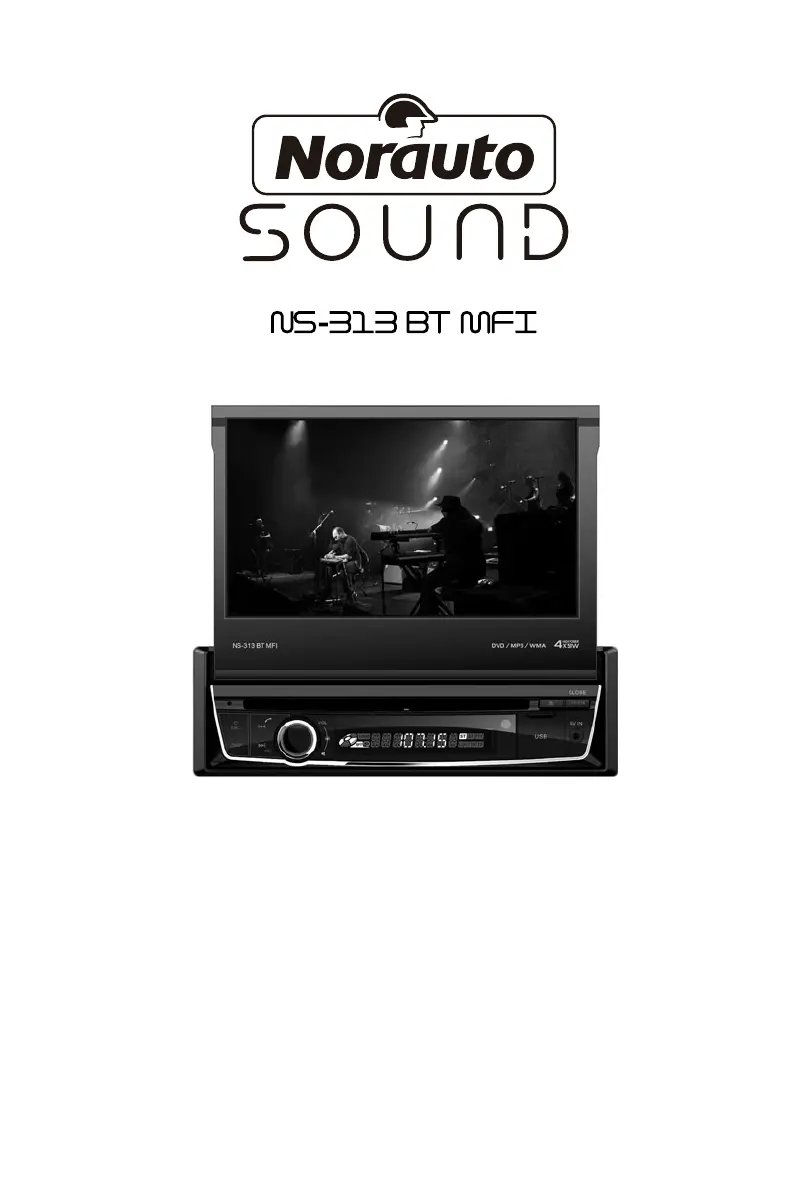
NORAUTO Sound NS-313 BT MFI - User Manual

NORAUTO Sound NS-313 BT MFI
133 pages
Go to English
Print Icon
To Next Page IconTo Next Page
Loading...
STATION MULTIMÉDIA
LECTEUR DVD/CD/VCD/MP3/WMA/MPEG/USB
BLUETOOTH/RADIO FM/AM
FR ................................. 1
NL ............................... 28
IT ................................. 55
PL ................................ 80
GB ............................. 107
ART: 2054218

Table of Contents

Questions and Answers

  • R
    Robert SweeneyAug 20, 2025
    What to do if my NORAUTO Car Video System unit does not power on?
    • J
      Jack MooreAug 20, 2025
      If your NORAUTO Car Video System doesn't power on, there are several potential causes. First, the unit fuse may be blown; if so, install a new fuse with the correct rating. Second, the car battery fuse may be blown; replace it with a new fuse of the correct rating. Finally, an illegal operation may have occurred, in which case you should reset the unit.
  • M
    Mark GrahamAug 21, 2025
    Why is there no or low audio output from my NORAUTO Car Video System?
    • C
      Christine GonzalezAug 22, 2025
      If you're experiencing no or low audio output from your NORAUTO Car Video System, it could be due to several reasons. First, check the wiring and correct any improper audio output connections. Second, ensure the volume isn't set too low and increase it as needed. Third, the speakers might be damaged, requiring replacement. Fourth, a heavily biased volume balance can cause this issue; adjust the channel balance to the center position. Finally, speaker wiring in contact with the car's metal parts can cause problems; insulate all speaker wiring connections.
  • C
    Cheryl JohnsonAug 23, 2025
    What to do if my NORAUTO Car Video System has poor sound quality or distortion?
    • J
      Jamie BeltranAug 25, 2025
      If your NORAUTO Car Video System has poor sound quality or distortion, it could be due to a few reasons. First, if you're using a pirated disc, switch to an original disc. Second, if the speaker power rating doesn't match the unit, replace the speakers. Third, incorrect wiring can cause this issue, so check the wiring and correct it. Lastly, a shorted speaker can lead to poor sound quality; check the wiring and correct it.
  • L
    Lisa MccoyAug 26, 2025
    Why does flashing image or interference appear on my NORAUTO Car Video System screen?
    • T
      Thomas WrightAug 26, 2025
      If you observe a flashing image or interference on your NORAUTO Car Video System screen, it could be due to several reasons. First, the color system of the DVD disc may not match the monitor; adjust the color system of the DVD disc or the monitor. Second, a pirated disc may be in use; switch to an original disc. Third, the video cable might be damaged; replace the cables. Finally, improper video signal connections can cause this issue; check the wiring and correct it.
  • K
    Kenneth DavisAug 28, 2025
    Why does my NORAUTO Car Video System unit reset itself when the engine is off?
    • J
      James PinedaAug 28, 2025
      If your NORAUTO Car Video System resets itself when the engine is off, it is likely due to an incorrect connection between the ACC and BATT. Check the wiring and correct it.
  • R
    Rachel ChapmanAug 30, 2025
    What to do if I cannot insert a disc into my NORAUTO Car Video System?
    • K
      Kimberly RussoAug 30, 2025
      If you cannot insert a disc into your NORAUTO Car Video System, it's possible that a disc is already inside the unit. Eject the current disc and then try inserting the new one.
  • H
    hartkeithSep 1, 2025
    Why does my NORAUTO Car Video System disc not play back?
    • A
      alison53Sep 1, 2025
      If your NORAUTO Car Video System disc does not play back, there are several potential causes. First, the disc may be warped or scratched; use a disc in good condition. Second, the disc may be dirty or wet; clean it with a soft cloth. Third, an incompatible disc may be used; use a compatible disc. Fourth, the disc may be inserted upside down; insert the disc with the label side up. Finally, the disc region code may not be compatible with the unit; use a disc with the proper region code.
  • K
    Katie OdomSep 2, 2025
    Why is warning information shown at all times on my NORAUTO Car Video System?
    • A
      Alexis ParkerSep 3, 2025
      If warning information is constantly displayed on your NORAUTO Car Video System, the parking brake wiring is likely incorrect. Check the wiring and correct it.
  • M
    masseybruceSep 4, 2025
    What does 'no disc' mean on my NORAUTO Car Video System?
    • A
      Alex JonesSep 5, 2025
      If your NORAUTO Car Video System displays 'no disc', it could be due to a few reasons. First, the disc might be dirty; clean it with a soft cloth. Second, the disc might be upside down; insert it with the label side up. Finally, there might be no disc inside; insert a disc.
  • J
    Jessica OrtizSep 6, 2025
    What does 'bad disc' mean on my NORAUTO Car Video System?
    • D
      Daniel WaltersSep 7, 2025
      If your NORAUTO Car Video System displays 'bad disc', it could mean the disc is dirty, so clean it with a soft cloth. Alternatively, the disc may be inserted upside down; insert the disc with the label side up.

Summary

Safety Precautions

General Safety Precautions

Read precautions, use as described, be aware of risks from misuse.

Child Safety and Packaging

Keep packaging away from children; supervise children using the unit.

Environmental and Usage Restrictions

Avoid explosive environments, liquids, flames, sparks, and excessive heat.

Electrical and Connection Safety

Check for damage, proper connections, voltage, and avoid disassembly.

Safety Precautions

Power and Installation Safety

Connect to 12V, check fuses, avoid impairing driving conditions.

Driving and Usage Restrictions

Avoid video display while driving, protect from moisture and water.

Emergency Contact and Volume

Contact dealer for issues, set safe volume for driving.

Basic Operations

Front Panel Controls

Explanation of buttons and ports on the front of the unit.

Key Functions Explained

Details on disc slot, SRC, DISP, Eject, Seek, Volume, USB, AV IN.

Remote Control Layout and Functions

Identification and detailed explanation of remote control buttons.

Remote Control Usage and Battery

Tips for remote use, battery life, and replacement instructions.

Power, Source, and Volume Control

How to turn on/off, select sources, adjust volume, and mute audio.

Parking Brake and Video Restrictions

How the parking brake affects video playback and related safety warnings.

Audio Adjustment: EQ, Fader, Balance

Configuring equalizer, front/rear fader, and left/right balance settings.

Settings

System and General Settings

Configure radio region, beep sound, button colors, and calibration.

SWC Programming

Guide to program steering wheel controls for custom functions.

Audio and Time Settings

Adjust subwoofer, loudness, date, time format, and clock settings.

Language, Video, and Volume Settings

Set display language, video options, parental controls, and source volumes.

Radio Mode

Source Selection and Tuning

Switching to radio, selecting bands, and using auto/manual tuning.

Preset Stations and Seeking

Storing favorite stations and searching for strong signals.

Radio Features: RDS, AF, CT, TA, PTY

Explains RDS data, Alternative Frequency, Clock Time, Traffic Announcements, and Program Type.

Playback Mode

Supported Media and Disc Handling

Lists playable media types and guides disc insertion/ejection.

Playback Controls and Touch Interface

Accessing on-screen controls and using touch keys for playback.

USB and MicroSD Card Management

Connecting, removing, and managing USB devices and MicroSD cards.

DVD Movie Playback and Controls

Navigating DVD menus, playback, audio, and subtitle selection.

Audio Playback from Data Carriers

Principles of audio playback from DVD/CD, USB, and SD cards.

USB Audio and Video Playback

Playing audio/video from USB, controls, equalizer, and file navigation.

USB;SD Video and Image Playback

Viewing video and image files from USB/SD with playback controls.

Bluetooth Mode

Pairing and Making Calls

Connecting a phone via Bluetooth, syncing contacts, and initiating calls.

Device Disconnection and Management

How to unpair or disconnect Bluetooth devices and manage connections.

Receiving Calls and Bluetooth Settings

Handling incoming calls, auto-answer, and adjusting Bluetooth configuration.

Bluetooth Music Streaming

Streaming audio via A2DP and controlling playback with AVRCP.

iPod Mode

Connecting and Accessing iPod

Steps to connect an iPod/iPhone and enter the dedicated mode.

iPod Playback and Navigation

Controls for pausing, track selection, fast forward/reverse, repeat, random.

Other Modes

Auxiliary Inputs and Fuse Replacement

Connecting external devices via Aux and replacing a blown fuse.

Rear Camera and System Reset

Rear camera operation and procedure for resetting the unit.

Specifications

General, FM;AM, and Screen Specs

Technical details for power, dimensions, radio, and display resolution.

DVD, AUX, Video, and Environment Specs

Specifications for DVD player, inputs/outputs, and operating conditions.

Media Formats, Region Code, and Disc Precautions

Supported files, DVD region codes, and guidelines for disc usage.

Troubleshooting

Power, Audio, and Disc Issues

Solutions for problems like no power, audio, or disc playback errors.

Error Messages and Warnings

Interpreting error messages and resolving warning indicators.

Wire Connections

Comprehensive Wiring Diagram

A detailed visual guide illustrating all electrical connections for the unit.

NORAUTO Sound NS-313 BT MFI Specifications

General IconGeneral
BrandNORAUTO
ModelNS-313 BT MFI
CategoryCar Video System
BluetoothYes
MFi CertificationYes
Resolution800 x 480
USB PortYes
AUX InputYes
RadioYes
CompatibilityiOS, Android

Related product manuals