EasyManua.ls Logo

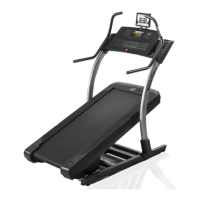
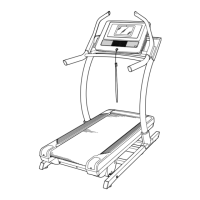
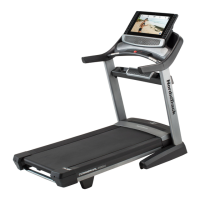
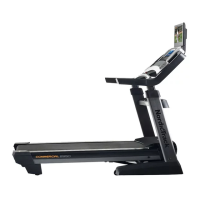
NordicTrack NTL29019.1 - User Manual

NordicTrack NTL29019.1
39 pages
Print Icon
To Next Page IconTo Next Page
Loading...
USER’S MANUAL
nordictrack.com
Model No. NTL29019.1
Serial No.
Write the serial number in the space
above for reference.
CAUTION
Read all precautions and
instructions in this manual before
using this equipment. Save this
manual for future reference.
ACTIVATE YOUR
WARRANTY
To register your product and
activate your warranty today,
go to my.nordictrack.com
CUSTOMER CARE
For service at any time, go to
nordictrackservice.com.
Or call 1-800-TO-BE-FIT
(1-800-862-3348)
Mon.–Fri. 6 a.m.–6 p.m. MT
Sat. 8 a.m.–12 p.m. MT
Please do not contact the store.
Serial
Number
Decal

Questions and Answers

  • M
    morrisonmichaelAug 3, 2025
    Why does my NordicTrack NTL29019.1 power turn off during use?
    • A
      Andre ParkerAug 3, 2025
      If your NordicTrack Treadmill turns off during use, there are several things to check: * Examine the power switch. * Ensure the power cord is securely plugged in. If it is, unplug it, wait five minutes, and then plug it back in. * Remove and reinsert the key from the console.
  • D
    David PattersonAug 7, 2025
    Why does my NordicTrack Treadmill walking belt slow down when I walk on it?
    • A
      Anita WadeAug 7, 2025
      If the walking belt on your NordicTrack Treadmill slows down when you walk on it, it might be overtightened. Adjust the incline to 40 percent, remove the key, and unplug the power cord. Use a hex key to turn both idler roller screws counterclockwise 1/4 of a turn. When the walking belt is properly tightened, you should be able to lift each edge of the walking belt 3 to 4 in. (8 to 10 cm) off the walking platform. Be careful to keep the walking belt centered. Then, plug in the power cord, insert the key, and walk on the incline trainer for a few minutes. Repeat until the walking belt is properly tightened. Also, do not apply silicone spray or other substances to the walking belt or the walking platform unless instructed to do so by an authorized service representative.
  • J
    James MoranAug 11, 2025
    How to fix NordicTrack NTL29019.1 console display if it doesn't function properly?
    • V
      velasquezelizabethAug 11, 2025
      If the console of your NordicTrack Treadmill doesn't boot up properly or freezes, reset it to the factory default settings. Note that this will erase all custom settings. Resetting requires two people: first, turn the power switch off. Locate the small reset opening on the side of the console. Using a bent paper clip, press and hold the reset button inside the opening while a second person turns the power switch on. Hold the reset button until the console turns on. The console will turn off and then back on when the reset is complete. If it does not, use the power switch to turn the incline trainer off and then on again. Once the console turns on, check for firmware updates.
  • K
    Katherine GriffithAug 15, 2025
    What to do if NordicTrack Treadmill power does not turn on?
    • M
      Michael McbrideAug 15, 2025
      If your NordicTrack Treadmill power does not turn on: * Ensure the power cord is plugged into a surge suppressor and that the surge suppressor is plugged into a grounded outlet. * If connected to an AFCI-equipped outlet and the circuit breaker trips repeatedly, purchase an arc filter. * Check the power switch on the frame near the power cord. If it protrudes, wait five minutes, then press it back in to reset.
  • B
    Bianca AlexanderAug 25, 2025
    Why won't my NordicTrack NTL29019.1 Treadmill connect to the wireless network?
    • E
      Elijah DiazAug 26, 2025
      If your NordicTrack Treadmill won't connect to the wireless network, verify that the wireless settings on the console and the settings for your wireless network are correct.
  • M
    Mr. Mark WardAug 28, 2025
    What to do if my NordicTrack Treadmill console does not stay in place?
    • K
      Karen GalvanAug 28, 2025
      If the console of your NordicTrack Treadmill is too loose and won't stay in the desired position, use a hex key to slightly tighten it in the indicated location on both sides.
  • R
    rileyvincentNov 19, 2025
    What to do if my NordicTrack NTL29019.1 Treadmill walking belt is off-center or slips?
    • B
      blake47Nov 19, 2025
      If the walking belt on your NordicTrack Treadmill is off-center or slips, here's what you can do. First, set the incline to 40 percent, then remove the key and unplug the power cord. If the belt is off-center: for a belt shifted to the left, turn the left idler roller screw clockwise 1/2 turn; for a belt shifted to the right, turn the left idler roller screw counterclockwise 1/2 turn. If the belt slips, turn both idler roller screws clockwise 1/4 of a turn. After adjustments, plug in the power cord, insert the key, and walk on the treadmill for a few minutes. Repeat until corrected, being careful not to overtighten the walking belt. When the walking belt is correctly tightened, you should be able to lift each edge of the walking belt 3 to 4 in. (8 to 10 cm) off the walking platform. Be car...

Summary

Activate Your Warranty

Warning Decal Placement

Decal Safety Precautions

Details essential safety warnings and precautions related to treadmill decals.

Important Precautions

General Safety Guidelines

Crucial safety instructions for using the incline trainer, covering user responsibility and health.

Usage and Environment Guidelines

Safe usage practices, including placement, environment, and avoiding hazardous conditions.

Electrical Safety and Surge Protection

Necessity of surge protectors and proper electrical connections for safety.

iFit Features and Benefits

Weight Loss Programs

Utilize progressive weight loss programs with trainers to stay motivated.

Event Training Programs

Prepare for events like marathons with specialized training programs.

Map Your Route with Google Maps

Simulate terrain and display Street View during workouts.

Virtual Races and Competition

Compete with others in real-time virtual races to push limits.

Mobile Workout Tracking

Track workouts anywhere using iFit mobile apps.

Share Your Progress

Inspire others and share routes and workouts.

Extended Service Plans

Preventive Maintenance Plans

Annual checks, unlimited in-home repairs, and coverage for defects and wear.

Standard Service Plans

Unlimited in-home repairs and coverage for manufacturer defects and wear.

Before You Begin

Component Identification

Identifies and labels the key parts of the incline trainer for user familiarization.

Part Identification Chart

Assembly Hardware

Illustrates and identifies small parts used for assembly, including screws and washers.

Assembly Instructions

Product Registration

Register product online to document ownership and activate warranty.

Final Assembly Steps

Upright Cover Installation

Instructions for attaching the inside and outside upright covers.

Trainer Placement and Leveling

Moving trainer to location and leveling for stability.

Final Tightening and Care

Ensures all parts are tightened and advises on console protection.

Chest Heart Rate Monitor

Wearing the Monitor

Properly wear the heart rate monitor for accurate readings.

Monitor Care and Maintenance

Instructions for cleaning, drying, and storing the heart rate monitor.

Heart Rate Monitor Troubleshooting

Common issues and solutions for heart rate monitor functionality.

Connecting the Power Cord

Surge Suppressor Requirements

Specifications for surge suppressors to protect the trainer from voltage surges.

Proper Grounding and Outlet Connection

Correct grounding and outlet connection procedures to prevent shock hazards.

Console Overview

Console Diagram

Visual representation of the console, labeling all buttons and indicators.

Console Features and Functionality

Describes console capabilities: iFit, manual mode, workout programs.

Powering On and Console Interaction

Turning On the Incline Trainer

Step-by-step guide on how to safely power on the incline trainer.

Using the Touch Screen Interface

How to navigate and interact with the console's touch screen.

Console Setup

Wireless Network Connection

Connect the console to a wireless network for iFit and updates.

Customizing Settings and iFit Account

Set units, time zone, and log into or create an iFit account.

Firmware Updates and Incline Calibration

Update console firmware and calibrate the incline system.

Manual Mode Operation

Starting and Adjusting Speed

Start the walking belt and adjust speed using console buttons.

Adjusting Incline and Monitoring Progress

Change incline and view workout data on the console display.

Map Workout Guide

Selecting and Starting a Map Workout

Choose a map workout and begin the exercise session.

Workout Progress and Completion

Monitor progress during a map workout and end the session.

Custom Map Workouts

Drawing and Saving Custom Maps

Create, save, and title personalized workout routes.

Starting and Monitoring Custom Workouts

Initiate a custom map workout and track progress.

Distance and Time Workouts

Scheduling Workouts on iFit.com

Add distance or time workouts to your iFit.com schedule.

Starting Scheduled Workouts

Log in, select, and start distance or time workouts from your iFit schedule.

Special Workout Features

Sled Push Feature Operation

Use the sled push feature, including speed and incline settings.

Workout Settings Configuration

Customize and manage workout-specific settings.

Equipment Settings Configuration

Customize unit of measurement, timezone, and view machine info.

Maintenance and Updates

Console Firmware Updates

Check and install console firmware updates for optimal performance.

Incline System Calibration

Calibrate the incline system for accurate movement.

Wireless Network Connectivity

Setting Up a Wireless Connection

Connect the console to a wireless network, including enabling Wi-Fi.

Managing Network Connections

Connect, disconnect, or forget networks; troubleshoot connection issues.

Sound System Usage

Bluetooth Device Connection

Pair and connect Bluetooth devices to the console's sound system.

Audio Cable Connection

Play audio through the console using a 3.5mm audio cable.

Moving the Incline Trainer

Safe Moving Procedures

Safely move the incline trainer; requires two or three persons.

Post-Move Placement and Leveling

Place trainer firmly on floor and level to prevent rocking.

Maintenance and Troubleshooting

Regular Maintenance

Clean and inspect the trainer for optimal performance.

Power-Related Troubleshooting

Solve issues with power not turning on or turning off during use.

Walking Belt Troubleshooting

Belt Slows During Use

Fix belt slowing: check surge suppressor and belt tension.

Belt Off-Center or Slipping

Correct off-center or slipping belt via idler roller adjustments.

Advanced Troubleshooting

Wireless Connection Issues

Troubleshoot trainer failing to connect to wireless network.

Incline and Console Stability

Address problems with incline adjustment and console stability.

Console Display Malfunctions

Reset console to factory defaults for display or freezing issues.

Exercise Guidelines

Exercise Intensity Zones

Use heart rate to determine intensity for fat burning and aerobic exercise.

Workout Structure and Frequency

Recommendations for warm-up, training, cool-down, and frequency.

Suggested Stretches

Stretching Techniques

Correct form for various stretches to improve flexibility and prevent injury.

Part List

Component Breakdown

List of all parts with key numbers and quantities.

Exploded Drawing A

Base and Platform Assembly

Diagram of exploded view: base, walking platform, and components.

Exploded Drawing B

Frame and Drive System Components

Diagram of exploded view: frame, drive system, and electronics.

Exploded Drawing C

Upright and Support Structure

Diagram of exploded view: uprights, base pads, and leveling feet.

Exploded Drawing D

Handlebars and Frame Support

Diagram of exploded view: handlebars, crossbar, and upright supports.

Exploded Drawing E

Console and Front Hood Assembly

Diagram of exploded view: console, front hood, and mounting hardware.

NordicTrack NTL29019.1 Specifications

General IconGeneral
Running Area20" x 60"
FoldingYes
BluetoothYes
Cooling FanYes
AudioDual 2" Speakers
Incline12%
Decline-3%
Speed0 - 12 mph
Weight Capacity300 lbs

Related product manuals