2 Confirming the component parts
6
2 Confirming the component parts
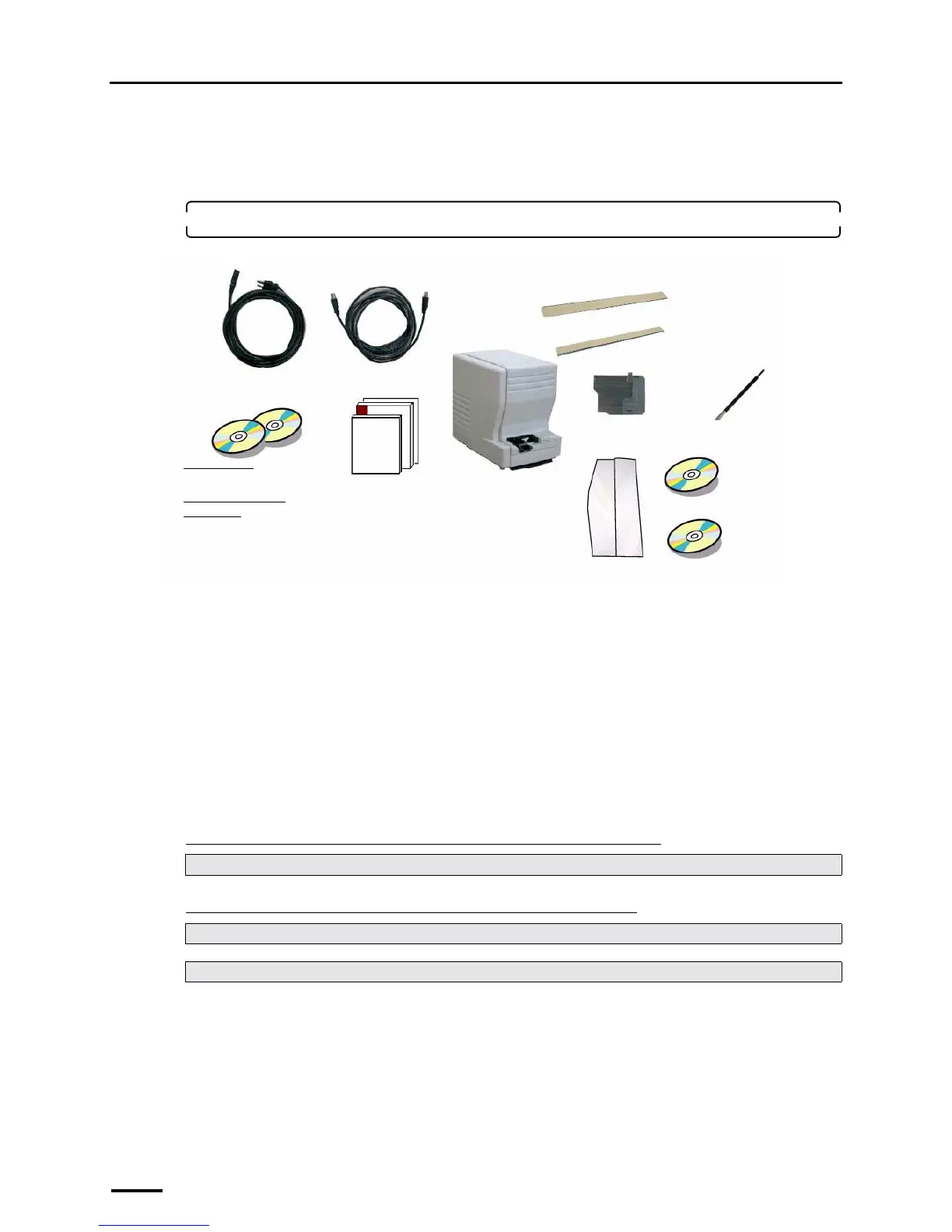
Confirm that all components are supplied.
1. Confirm the component parts.
Check whether all components are supplied.
Following components are used when installing this system.
• Power cord
*3
• USB cable
• TWAIN driver (CD-ROM), LS-# # # # SYSTEM PROGRAM (CD-ROM)
*2
• Manual
*1. Used only for connecting the scanner to the PC on which the controller is not installed.
*2. The model name is shown in # # # #.
*3. Supplied only in Japan and North America.
This completes confirming the component parts.
"
""
" Next, go to • • •
If connecting the scanner to the PC on which the controller is not installed
If connecting the scanner to the PC on which the controller is installed
Perform ☞3 Configuring monitor display settings.
For Windows XP, go to ☞ 6 Installing the SYSTEM PROGRAM.
For Windows Vista, go to ☞7 Connecting the power supply and setting the USB driver.
Scanner
Power cord
*3
USB cable
• TWAIN driver
(CD-
ROM)
*1
• L S - # # # # SYSTEM
PROGRAM (CD-ROM)
*2
135 cleaning leader
Cleaning leader case
IX240 adapter
240 cleaning leader B
Maintenance stick
Manual
• Installation Manual
• Starting Guide
• Specifications
• License agreement
CD manual
CD parts list (only
for outside Japan)
G087641



 To Next Page