5 Installing the TWAIN driver
29
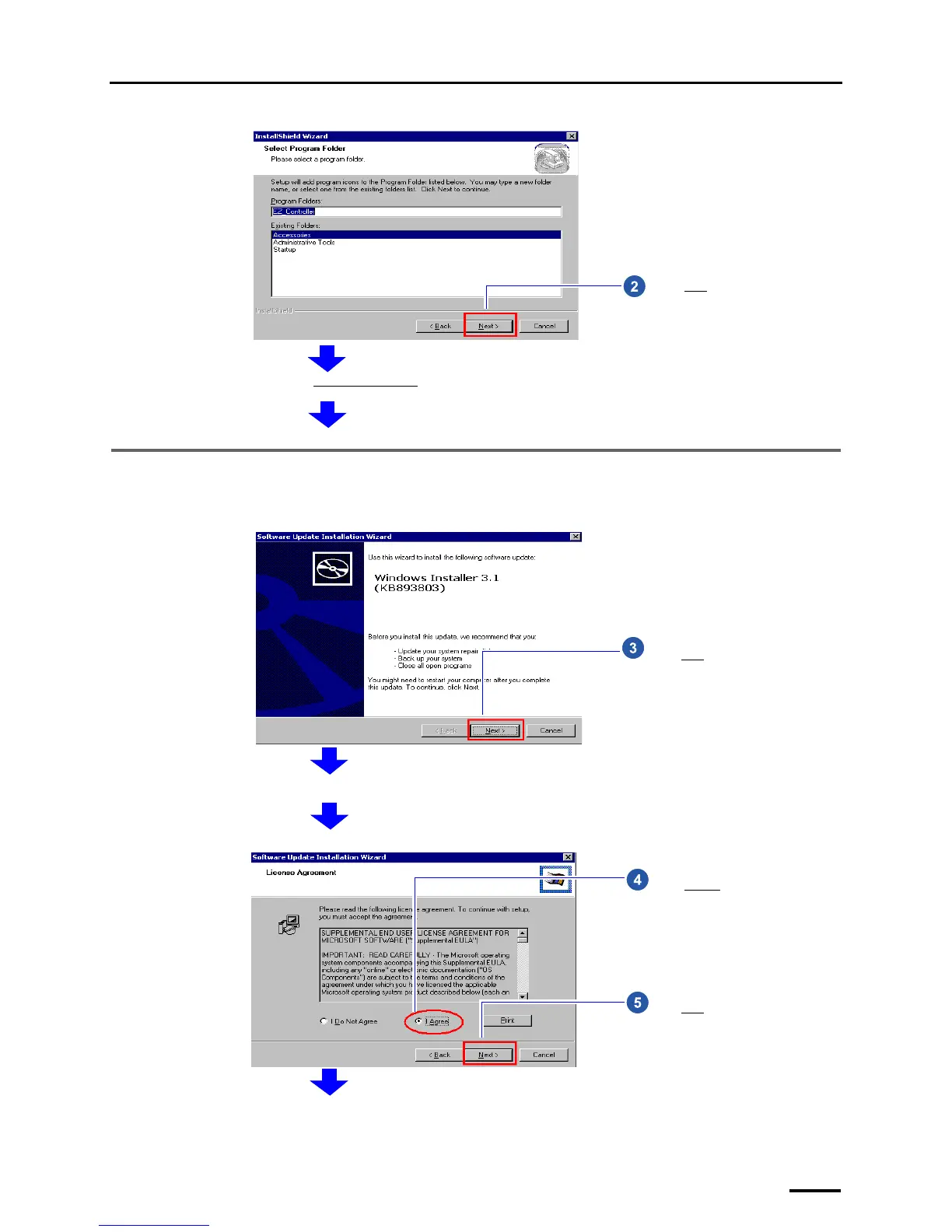
5.2 Installing the Windows Installer 3.1
If the installation display for Windows Installer 3.1 is not shown, go to ☞5.3 Installing the Microsoft Visual C++ 2005
SP1 Redistributable.
Click Next without selecting any
option.
Next, install Windows Installer 3.1.
S087699
Click Next.
Terms of use is shown.
S087700
Select I Agree.
Click Next.
S087701



 To Next Page