© Norsat International Inc. (“Norsat”) All Rights Reserved
2021-12-20 DOC-001527 Rev A 46
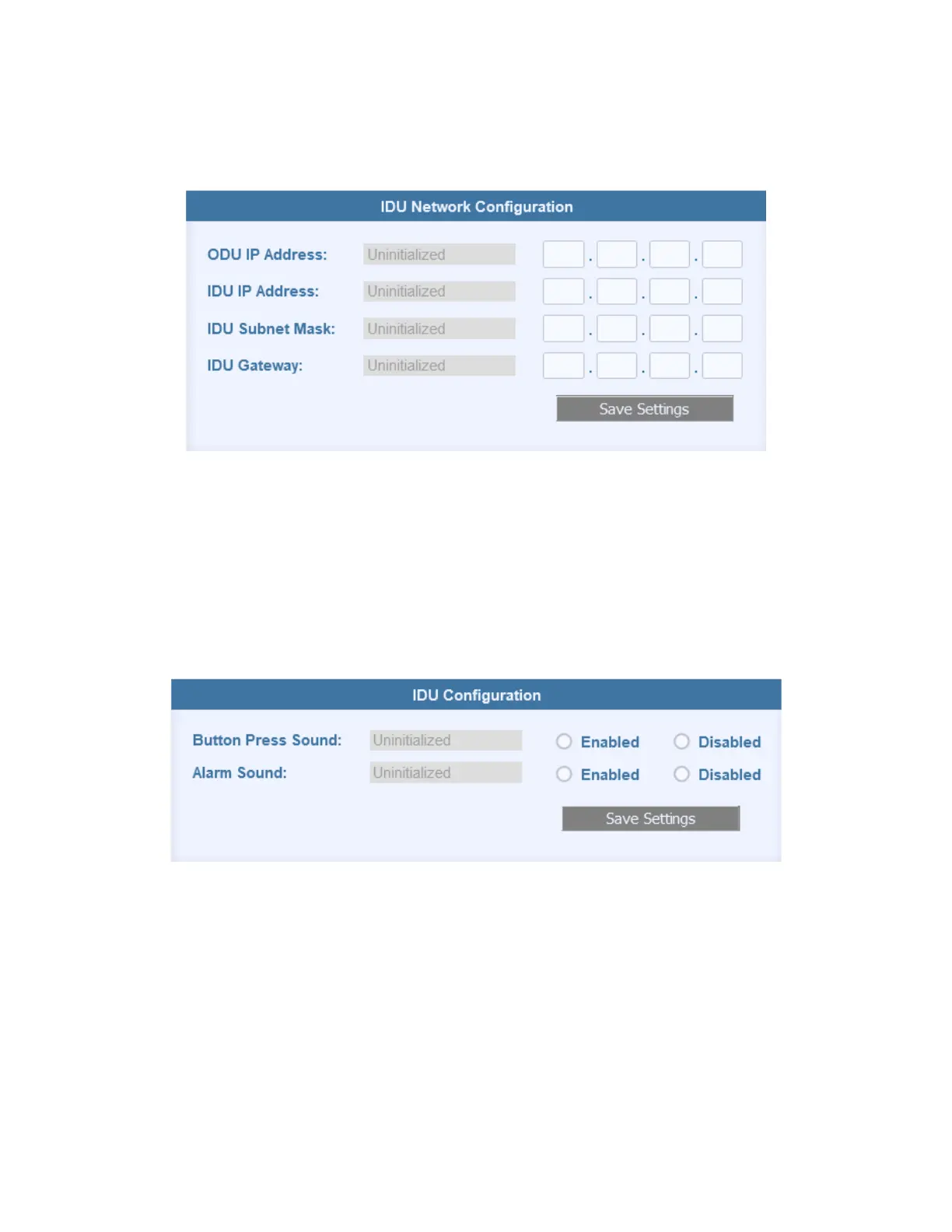
4.3.3 IDU Network Configuration
The IDU Network Configuration section displays to the Network Settings for the IDU. The current
values are on the left.
To change the network settings:
1. Input the updated network values in the inputs on the right.
2. Press the “Save Settings” button to implement the changes.
3. Power cycle the IDU after updating the network settings for the change to take effect.
The web page will now be accessible through the updated IP address.
4.3.4 IDU Configuration
The IDU Configuration section displays the sound settings for the IDU, with the current values
on the left.
To update the sounds settings:
1. Select the desired sound settings using the radio buttons on the right
2. Press Save Settings to implement the changes.


 To Next Page