© Norsat International Inc. (“Norsat”) All Rights Reserved
2021-12-20 DOC-001527 Rev A 45
4.3 IDU Web Interface
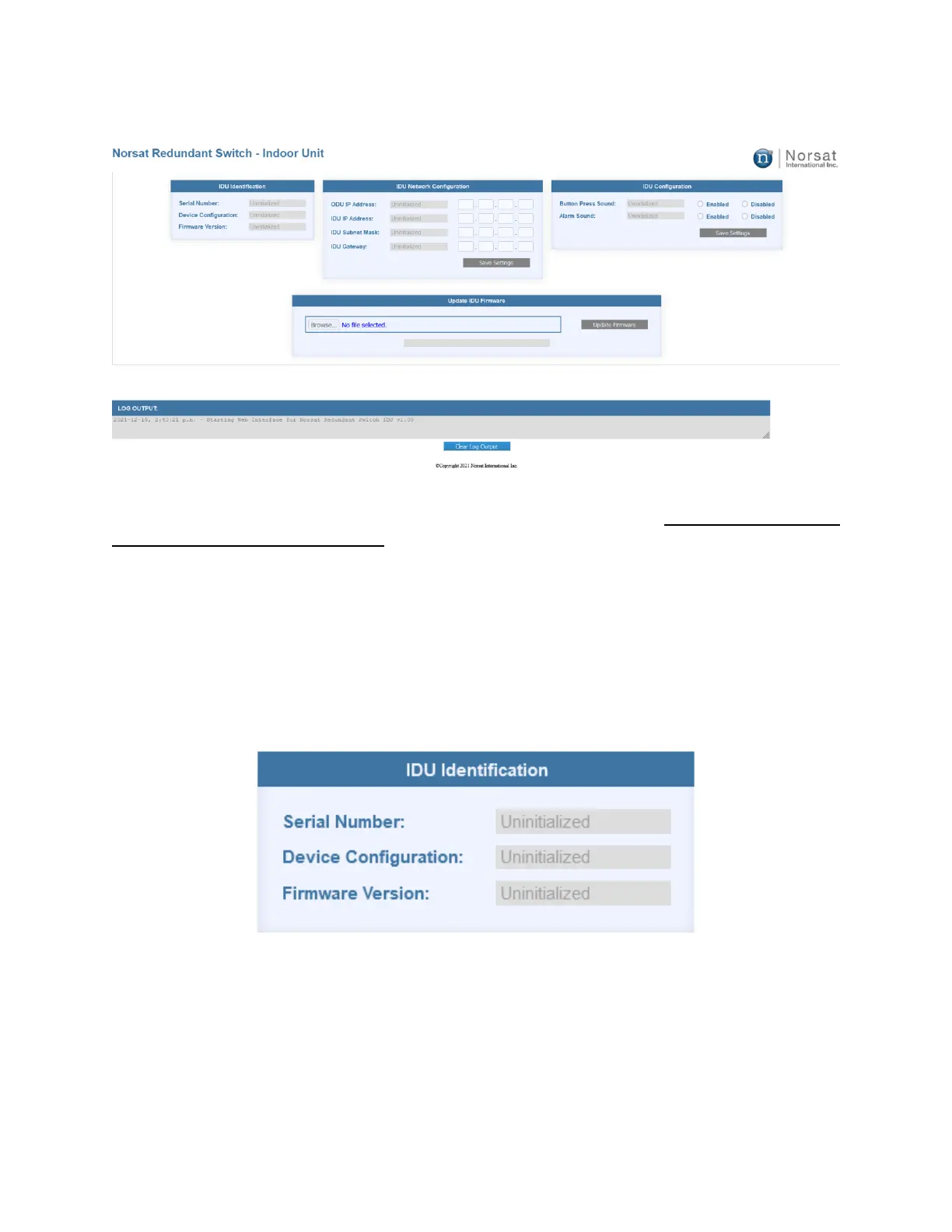
4.3.1 Accessing the Web Interface
The RSW IDU web interface can be accessed through a web browser. It is recommended to
use Firefox for best performance.
1. Locate the devices IP address (192.168.77.31 by default).
2. Go to the IP address using a web browser.
3. The Log Output at the bottom of the page will display any system messages after
loading the page.
4.3.2 IDU Identification
The IDU Identification section displays the Serial Number, Device Configuration (1:1 or 2:1, BUC
or LNB), and Firmware Version of the IDU. These values are not user configurable.


 To Next Page