14 Chapter 2 Introduction
NN40110-110NN40110-110
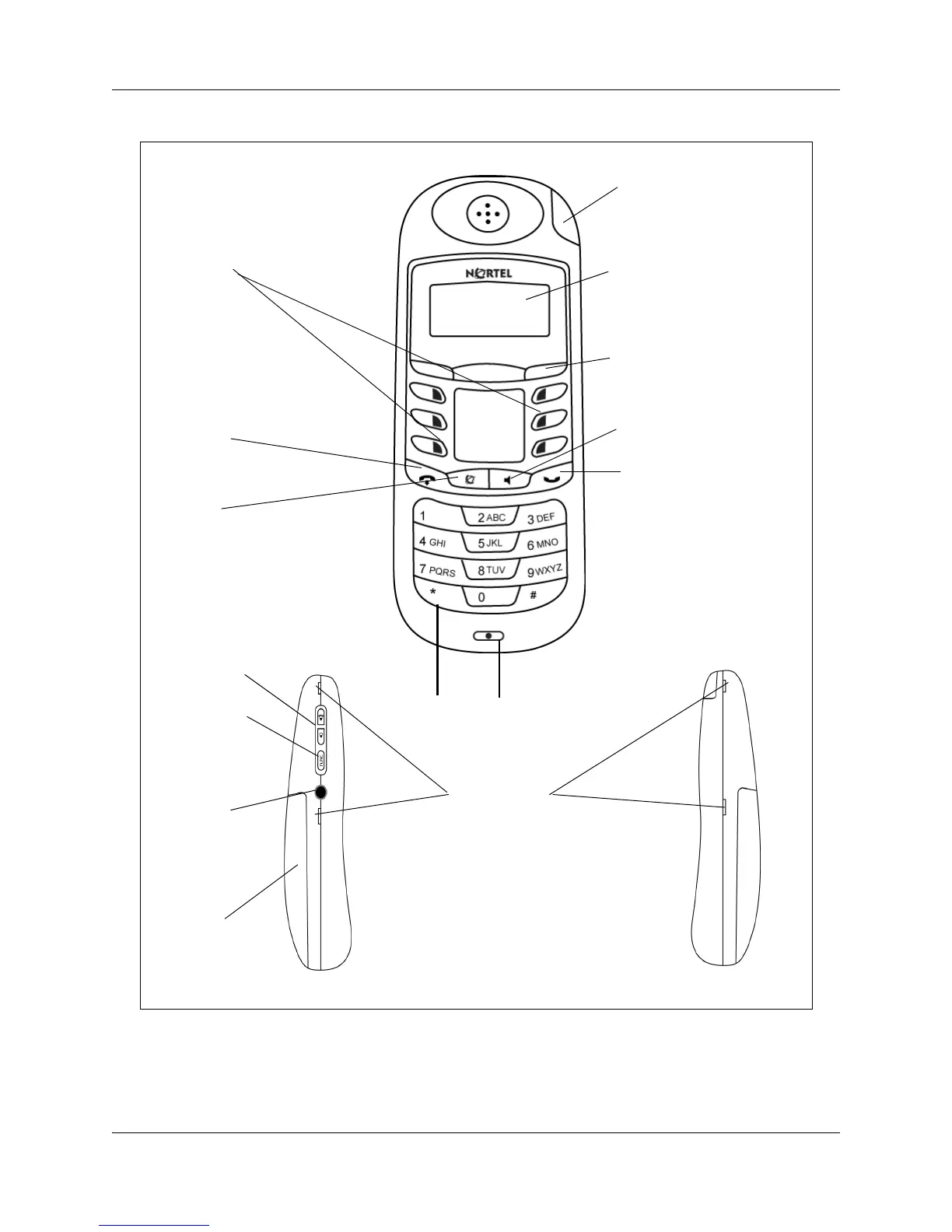
Figure 1 Handset features
Indicator keys
Start or cancel a
feature.
LCD
Shows the call information and
handset status icons, and guides
you while using features.
Release key
Cancels active
calls.
Soft keys
Use in Programming mode to
scroll through menus and options.
Microphone
Headset port
Volume control
Dial pad
Battery Pack
Call-hold/Message waiting
indicator
Flashes when a call is on hold or
a message is waiting.
Func key
Use to access
programming
mode or to answer
a call.
Feature key
Activates the Feature functions.
Belt clip notches
Handsfree/speaker phone
Hold
Places an active call on hold.


 To Next Page