Chapter 2 Introduction 13
User Guide
Headset
The T7406E cordless handset is equipped with a headset jack to provide connection to a headset.
You can plug a headset into the headset jack during a call. The handset switches to headset mode.
Unplug the headset while on a call to revert to handset mode.
Mute
During an active call, press the Func key on the left-hand side of the handset to activate the mute
function. Press the Func key again to deactivate the mute function.
Handset features
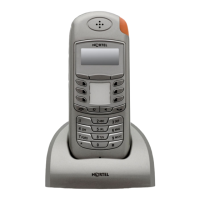
Figure 1 on page 14 shows the layout of the handset function keys, softkeys, and keypad, as well
as additional handset features.


 To Next Page