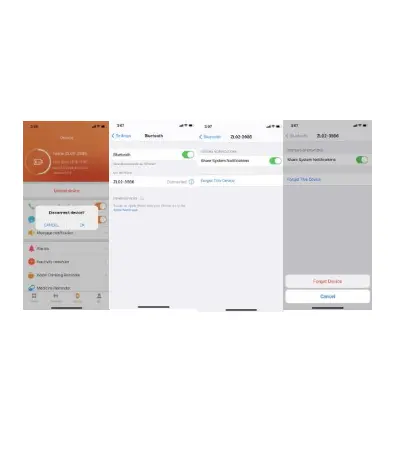
Remove device
For the Android mobile phone, the device can be disconnected
from your mobile phone by simply clicking on Remove device.
For Apple mobile phone after binding removal, you need to
click on the symbol on the right in Setting- Bluetooth, and
choose to ignore the device. As shown below:
Frequently Asked Questions (FAQs)
1. Why does the smart bracelet automatically disconnect
Bluetooth when the Android screen goes out?
1> Lock background APP. When the JYouPro process is cleared,
the smart bracelet will be disconnected from the mobile phone.
2 > Set APP self-startup


 To Next Page