Installation
Locate the Amplifier as close as possible to its final installation point. Allow access to the rear panel
for making connections.
The Monoblock Amplifier is convection cooled, eliminating the need for fan or forced air cooling.
When operating, the chassis should have at least five (5) cm (2 inches) of air space around the
heatsink areas.
Front & Rear Panel Function Controls
Before attempting any system interconnection, please familiarize yourself with the front and rear panel
controls of the Monoblock Amplifier. The descriptions below refer to the numbers and letters
associated with the features in the diagram above.
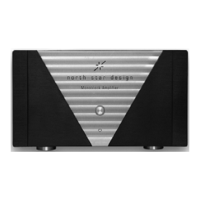
Front Panel
1 INDICATOR LED
The indicator led shows the operational status of your Monoblock Amplifier:
Blue brightness indicates that the Monoblock is on and ready to be used.
Red brightness indicates that the Monoblock is in standby.
Completely off indicates that the rear panel AC mains switch has been
turned off.
If the amplifier will not turn on, you may want to check the rear panel AC
mains switch , your AC connections, or have your dealer inspect the rear panel
fuses (which are not user-serviceable).
2 STANDBY BUTTON
When power is applied to the Monoblock power amplifier, and assuming the rear panel AC mains
switch is set to its on position, the amplifier remains in standby for few seconds and then switch on.
Subsequent pressing of the Standby button will toggle the Monoblock between standby mode and
fully on.
Rear Panel
Caution! Turn the volume on your preamplifier all the way down before attempting to connect anything
to your Monoblock Amplifier.
Switch the Monoblock in standby when you need to connect or disconnect the speaker cables; make
sure to avoid any shorts between the speaker cables before switch the Monoblock ON.
1 BALANCED AUDIO INPUT
Accepts a signal from a preamplifier with balanced outputs via a high quality XLR connector.
Select the balanced input with the switch 3.
The pin assignments of this XLR-type female input connector is:
3
Pin 1: Signal ground
Pin 2: Signal + (non-inverting)
Pin 3: Signal – (inverting)
These pin assignments are consistent with the standards adopted by the Audio Engineering Society.
Refer to the operating manual of your balanced output preamplifier to verify that the pin assignments


 To Next Page
 Loading...