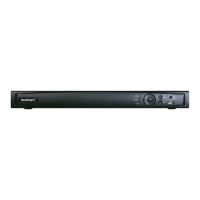
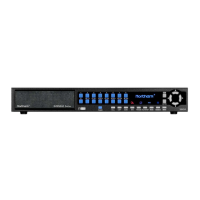
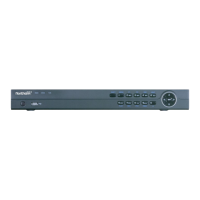
This document describes the N2NVR Series Digital Video Recorder (DVR), a high-performance device designed for video surveillance applications. It offers local preview, multi-screen split display, real-time video file storage, mouse shortcut operation, and remote management and control functions. The N2NVR Series is widely used in public security, transportation, electric power, and education industries.
Function Description:
The DVR supports various core functions:
- Cloud Upgrade: For devices connected to the public network, software updates can be performed online.
- Real-time Monitoring: Equipped with VGA and HDMI ports, it allows monitoring via a screen or monitor, supporting simultaneous output from both.
- Playback: Each channel offers independent real-time recording and playback functions, including retrieval, network monitoring, video query, and download. Multiple playback modes are available: slow release, fast release, reverse playback, and frame-by-frame playback. During playback, the exact event time can be displayed, and any screen area can be selected for partial magnification.
- User Management: Each user group has a customizable set of rights, ensuring that user permissions do not exceed the group's overall rights.
- Storage Function: Audio and video data from remote devices are stored on the DVR based on user configurations (e.g., alarm and timing settings). Users can also record in WEB mode, storing video files on the client PC.
- Alarm Function: The DVR provides real-time responses to external alarm inputs, processing them according to preset linkage settings and providing corresponding prompts. It supports central alarm receiving server settings for active and remote notification of alarm information, which can originate from various connected external devices. Alarm notifications can be sent via email or APP push.
- Network Monitoring: Audio and video data from cameras or NVS (Network Video Server) connected to the DVR can be transmitted to network terminals for decompression and reproduction. The device supports 8 simultaneous online users for streaming operations and uses protocols like HTTP, TCP, UDF, MULTICAST, RTP, and RTCP for data transmission. SNMP is used for some alarm data. WEB mode access is supported for both WAN and LAN environments.
- Split Screen: Image compression and digitization are used to display multiple images on a monitor. It supports 1/4/8/9/16 screen splitting during preview and 1/4/9/16 screen splitting during playback, depending on the number of available channels.
- Recording Function: The device supports regular recording, motion detection recording, alarm recording, and intelligent recording. Files are stored on the hard disk, USB devices, and client PCs.
- Backup Function: Supports USB2.0 and eSATA video backup.
- External Device Control: Peripheral control is supported, allowing free setting of control protocols and connection interfaces for each peripheral. It also supports transparent data transmission for multiple interfaces, such as RS232 and RS485.
- Accessibility: Supports NTSC and PAL video systems. Displays system resource information and real-time running status. Supports record logging, local GUI output, and quick menu operation via mouse. Supports playback of audio and video from remote IPC devices.
Important Technical Specifications:
- Power Supply: DC 12V, 2A / DC 12V, 4A (refer to actual product).
- Power Consumption: <15W (excluding hard disk).
- Operating Temperature: –10°C to +45°C.
- Humidity: 20% to 80%.
- Atmospheric Pressure: 86 Kpa to 106 Kpa.
- Hard Disk Support: Uses Surveillance-rated Hard Disks. Supports automatic detection of hard disk capacity and mainstream hard disk models.
- Network Interface: RJ 45 10/100/1000 Mbps adaptive Ethernet interface.
- USB Ports: USB 3.0 for mouse, keyboard, and U disk (bottom port only for U disk; upper and front panel USB ports cannot be used simultaneously).
- Serial Communication: Standard RS485 serial communication interface.
- Video Output: VGA and HDMI.
- Audio Input/Output: AUDIO IN, A-OUT.
- Alarm I/O: Alarm input and alarm output.
Usage Features:
- Activation: Upon first login or DVR reset, users must activate the device by setting login and channel default passwords. Pattern unlock can also be configured for login.
- Password Recovery: Supports email verification code or secure questions for password reset.
- Quick Navigation: A floating menu bar provides quick access to Playback, System, Power (Shutdown, Reboot, Logout), video window switching, auto SEQ, volume, and channel information.
- PTZ Control: For Network Dome or PTZ-connected cameras, users can control PTZ rotation, adjust shooting angles, and perform Omni-directional video surveillance. Includes zoom in/out, iris control, focus adjustment, and home preset.
- Image Settings: Adjust brightness, sharpness, contrast, and saturation for each channel. Advanced sensor settings for IP cameras include scene, exposure, white balance, day-night, noise reduction, and image enhancement.
- OSD Settings: Enable or disable OSD time and channel name display, and customize their positions.
- Privacy Zone: Mask specified areas in images to protect privacy.
- Channel Type: Configure channel types, with some devices supporting N+0.5N channels (N being the maximum analog cameras, 0.5N being minimum IP cameras).
- Record Schedule: Set up recording schedules based on time and day, with options for regular, motion detection, alarm, and intelligent recording.
- Network Configuration: Configure DHCP, DNS, HTTP/Data/Client ports, UPnP, P2P, IP filtering (black/white lists), 802.1X authentication, and Web Mode (HTTPS).
- System Information: View device ID, name, type, model, firmware version, HDD volume, channel support, and alarm/audio I/O.
- Auto Sequence: Set video display modes and dwell times for automatic screen sequencing.
Maintenance Features:
- Logs: Search and export log information by date, time, and type.
- Maintenance Operations: Shutdown, reboot, logout, exit system, reset, and update firmware. Supports importing and exporting configurations via flash drive.
- Auto Restart: Schedule automatic restarts daily, weekly, or monthly.
- Local Download Config: Set image snapshot and record file download paths.
Safety Instructions:
- Install the DVR indoors, horizontally, and in a stable place.
- Avoid direct sunlight, heat-generating equipment, high humidity, dust, or soot.
- Ensure proper ventilation and do not block openings.
- Use within the rated input/output range.
- Only remove the device cover for hard disk installation/replacement.
- Use specified manufacturer's model batteries and dispose of them according to local recycling laws.
- Use only the power supply included with the device.
- Connect Class I products to grounded power outlets.
- Use Surveillance-rated Hard Disks.
- Clean with a soft, dry cloth; avoid chemical solvents.
- Do not place objects on the DVR.
- Comply with privacy protection laws regarding personal information collection.
- Regularly update firmware for security.
- Change passwords regularly and modify default HTTP/data ports.
- Use HTTPS/SSL encryption.
- Enable IP filtering.
- Update ONVIF passwords if necessary.
- Forward only necessary network ports; avoid setting the device's IP to DMZ.
- Use different usernames/passwords for video surveillance systems than for social media/banking.
- Restrict ordinary account permissions.
- Disable UPnP and SNMP if not in use.
- Turn off multicast playback if not using the feature.
- Regularly check logs for unusual access.
- Physically protect the device from unauthorized access (e.g., in a locked room/cabinet).
- Isolate DVR and IP cameras from the computer network to prevent unauthorized access.

 Need help?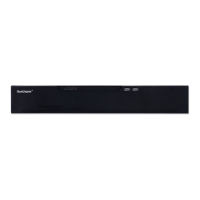

 To Next Page
 General