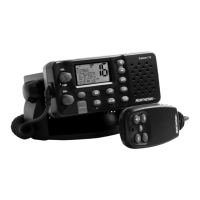
3Northstar Explorer VHF Series: 721/725 Operation and Installation Manual
Contents
Section 1 - General Information ................................................................................................................6
1-1 Features ..........................................................................6
1-2 Customize your Northstar VHF Radio .............................................7
1-3 How to Display and Navigate Menus ..............................................7
1-4 How to Enter or Change Alphanumeric Data ......................................7
1-5 LCD Symbols and Meanings ......................................................8
1-6 How the Microphone and 701 Optional Handset Work Together .................10
1-7 Basic Operation and Key Functions ..............................................10
Section 2 - The Radio Menu (MENU) ..............................................................................................13
2-1 The Radio Menu Options (MENU) ................................................13
2-2 Show Weather, SNR or Happy Fish on Handset (INFO DATA) ......................14
2-3 Maintain Your Buddy List (BUDDY LIST) ..........................................15
2-4 Local or Distance Sensitivity (LOCAL/DIST) ......................................16
2-5 Backlighting (BACKLIGHT) and Contrast (CONTRAST) ............................16
2-6 GPS Data and Time (GPS/DATA) ..................................................17
2-7 GPS Simulator (GPS SIM) .........................................................20
2-8 Reset to Factory Defaults (RESET) ................................................20
2-9 Subscribe or Un-Subscribe the 705 handset (HS SETTING). . . . . . . . . . . . . . . . . . . . . . . . 21
Section 3 - Radio Setup Menu (RADIO SETUP) ........................................................................................... 22
3-1 The Radio Setup Menu Options (RADIO SETUP) ..................................22
3-2 Select the Channel Bank (UIC) (US only) ...........................................................................22
3-3 Change Channel Names (CH NAME) .............................................23
3-4 Ring and Beep Volume (RING VOLUME and KEY BEEP) ..........................23
3-5 Internal Speaker Connections (INT SPEAKER) ....................................23
3-6 Set the Priority Channel (WATCH MODE) .........................................24
3-7 Weather Alert (WX ALERT) (US only) .................................................24
3-8 NMEA or NAVBUS protocol (COM PORT) (721 / 725 only) .....................................................24
3-9 Barometric Displays (BARO SENSOR) .............................................25
3-10 Temperature Display (TEMPERATURE) ..........................................27
3-11 HAPPY FISH Alarm ON or OFF ...................................................27
Section 4 - DSC SETUP Menu ..................................................................................................................... 28
4-1 What is DSC? ....................................................................28
4-2 DSC SETUP Menu Options .......................................................28
4-3 Check Your User MMSI (USER MMSI) .............................................28
4-4 Maintain Your Groups (GROUP SETUP) ...........................................28



 To Next Page