Press
Music: Play or pause.
Call: Answer or hang
up a call.
Triple-press
Music: Skip back.
More options in Nothing X app.
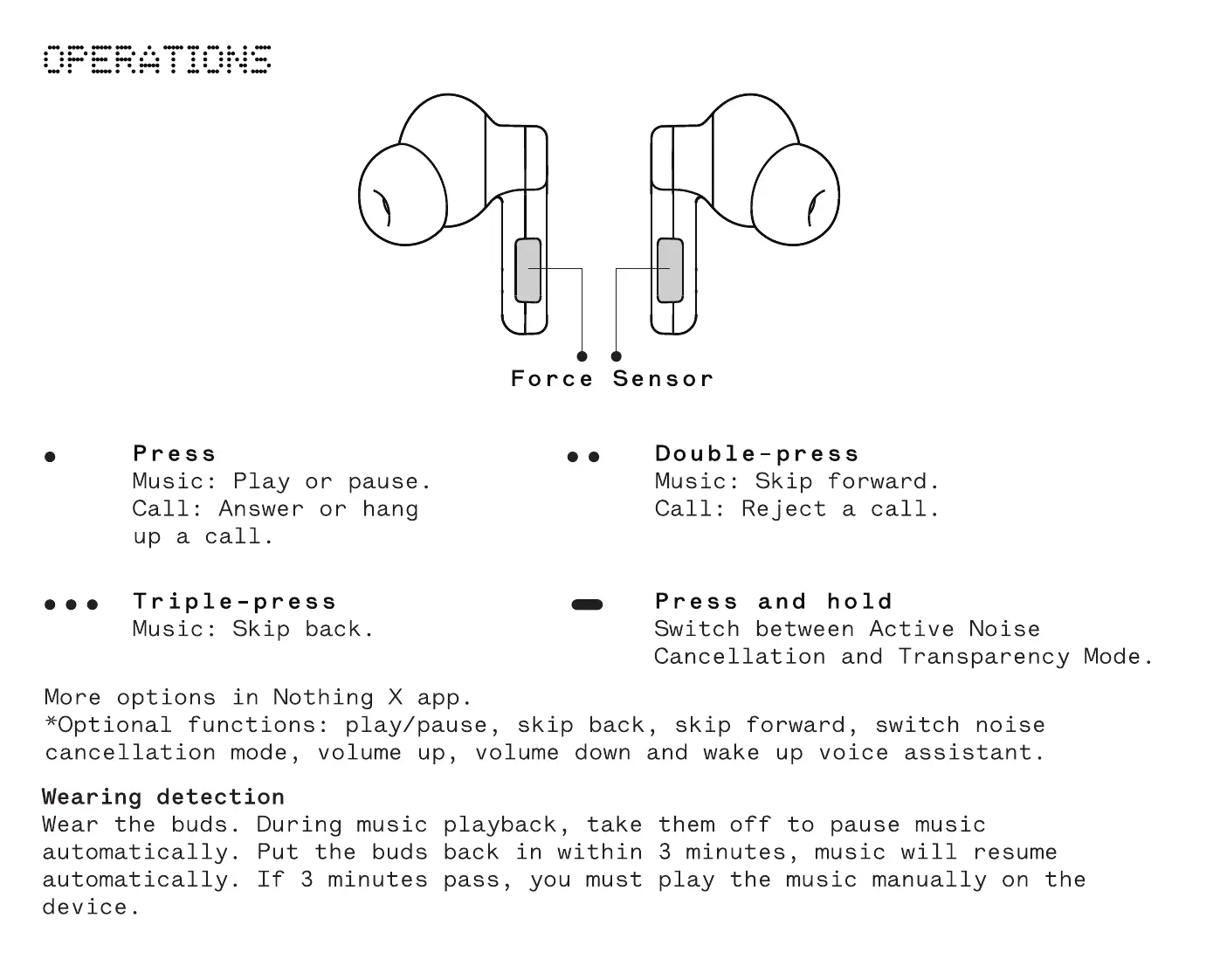
Force Sensor
Double-press
Music: Skip forward.
Call: Reject a call.
Press and hold
Switch between Active Noise
Cancellation and Transparency Mode.
*Optional functions: play/ pause, skip back, skip forward, switch noise
cancellation mode, volume up, volume down and wake up voice assistant.
Wearing detection
Wear the buds. During music playback, take them off to pause music
automatically. Put the buds back in within 3 minutes, music will resume
automatically. If 3 minutes pass, you must play the music manually on the
device.


 To Next Page