3
1
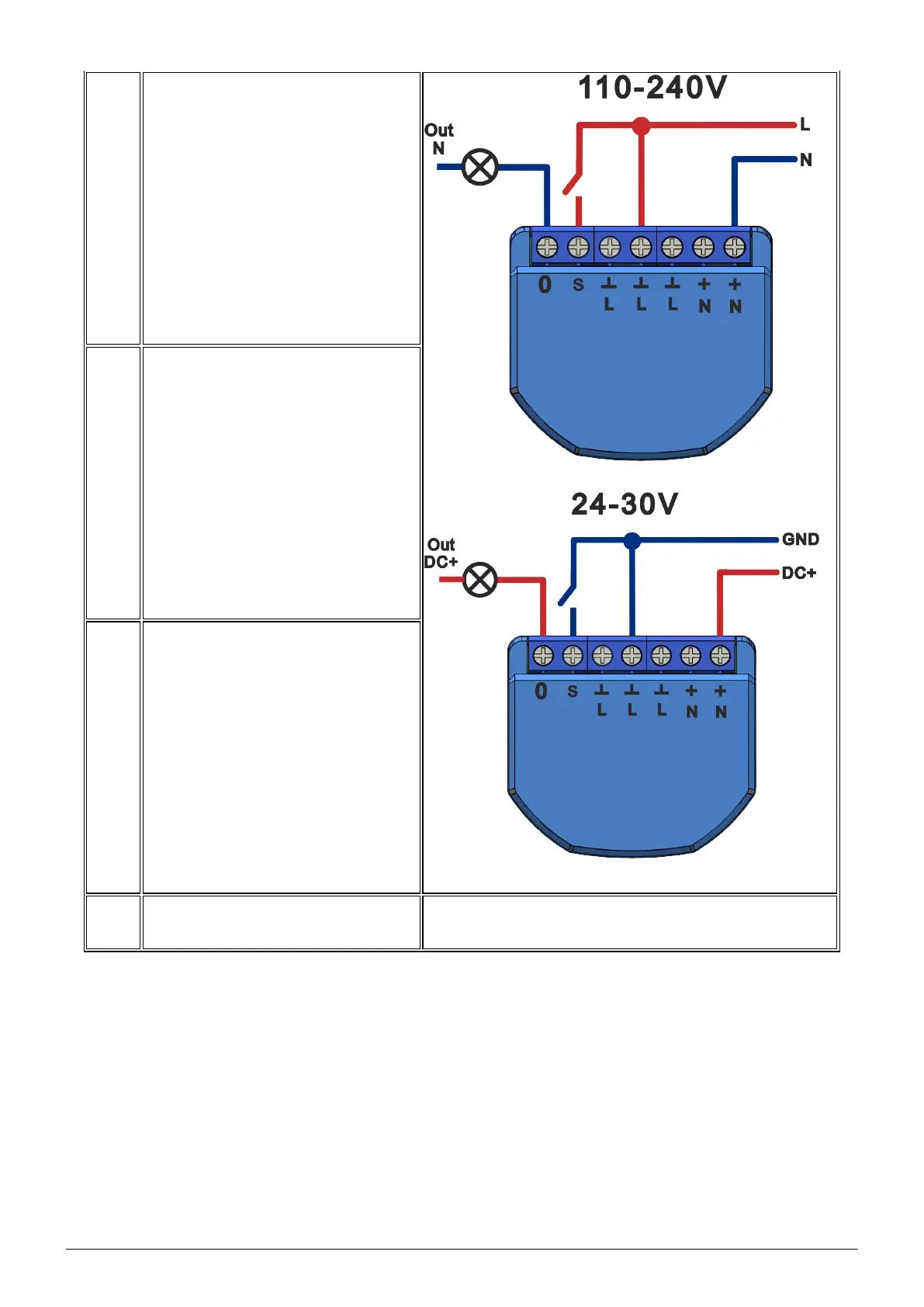
Connect the switch as shown in one of
the electrical diagrams.
2
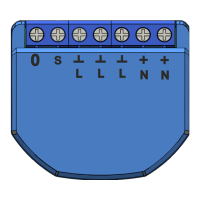
Marking:
•
0
- relay output terminal
• l - relay input terminal
• S - switch input terminal
• L - Live (110-240V) terminal
• N - Neutral terminal
• GND - DC ground terminal
• DC+ - DC positive terminal
3
When the installation is complete, the
device is ready to use.
Importantly:
Make sure that the Wi-Fi network is stable and has a
sufficient level in the chosen installation location.
Connection
To connect the Nous B2Z device, you need a smartphone based on the Android or iOS
mobile operating system with the Nous Smart Home application installed. This mobile
application is free and available for download from Play Market and App Store. The QR
code for the application is given below:


 To Next Page
 Loading...