6
7
8
1
2
3
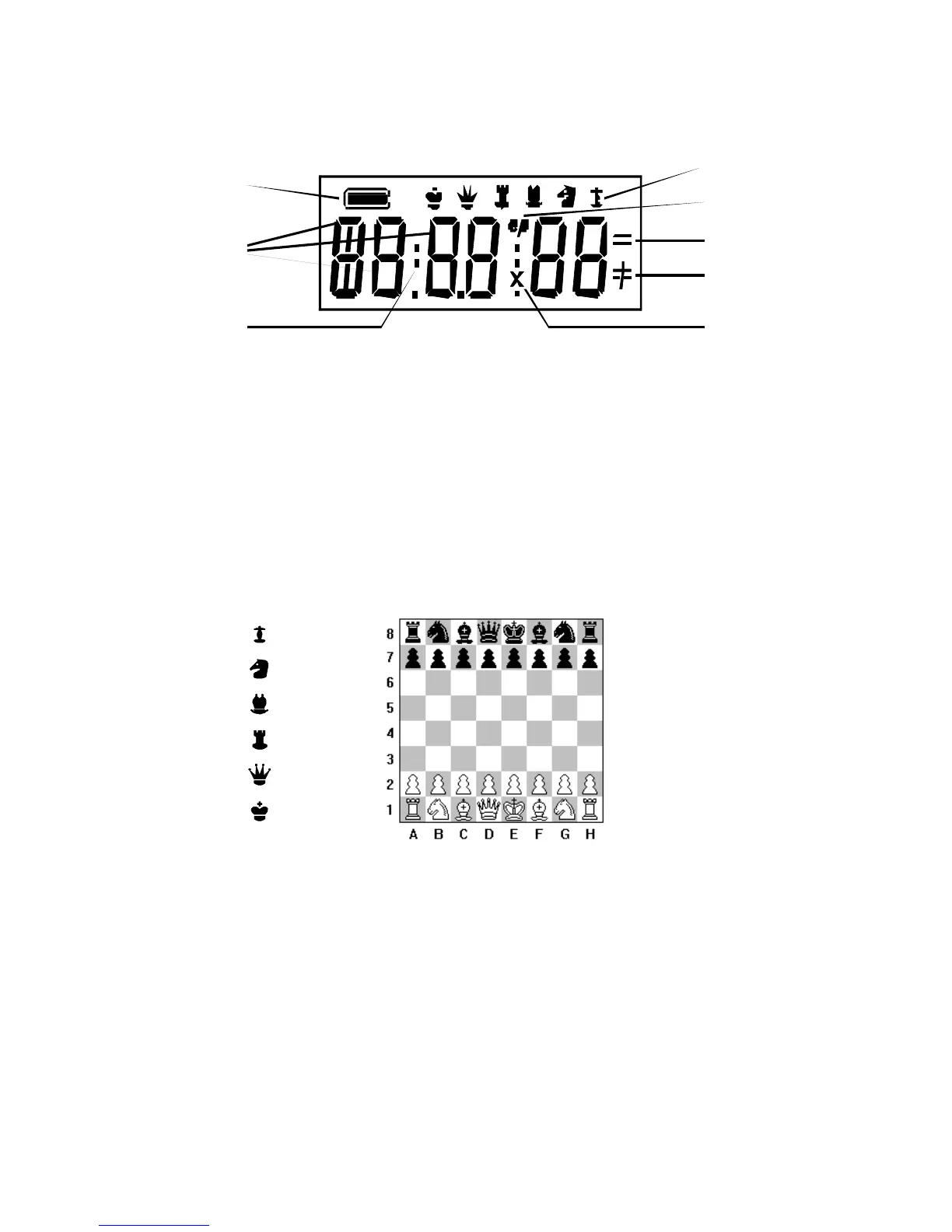
1 = Indication for the colour 5 = Symbol for En Passant
2 = 6 character alphanumeric display 6 = Symbol for Stalemate/Draw
3 = Separation for time indication 7 = Symbol for Check/Checkmate
4 = Symbols for chess pieces 8 = Symbol for captured figures
PLAYING A GAME
a) Please make sure the unit is at least 16 cm (6.3 inch) away from a wall or obstruction, because
the robotic arm needs space to retract backwards. Then, setup the chess pieces: White pieces on
rank 1 and 2, Black pieces on rank 7 and 8.
Pawn
Knight
Bisho
King
b) Connect the unit to the mains and push the power switch located on the backside of the unit to
ON.
c) Press NEW GAME. You will hear 3 beeps and the LCD will show " – – – – ".
d) You can now make your opening move for White. Gently push down the chess piece you wish to
move. Once you hear a beep you can proceed to place that piece on to the square you wish to
move to. Please apply some pressure again until you hear a beeping sound. The beeping sound
means that the computer has registered your move. At the same time your move will be shown
on the display.
e) The unit will immediately start computing its counter move and execute it automatically with its
robotic arm. Please be patient and wait for the computer to complete its move before you continue
the game.



 To Next Page