EasyManua.ls Logo

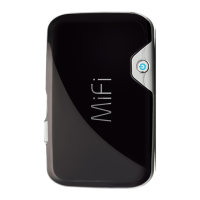
Novatel MiFi 2372 - User Manual

Novatel MiFi 2372
89 pages
Print Icon
To Next Page IconTo Next Page
Loading...
2372
IntelligentMobileHotspot

Table of Contents

Other manuals for Novatel MiFi 2372

Question and Answer IconNeed help?

Do you have a question about the Novatel MiFi 2372 and is the answer not in the manual?

Summary

Getting Started

Device Introduction and Setup

Introduces the MiFi device, its parts, power, LEDs, and initial installation.

Wi-Fi Connection and Security

Guides on Wi-Fi setup, login, device configuration, and wireless security.

Battery Management

Offers advice and warnings for optimal battery usage, charging, and care.

Using MiFi and Sharing Files

Setting Up a Temporary Hotspot

How to create a temporary network name and key for guest access.

microSDHC Card Usage and File Sharing

Guides on inserting, using the microSDHC card, and enabling file sharing.

Accessing Shared Files Wirelessly

Instructions for accessing files on the microSDHC card from Windows and Mac.

Accessing MiFi Features

MiFi Interface and Navigation

Covers the Landing Page, widgets, navigation bar, and status icons.

Device Configuration Menus

Details the main configuration menus: WiFi, Internet, Router, and System.

Applications Menu: File Sharing and Landing Page Settings

Managing file sharing and customizing the landing page widgets.

Troubleshooting

Troubleshooting Overview and Tips

General advice and tips for solving common problems encountered with the MiFi device.

Common Problems and Solutions

Addresses specific issues like no service, no power, and connectivity problems.

Master Reset Procedure

Step-by-step instructions on how to perform a factory reset on the MiFi device.

Product Specifications and Regulatory Information

Product Specifications

Lists the technical and mechanical details of the MiFi device.

Regulatory Compliance and Safety

Covers CE, FCC, safety hazards, and battery precautions.

Warranty and Liability

Outlines the terms and conditions of the product's warranty and legal disclaimers.

Glossary

Summary

Getting Started

Device Introduction and Setup

Introduces the MiFi device, its parts, power, LEDs, and initial installation.

Wi-Fi Connection and Security

Guides on Wi-Fi setup, login, device configuration, and wireless security.

Battery Management

Offers advice and warnings for optimal battery usage, charging, and care.

Using MiFi and Sharing Files

Setting Up a Temporary Hotspot

How to create a temporary network name and key for guest access.

microSDHC Card Usage and File Sharing

Guides on inserting, using the microSDHC card, and enabling file sharing.

Accessing Shared Files Wirelessly

Instructions for accessing files on the microSDHC card from Windows and Mac.

Accessing MiFi Features

MiFi Interface and Navigation

Covers the Landing Page, widgets, navigation bar, and status icons.

Device Configuration Menus

Details the main configuration menus: WiFi, Internet, Router, and System.

Applications Menu: File Sharing and Landing Page Settings

Managing file sharing and customizing the landing page widgets.

Troubleshooting

Troubleshooting Overview and Tips

General advice and tips for solving common problems encountered with the MiFi device.

Common Problems and Solutions

Addresses specific issues like no service, no power, and connectivity problems.

Master Reset Procedure

Step-by-step instructions on how to perform a factory reset on the MiFi device.

Product Specifications and Regulatory Information

Product Specifications

Lists the technical and mechanical details of the MiFi device.

Regulatory Compliance and Safety

Covers CE, FCC, safety hazards, and battery precautions.

Warranty and Liability

Outlines the terms and conditions of the product's warranty and legal disclaimers.

Glossary

Novatel MiFi 2372 Specifications

General IconGeneral
BrandNovatel
ModelMiFi 2372
CategoryWireless Router
LanguageEnglish

Related product manuals