Need help?
Do you have a question about the Novint Falcon and is the answer not in the manual?
Download the latest Falcon driver setup program from the Novint website.
Execute the driver setup program using administrator privileges.
Connect the Falcon via USB and power after driver installation.
Download the latest Falcon Tutorial setup program from the Novint website.
Run the Falcon Tutorial setup program using administrator privileges.
Run the Falcon Tutorial to learn basic operation and familiarize with the device.
Install F-Gen for 3D Touch Add On support and manage haptic profiles for games.
Download and install the Novint SDK for custom application development.
Adjust NOVINT_DEVICE_SUPPORT variable using NDSetter for games or development.
Direct questions to Novint support via email.
Ensure both USB and power connections are properly seated for functionality.
Calibrate the Falcon by moving the grip if the light is red.
Use direct USB ports, avoid USB hubs, for computer connection issues.
Use default settings initially for FPS games, then tune for performance.
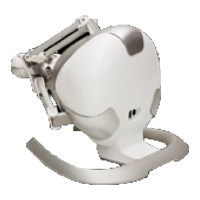
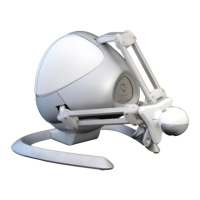
The Novint Falcon is a haptic feedback device designed to enhance gaming and application experiences by providing a sense of touch. It allows users to feel textures, shapes, and forces within virtual environments, offering a more immersive and interactive experience than traditional input devices.
The Novint Falcon functions as a 3D input device with force feedback capabilities. Unlike a standard mouse or joystick, the Falcon provides resistance and tactile sensations that correspond to interactions within a digital space. For example, when a user moves a virtual object, they might feel its weight or the texture of its surface. If they collide with a virtual wall, the Falcon can push back, simulating the impact. This haptic feedback is achieved through motors and sensors within the device that apply forces to the user's hand via a grip.
The device supports two primary use cases: gaming and custom application development. For gaming, it integrates with existing games through "3D Touch Add Ons" or with specially designed "Full 3D Touch Games." It can also function as a mouse, providing a unique way to navigate the desktop. For developers, the Novint SDK (Software Development Kit) allows for the creation of custom applications that leverage the Falcon's haptic capabilities, opening possibilities for simulations, training, and other interactive experiences.
While the manual doesn't list explicit technical specifications like resolution or force output, it does provide crucial software and connectivity requirements. The Falcon connects to a computer via a USB cord and requires an external AC power supply. It is essential to connect the USB cord directly to a USB port on the computer (preferably on the back) and not through an external USB Hub to ensure proper functionality and avoid connection issues.
The device relies on specific software components for operation:
setup.Falcon.v4.0.28.0_100707.exe) must be downloaded and installed.setup.FalconTutorial_v1.1.0.0_070909.exe) designed to familiarize users with the Falcon's basic operation and haptic feedback.All software installations require "administrator privileges" and it is recommended to temporarily disable anti-virus/security software during installation to prevent conflicts.
NOVINT_DEVICE_SUPPORT environment variable needs to be adjusted using the NDSetter program (included with the SDK). For games, it should point to C:\Program Files (x86)\Novint\Falcon\HDAL. For custom application development, it should point to C:\Program Files (x86)\Novint\HDAL_SDK_2.1.3.The manual primarily focuses on software installation and troubleshooting connectivity issues rather than physical maintenance.
In summary, the Novint Falcon offers a unique haptic experience for both gamers and developers. Its successful operation heavily relies on correct software installation, proper connectivity, and adherence to specific usage guidelines, particularly regarding administrator privileges and software management.
 General
| Brand | Novint |
|---|---|
| Model | Falcon |
| Category | Video Game Controller |
| Language | English |

 To Next Page