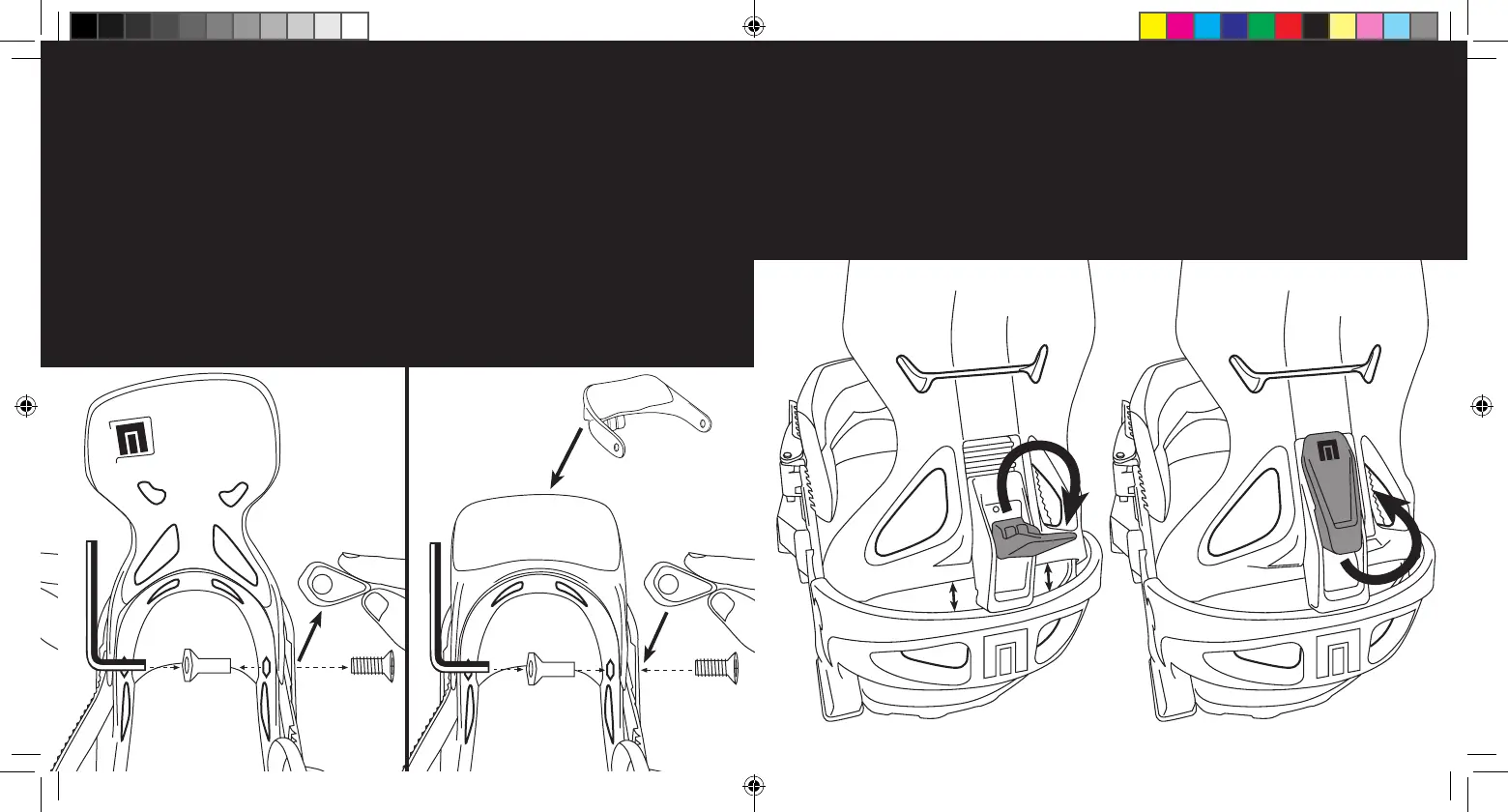
NoBack mode with
HighCups.
Step 1: Remove highback
by removing hardware on
both sides with a phillips
#3 and a 4mm allen key.
Step 2: Replace HighBack
with HighCup and re-
instal the hardware. Note:
make sure that the t-nuts
are properly fitted in the
binding cavity and use a
4mm allen key to hold the
t-nuts in their place.
HIGHCUP
Forward Lean Adjustment
To change your forward lean, simply pull down the lever and
move the forward lean block either up or down. When you
reach the desired position, simply flip the lever back to the
locked position.
Now_IPO_Select_Manual_2014.indd 10-11 3/17/14 6:38 PM



 To Next Page