5
6
1.1 Scan mode
CAUTION: When you are scanning, you can adjust the sensitivity
button to the best location according to the work place you are.
Red alligator clip
to connect the
color wire.
black alligator
clip to connect
the shielded.
or ground.
Your excellent helper in cable test!
Your excellent helper in cable test!
Usage method for Receiver.
operating instructions
CAUTION: This device and operate method also fit Telephone
cable , you can connect the cable into RJ11 port and the steps
keep the same.
Firstly , Toggle the switch to "ON" to trun on the device ,and
press AUDIO button if you enter the SCAN function , the
POWER & SCAN led will light up.
Secondly,use the black alligator clip to connect ground, the red
clip connects any core of the cable.Then adjust the sensitivity
button from 1-8, choose the fittable number.
Thirdly, take the amplifier probe to the other side to detect the
cables after restart , will send out the loudest voice when you
closed the target wire. If can't identify the target cable , you can
adjust the sensitivity constantly for the amplifier probe.
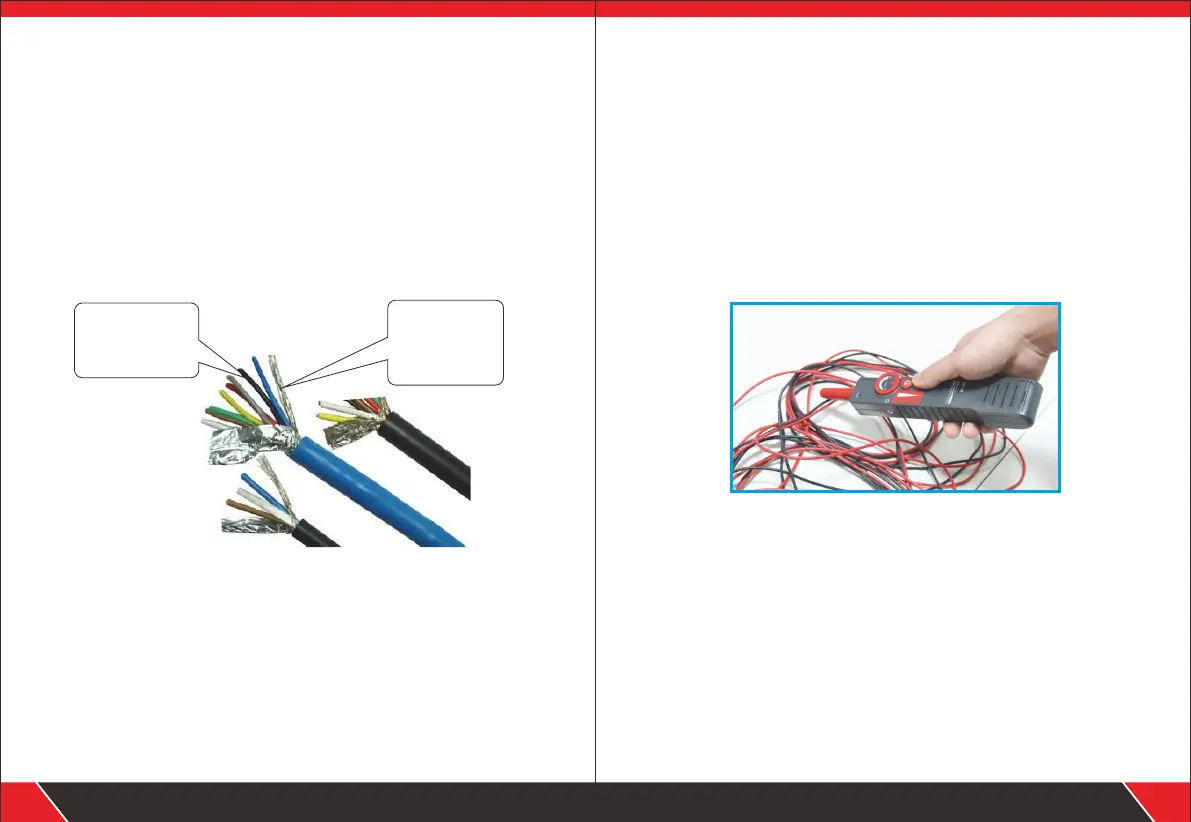
3. Hold the receiver to get close to cables, adjust the sensitivity
to proper degree, you will hear“do do do”. When the probe
touches the target cable, the tone would be loudest and
clear,and more signal indicators will flash.
1. Long press the power button to turn on the device.
2. When the“power” indicator is on, which means the receiver
works well.


 To Next Page