REAL MEDIA PLAYER MP700 HD
REAL MEDIA PLAYER MP700 HD
English
Settings
Remark: not all signals are suitable for your TV set, wrong setting will cause dis-
play abnormal. Then repeatedly
press “Video out” key, until dis-
play normal.
TV Mode Setting
Set output display scale, have 2
options: 4:3, 16:9
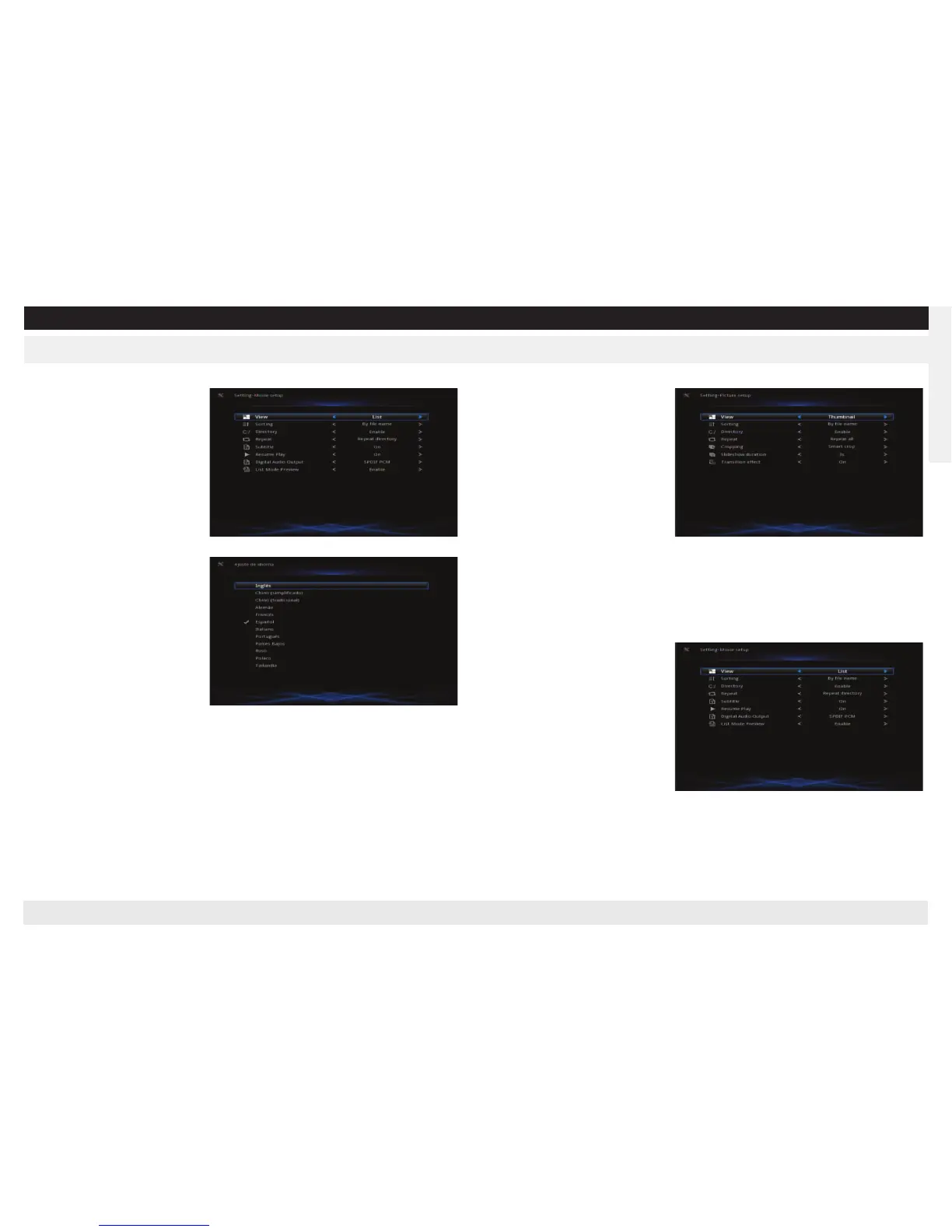
Language
Use “Up/Down” to select, “OK”
to confirm.
Picture setup
View
: set the files’ display mode
Sorting
: set files’ sorting mode
Directory
: set whether display in directory or not
Repeat
: set loop playback
Cropping
: set pictures’ display mode
Slideshow duration
: set the interval when displaying the slideshow.
Transition effect
: set the transition effect in the slideshow.
Press Up/Down to choose, “OK” to confirm.
Movie Setup
View
: set the files’ display mode
Sorting
: set files’ sorting mode
Directory
: set whether display in
directory or not
Repeat
: set loop playback
Subtitle
: set subtitle’s displaying
mode
Resume Play
: set whether play
from the time dropout last time.
Digital Audio Output
: 1 SPDIF
PCM
: output by SPDIF to amplifier after decode
2 SPDIF RAW
: output audio source by SPDIF to amplifier to decode
Press Up/Down to choose, “OK” to confirm.
Music Setup
View
: set the files’ display mode
Sorting
: set files’ sorting mode
Directory
: set whether display in
directory or not
Repeat
: set loop playback
Lyrics
: enable the lyrics
Press Up/Down to choose, “OK” to confirm.


 To Next Page
 Loading...