REAL MEDIA PLAYER MP700 HD
REAL MEDIA PLAYER MP700 HD
Personal Grand Technology S.A. www.npgtech.com sat@npgtech.com info@npgtech.com 902 501 406 91 679 47 90
English
Settings
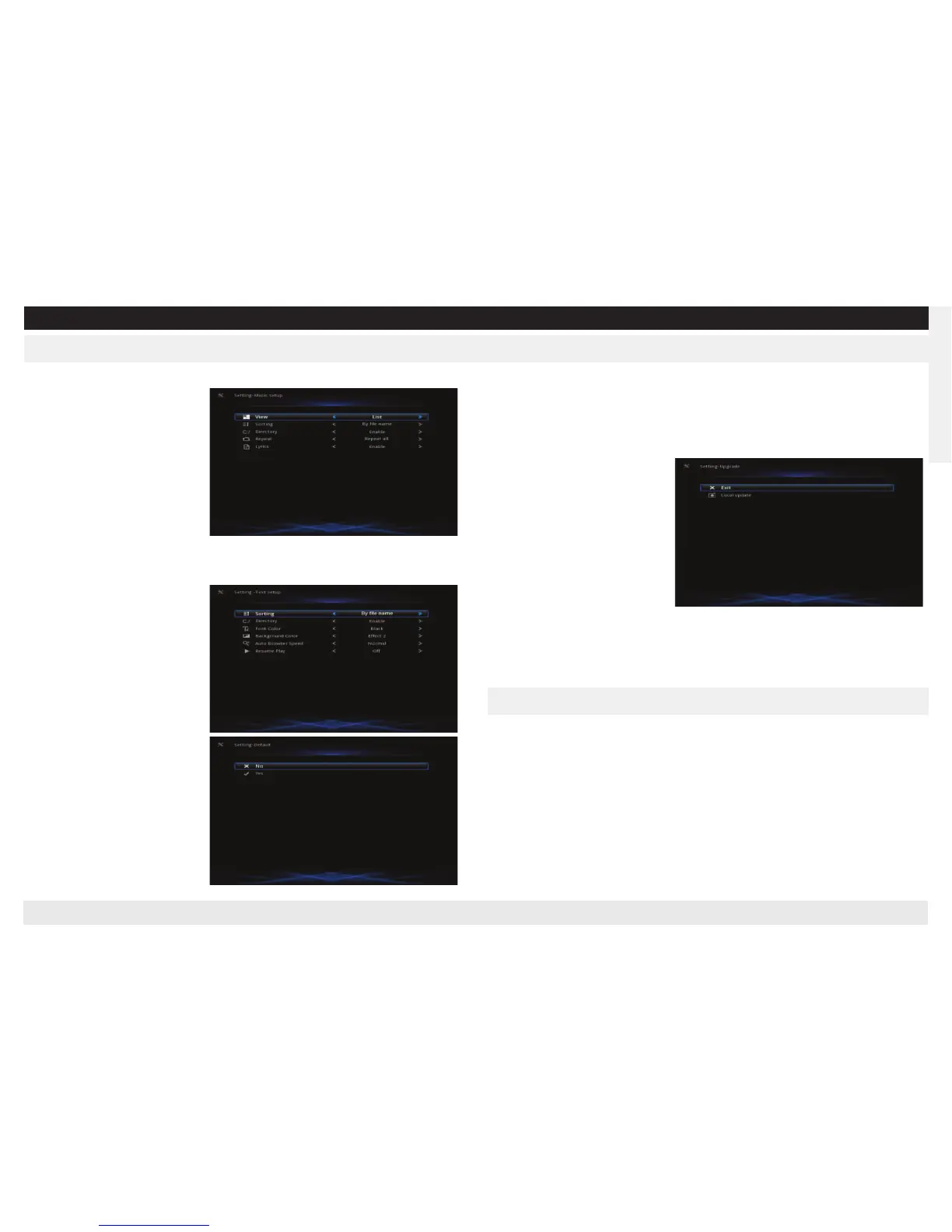
Text Setup
View
: set the files’ display mode
Sorting
: set files’ sorting mode
Font Color
: set color of font
Background Color
: set back-
ground color
Auto Browser Speed
: set brow-
ser speed
Resume Play
: set whether play
from the time dropout last time.
Press Up/Down to choose, “OK” to confirm.
Default
: Default setting
About
: display software’s ver-
sion and related information.
Upgrade
: update the software.
Download the new version software from our website:
www.npgtech.com
, then
unzip the file to the USB device (with connected to the player), choose upgrade,
the system will update automatically.
Remark:
1 Do not shut the power in the
process of updating.
2 Not support 3rd party soft-
ware, NPG is not responsible for
any problems caused by 3rd
party software.
Network Setup
Suggest using default settings, manual setting is for advanced users.
1 Connect the WIFI device to USB port of the player.
2 Enter network setup interface (14.10), set WIFI to auto
3 The system will search the network
4 Choose the very network, press OK to enter. Input the password and submit.
Use “Up/Down/Left/Right” key to choose the characters and submit.
WIFI-Auto Setting


 To Next Page
 Loading...