CLEANING AND CHANGING FILTERS
Maintaining Your NQ Clarifier
• BEFORE YOU ATTEMPT ANY MAINTENANCE ALWAYS UNPLUG THE UNIT
SAFETY WARNINGS
• NEVER LOOK DIRECTLY AT THE ULTRAVIOLET LAMPS WHEN LIT
NOTE:
HOW TO CHANGE THE POST FILTER
WHEN CHANGING THE UV BULBS IT IS RECOMMENDED TO REPLACE THE POST FILTER UNDER
THE OUT FLOW VENTS WHEN THE TOP ACCESS PANEL IS OPEN.
1. Peel off Post Filter
2. Place new post filter onto existing
Velcro strips
HOW TO CHANGE THE ULTRAVIOLET LAMPS
.
TOOLS REQUIRED:
A Phillips screwdriver
A cloth or glove (for New Ultraviolet Bulbs)
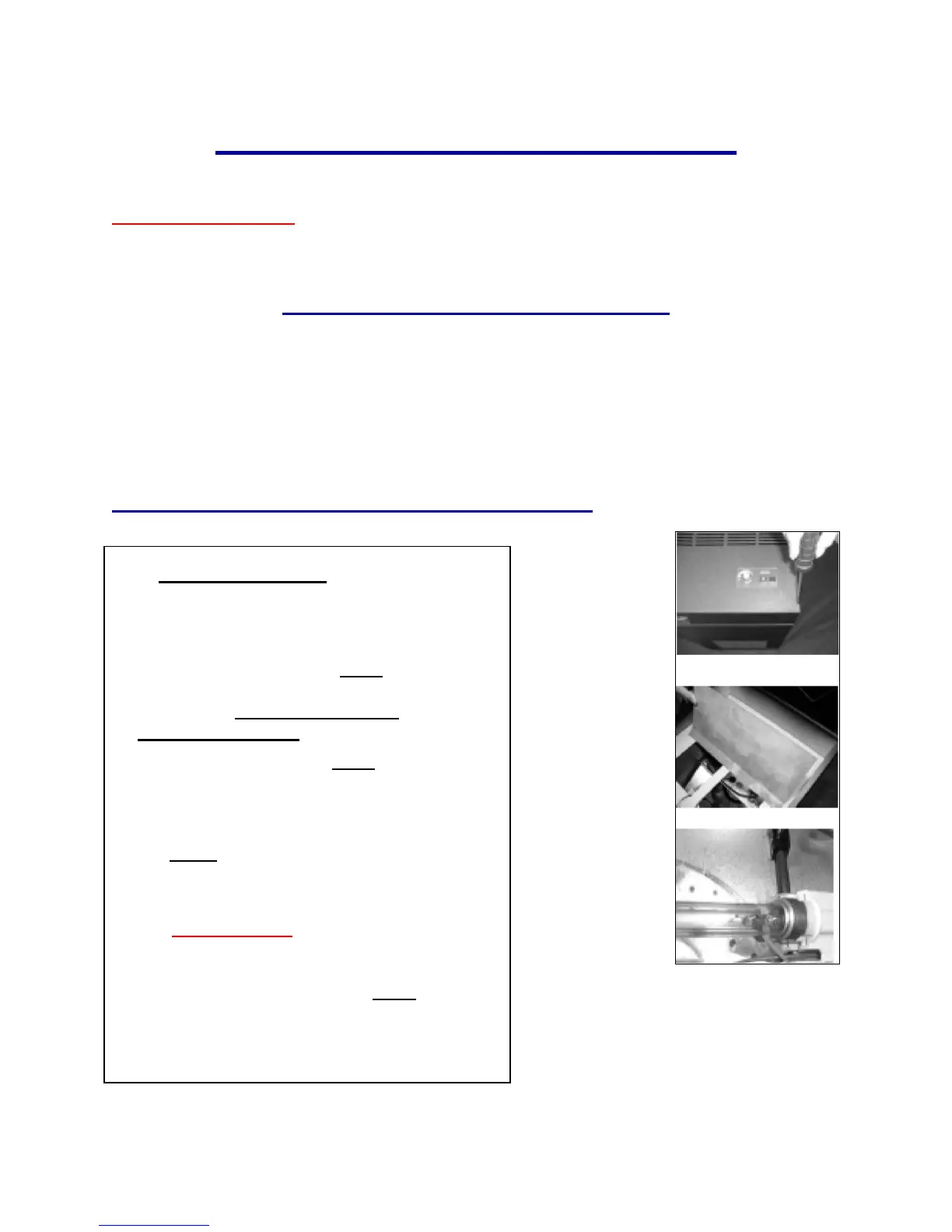
1. Open top access panel, FIG. 6
, Remove the 4
corner screws, carefully lift access panel and gently
hang off side. BE CAREFUL NOT TO
DISCONNECT WIRES.
2. Lift shield plate slightly FIG 7. vertically and
slide forward from middle support bar.
3. While holding the lamp socket with one hand,
gently pull the lamp straight out from its socket.
FIG. 8
4. Discard the old lamps, place them in a trash bag
and throw them away.
5. DO NOT TOUCH the glass of the New
Ultraviolet lamps with your hands, as the oil on your
skin may alter the performance of the lamps.
Use a cloth or cotton gloves. FIG. 8
6. Line up top access panel with 4 holes and
replace screws with the phillips screwdriver.
AND PLUG INTO WALL OUTLET,
TURN UNIT TO DESIRED SPEED.
FIG. 7


 To Next Page