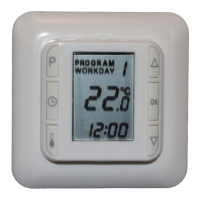
6
2) Setting the functions and altering the programs
2.1) Set HC10B to floor sensor
L Press [] for approx. 4 secs.
(FL), (RO) or (CO) will ash on the display.
L Press one of the arrow keys [q] or [p] until (FL) shows on the display.
L Conrm by pressing [OK].
The underoor heating will now be controlled by the signal from the oor sensor.
The display will show the temperature the oor will reach.
Note: The temperature shown on the display will typically be lower than the room
temperature.
2.2) Setting HC10B to room sensor
The use of room sensor is recommended if there is no oor sensor in the oor.
L Press [] for approx. 4 secs.
(FL), (RO) or (CO) will ash on the display.
L Press one of the arrow keys [q] or [p] until (RO) shows on the display.
L Conrm by pressing [OK].
The underoor heating will now be controlled by the signal from the room sensor.
The display will show the temperature of the air in the room.
2.3) Setting HC10B to combined room and floor sensor
Note: This setting is used when using the heating under a timber oor
L Press [] for approx. 4 secs.
(FL), (RO) or (CO) will ash on the display.
L Press one of the arrow keys [q] or [p] until (CO) shows on the display.
L Conrm by pressing [OK].
The thermostat is now set to combined oor and room sensor.
The choice of combined room and oor sensor activates monitoring of the
temperature in the oor. Temperature monitoring is set at the factory to max. +27°C
and min. +15°.
By using the oor sensor, HC10B will now ensure that the oor temperature*) is
never higher than + 27°C nor lower than + 15°C. These values can be adjusted as
desired.
*) Temperature measured by floor sensor.
Limiting the maximum temperature in the oor is important when the heating is in-
stalled under a timber oor. Leading suppliers of timber oors prescribe a maximum
temperature of 27°C on the surface of their oors.
Find out what the supplier of your timber oor recommends. Set the maximum
value to the prescribed temperature.
3) Night and day setback settings
3.1) Setting HC10B to operate night and day setback.
L Press [P]
PROGRAM will ash
L Press [OK]
HC10B will now operate night and day setback
3.2) Changing between night and day setback programs 1, 2 or 3
L Press [P]
Program on the display will ash
L Use [q] or [p] to set the desired Program
L Exit by pressing [OK]
3.3) Read the current settings
L Press [P]
L Press [P]
Current weekday(s) will ash.
L Use [q] or [p] to choose day(s)
L Press [P]


 To Next Page
 Loading...