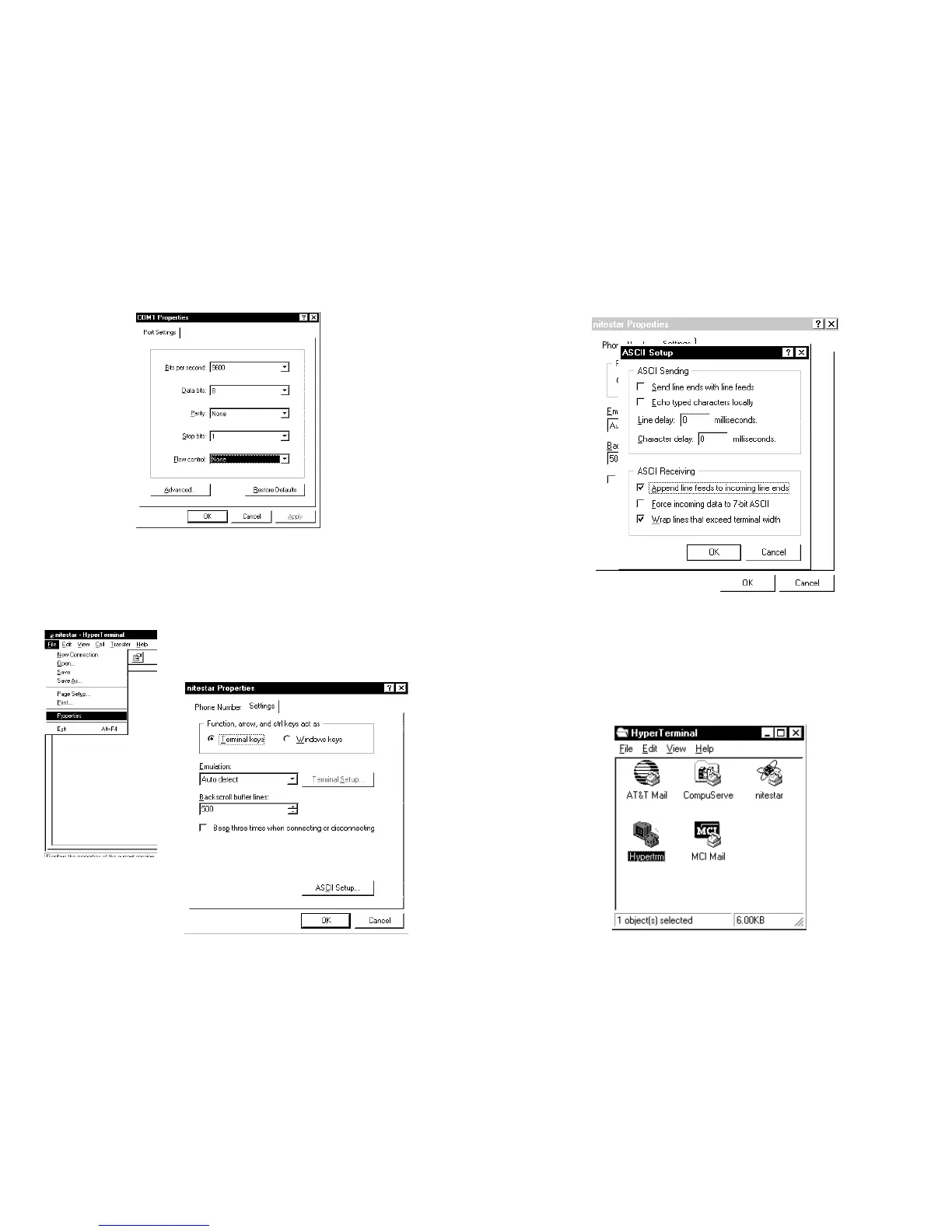
Pick ASCII setup and you will get:
Pick the Append line feeds to incoming line ends then click OK on
each box to save the settings.
Finally pick Exit on Hyperterminal and then you will see you now
have a connection ICON for the Nitestar.
Pick that to start the program the next time.
43
Use the serial I/O parameters shown below:
The next step is to set it so that when you look at data from the
NS-60, it will display correctly on the screen. If you do not do this
step the NS-60 will print all data on the same line on the screen.
After you have said OK to the above dialog then pick PROPERTIES
and you will set the ASCII properties.
Pick the Settings tab and you will get:
42


 To Next Page