CALIBRATION SUMMARY (AUTOMATIC)
With the instrument in COUNT/HOLD:
• 1CAL key -
• DISP/HOLD
- Change car number
• RUN/HOLD - <1000’> in current units.
(Enter new course length if needed)
• MARK/ENTER
-
Roll through calibration course!
• RUN/HOLD - (New cal number)
• MARK/ENTER to enter calibration number
(course length is displayed)
• ON/OFF
(Stores your calibration number into memory)
CALIBRATION SUMMARY (MANUAL)
To enter in a known calibration number if your vehicle has
previously been calibrated.
With the instrument in COUNT/HOLD:
• 1CAL
key -
• DISP/HOLD - Change car number
• Enter new calibration number (_ _ _ _ )
• MARK/ENTER
- Will exit calibration mode
• ON/OFF (Stores your calibration number into memory)
10
MEMORY
The NITESTAR has 99 memory locations. Each location can store
an event and a distance. For example, 99 intersecting street
locations can be stored in memory with their corresponding dis-
tances. These values are saved in the permanent memory so
even after the unit is turned off and back on they can be recalled.
If you have the RS-232 option the values can be printed or trans-
ferred to a computer.
* Optional Survey Data Management software can be purchased
that will store an unlimited number of events and distances on a
laptop computer.
STORING EVENTS TO MEMORY
Insure that the DMI is in COUNT HOLD mode and your
UNIT
and
COUNT DIRECTION
are correct.
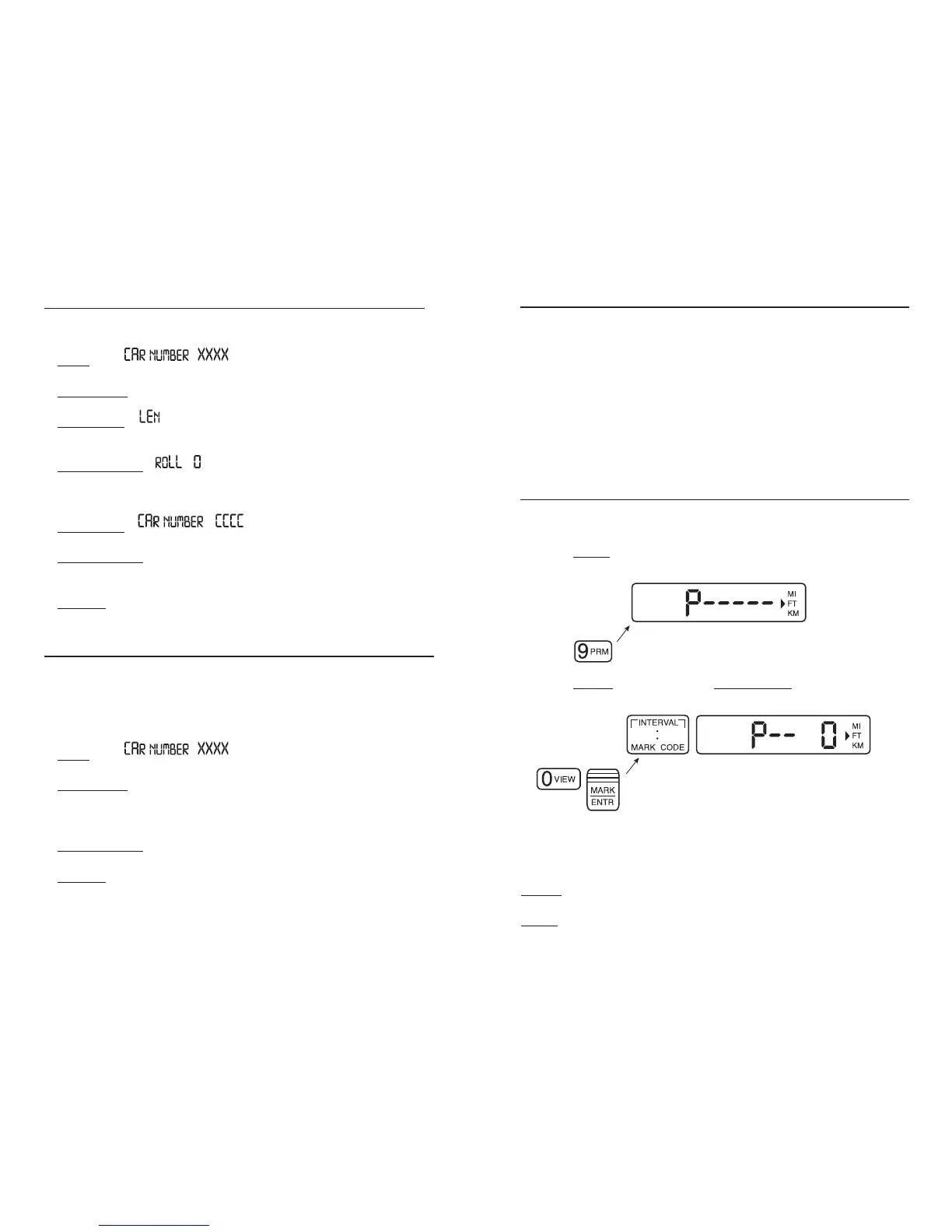
Depress 9PRM
key.
The display will show:
Depress 0VIEW
key followed by MARK/ENTR.
The display will show:
This starts the memory store sequence.
In this mode you can depress any of the following keys.
CLEAR
: Clears all memory and exits memory mode.
PRINT : If you have the RS-232 option (NS-60 ONLY) and a print-
er, the DMI will print a copy of the survey header on the printer.
11


 To Next Page