Need help?
Do you have a question about the Nuband ACTIVE 3 and is the answer not in the manual?
Instructions for charging the built-in USB charger.
Steps to activate the device before first use.
Explanation of the battery level display on the home screen.
Guide to downloading and installing the "Nuband Health" app.
Instructions for pairing the bracelet with a smartphone via Bluetooth.
How to input gender, birthday, height, and weight for accurate data.
Information on automatic and manual data synchronization with the smartphone.
How to navigate through different function displays on the band.
Setting vertical or horizontal display orientation via the app.
How to wear the band for sleep tracking and view sleep data.
Enabling reminders for incoming calls, messages, and app notifications.
Setting up reminders to move when inactive for a specified period.
Steps to set up multiple alarms with customizable times and repeat days.
Using the band to remotely trigger the phone's camera shutter.
Setting personal workout goals for exercise, calories, steps, and distance.
Common questions and answers regarding the application and functions.
Information on checking for and updating the device's firmware.
How to share activity data to social media platforms.
Steps to unpair or disconnect the band from the smartphone.
Information on warranty returns, address, and contact email.
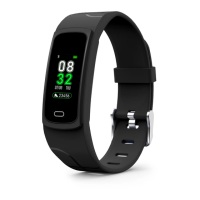
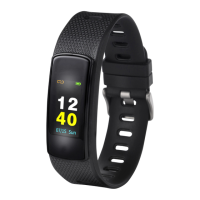
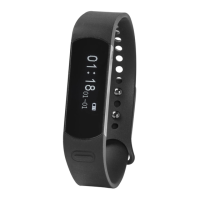
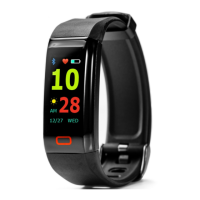
The Nuband Active 3 (NU-G0040) is a fitness tracker designed to help users monitor various aspects of their health and activity. It features a built-in USB charger for convenient power-ups without the need for additional cables. The device is activated by connecting it to a charger, and a progress bar indicates full activation. The battery indicator on the home screen shows the current charge level, and when the battery drops below 10%, all functions are temporarily closed, displaying a low battery icon to prompt charging. For first-time use, it's recommended to charge the band for 2-3 hours. Upon charging, the battery symbol appears, the band automatically switches on, and the time and date update once synced with a connected phone. The screen can be lit by pressing the front touch button, which defaults to the clock interface, or by enabling the 'Lift wrist to light on screen' setting in the app.
To begin using the Nuband Active 3, users must download and install the "Nuband Health" app from either the App Store or Google Play. The pairing process involves opening Bluetooth on the phone, then navigating to the app, selecting "Nuband Active 3," clicking "Pair Device," and then "Searching Device." Once the device code is found, selecting it will initiate the pairing, followed by a "Bluetooth Pairing Request" that needs to be accepted.
Personalization is key for accurate data. Users can set their personal information, such as gender and birthday, within the app by accessing the Menu Bar, then "Setting," and "Personal Info." This ensures the band's calculations are tailored to the individual.
The band automatically synchronizes data with the paired smartphone, or users can manually sync by swiping down on the app interface. The synchronized data includes steps, calories, distance, date, and time, all of which can be reviewed in the "History Data" section of the menu bar. The device's display cycles through various function icons with a touch, showing information like time, steps, calories burned, distance, and activity progress. Users can also choose between vertical or horizontal display orientations within the app.
For sleep monitoring, the Nuband Active 3 needs to be worn during sleep. It analyzes nocturnal movements to assess sleep quality and track the entire sleep schedule. This sleep data can be viewed daily or accessed through the "History Data" in the menu bar.
The device also offers call and notification reminders. After connecting the band to a smart device, users can enable incoming call and message reception in the app's notification settings. This allows the band to vibrate and display messages, phone calls, Facebook notifications, and alerts from other selected chat apps. It's crucial to grant the app the necessary phone permissions for these features to work.
A sedentary reminder can be set to encourage movement. This is configured in the notification page under "Sedentary Reminder," where users can specify a start date, end date, and notification time. If inactive during the set period, the band will vibrate as a reminder.
Alarm settings are also available through the "Wakeup Alarm" option on the notification screen. Users can set up to five alarms, customizing them by day of the week and alarm type. The band will vibrate at the preset times.
For remote camera control, users can go to "Setting" > "Camera Control" in the app. Once the phone camera is activated, shaking the band will trigger it to take a photo, with the screen displaying "taking photo." Access to the camera must be granted to the app.
Goal setting is another feature, accessible via "Work Out Plan" on the homepage, then "Setting," where users can customize their workout plan. This helps in tracking progress towards fitness objectives.
For troubleshooting and common questions, the app includes an "FAQ" section under the "About" page, addressing various aspects of the application and its functions. Firmware updates are also managed through the "Firmware upgrade" section on the "About" page, showing the current version and any available updates.
The Nuband Active 3 supports sharing of activity data. Users can click the "Sharing" icon to post their information on social media platforms like Facebook, Twitter, and Instagram.
If a user wishes to disconnect the band from their device, they can "Unpair" it by navigating to "Setting," then "About Device," and selecting the "Unpair" option.
The Nuband Active 3 is designed to assist in monitoring health aspects but is not a medical device and should not replace professional medical advice. It is recommended to consult a doctor or physician before starting any new exercise or diet plan.
The device comes with a 24-month (2-year) warranty covering defects in materials and workmanship under normal use. If a hardware defect occurs within this period, Nuband Active 3 will replace the defective part or provide a replacement product, provided proof of purchase is submitted. The replacement product or part will carry the remainder of the original warranty or 24 months, whichever is longer. When a product or part is exchanged, the replacement becomes the user's property, and the replaced item becomes Nuband Active 3 property. Warranty services require the use of parts provided by Nuband Active 3. For warranty returns, the item must be returned with original packaging and the retailer receipt; without the receipt, the warranty may be invalid. Users are responsible for backing up their data, as Nuband Active 3 is not responsible for lost data during repair or replacement. The warranty does not cover product failure due to non-compliance with instructions or the cost of returning the product. No reseller, agent, or employee is authorized to modify or extend this limited warranty.
 General
| Battery Life | Up to 7 days |
|---|---|
| Connectivity | Bluetooth 4.0 |
| Heart Rate Monitor | Yes |
| Activity Tracking | Steps, distance, calories, sleep |
| Notifications | Call, SMS, social media alerts |
| Compatibility | Android 4.4+, iOS 8.0+ |

 To Next Page