Need help?
Do you have a question about the Nuband NU-G0040 and is the answer not in the manual?
Instructions on connecting the built-in USB charger to power the device.
Steps to activate the device by charging it for the first time.
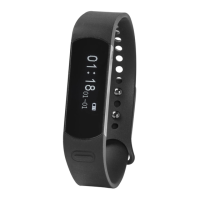
Explanation of the battery level display on the device's home screen.
Guide to downloading and installing the 'Nuband Health' app from app stores.
 General
| Display Type | OLED |
|---|---|
| Heart Rate Monitor | Yes |
| Water Resistance | IP67 |
| Connectivity | Bluetooth 4.0 |
| Battery Life | Up to 7 days |
| Sleep Tracking | Yes |
| Step Counter | Yes |
| Calories Burned | Yes |
| Distance Traveled | Yes |
| Notifications | Yes |
| Compatibility | Android, iOS |


 To Next Page