8
382 South Abbott Avenue, Milpitas, CA 95035, USA • PHONE: +1-408-890-6840 • FAX: +1-408-262-6877
nuforce.com • EMAIL: salesteam@nuforce.com • Skype: nuforce-sales
D
D
A
A
C
C
a
a
n
n
d
d
H
H
e
e
a
a
d
d
p
p
h
h
o
o
n
n
e
e
A
A
m
m
p
p
U
U
s
s
e
e
r
r
G
G
u
u
i
i
d
d
e
e
Introduction
CD-ripping software is capable of reproducing “bit perfect” digital music data (16 bit/44.1kHz) from audio CD files stored
on the computer’s hard drive. In addition to CD-quality music, some online sites are now offering 24 bit/96kHz music files.
Thanks to larger and increasingly economical hard-disk capacity, consumers can store the highest quality music files on
their computers. However, extracting good sound from the computer poses problems.
Poor Sound Quality
As a rule, your computer’s audio doesn’t sound quite right because computer manufacturers often treat their products’
audio output stage as little more than a necessary evil. So long as the music signal remains in a digital format, all is well.
The pitfalls appear when the computer converts signals to analog, which is how we listen to music. Typically, the onboard
converter (a.k.a. sound card) is a low-cost item. Digital circuitry generates noise that often bleeds into the audio stage.
Further, these compromised stages are seldom designed for the low-impedance power high-quality headphones require.
Finally, should you use the computer’s software to reduce volume, you may actually be listening to eight-bit resolution —
in real-world terms, not at all good.
In sum, these deficits conspire to produce inferior sound. Far better to send the digital signal to an external digital-to-
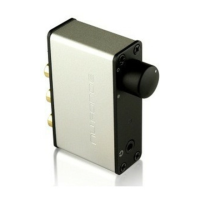
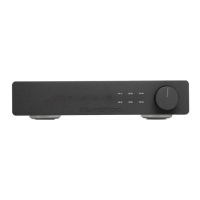
analog converter (DAC). NuForce Desktop products employ quality DACs.
Digital Connections
There are two methods for extracting digital signals from your computer. The universal serial bus (USB) connection is the
de-facto standard for just about all peripherals: printers, digital cameras, etc. The USB allows the computer to speedily
recognize a connected device. Some computers also incorporate the Sony/Philips Digital Interconnect Format (S/PDIF), a
coaxial connection with excellent transfer properties.
USB Audio and Performance Optimization
USB specifications define a standard interface: the USB audio-device class, which allows a software driver to work with the
currently available USB sound devices. Microsoft Windows and Apple Mac provide support for USB audio devices.
NuForce Desktop USB DACs convert USB digital data to the analog signal headphones and amplifiers require. Equally as
important, how the USB DAC performs affects sound quality.
For more information on this subject, see http://en.wikipedia.org/wiki/Universal_Serial_Bus
Some Optimization Tips
To minimize noise and dropouts, connect your audio interface to a port at the back of your computer. Generally speaking,
ports on the computer’s face, monitor or keyboard don’t perform as well.
If you use a USB hub, choose one with its own AC power adapter. In areas that produce high levels of radio or electrical
interference, upgrading to a quality USB cable, i.e., one with extra shielding and a ferrite bead (the cylindrical collar on
one end of the cable) to help eliminate noise. Once you’re properly connected, your computer’s operating system should
automatically detect your NuForce product. From that moment on, all you need to do is enjoy the music.
Windows PC Driver Optimization
ASIO4ALL is a hardware-independent, low-latency ASIO driver for WDM audio devices that employs WDM Kernel-
Streaming and other sophisticated methods.
What You Should NOT Do
Do not tamper with or replace your existing sound-card drivers.
Do not install any kernel-mode components that might affect your system’s stability.
Do not “over-clock” or operate your audio hardware in ways that have the potential to do harm. This will void your
warranty. (In certain cases, your hardware’s manufacturer states that the use of ASIO4ALL will void your warranty.)
No software-driver optimization is required for the Apple Mac OS.
S/PDIF Connection
The Icon HDP permits an S/PDIF connection from your computer, if that’s your preference. For best results, use a high-
quality S/PDIF cable. Once the connection is made, select S/PDIF in your System Preferences Audio Device settings.


 To Next Page
 Loading...