EasyManua.ls Logo

Nuga MHP-100 - User Manual

Nuga MHP-100
14 pages
Print Icon
To Next Page IconTo Next Page
Loading...
MHP-100
ENGLISH / CE H/H / Rev. 08-01
2016.05.17
[ ENGLISH ]
User Manual
Thank you for purchasing this product.
Before use...
Please read the cautions for safety in the
user manual to use this product safely.
Tourmanium Product
Quality Warranty Enclosed
www.nuga.kr
185, Jiraeul-ro, Jijeong-myeon, Wonju-si,
Gangwon-do, Korea
TEL : +82-33-730-0001 / FAX : +82-33-730-0007
http://www.nuga.kr
Question and Answer IconNeed help?

Do you have a question about the Nuga MHP-100 and is the answer not in the manual?

Summary

Product Introduction

Product Components

Details the items included with the product.

Names and Functions of Product

Explains the purpose and role of each product component.

Descriptions for Controller Buttons

Outlines the function of each button on the product controller.

Cautions for Safety

General Safety and Symbol Interpretation

Provides general safety guidelines and explains the meaning of safety symbols.

Specific Safety Precautions

Lists critical 'Danger' and 'Warning' instructions to prevent harm or damage.

How to Use Product

Operating the Product

Guides users through the step-by-step process of operating the product.

Emergency Actions During Use

Details immediate steps to take in case of product malfunction or accidents.

Product Storage and Care

Storage and Cleaning Instructions

Provides guidelines for storing the product and cleaning its components.

Self-Check Procedures

Lists essential checks before and after using the product for safety.

Troubleshooting and A;S Guidance

Offers guidance on checking abnormalities and requesting after-sales service.

Specifications and Warranty

Details technical specifications and the product's warranty coverage.

Overview

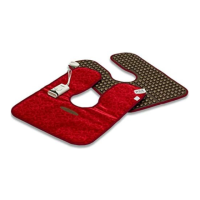
The MHP-100 is a thermal massager, a Tourmanium Product manufactured by NUGA MEDICAL CO.,LTD. It is designed for personal use to provide heating functions through its Tourmanium-combined heater.

Function Description

The MHP-100 serves as a thermal massager, primarily offering a heating function. The core component is a heater integrated with Tourmanium, a material known for its thermal properties. The device is controlled via a dedicated controller that allows users to set and adjust the temperature.

Important Technical Specifications

  • Product Name and Model Name: Thermal massager MHP-100
  • Manufacturer: NUGA MEDICAL CO.,LTD. (185, Jiraeul-ro, Jijeong-myeon, Wonju-si, Gangwon-do, Korea)
  • Product Weight: 3.3 kg
  • Product Size: 580 X 760 X 15 (mm)
  • Electric Rating: AC 220-240V~, 50-60Hz
  • Power Consumption: 150 W
  • Operating Temperature Range: 50~60℃ (recommended for proper use)
  • Environmental Conditions (Operation): Temperature 0~35℃, Humidity 20~80%
  • Environmental Conditions (Transport and Storage): Temperature -25~70℃, Humidity 20~80%, Atmospheric Pressure 700hPa to 1060hPa
  • Warranty Period: 1 year from the date of purchase for normal operation damages. Reduced to 6 months for commercial or industrial use. Spare parts are secured for 3 years after discontinuation.

Usage Features

The MHP-100 is designed for straightforward operation.

  1. Power On/Off: Connect the power cord to a dedicated socket. Press the power button on the controller to turn on the device. The power indicator lamp will light up, and the current temperature will be displayed on the temperature indicator window.
  2. Temperature Setting: Turn the temperature control dial clockwise on the controller to set the desired temperature, ranging from 30℃ to 70℃. The user's setting temperature will blink three times before the current temperature is displayed. An operation indicator lamp will light up if the current temperature is higher than the setting temperature.
  3. Application: Keep the product tightly close to the desired area of the body after setting the temperature.
  4. Automatic Shut-off: For safety, the power supply to the product automatically turns off after 8 hours of continuous use.
  5. Power Off: To stop using the product, press the power button on the controller. All lamps on the controller will turn off. Always remove the power cord from the socket after use.

Cautions for Safety during Use:

  • Do not fold the device excessively during use; ensure it is laid flat or use cushioning material for storage.
  • Avoid pulling the power cord or touching the power plug with wet hands to prevent electrical shock or fire.
  • Use the product only for its described purposes.
  • Children should not use the product alone.
  • Do not place heavy objects or other electric heaters on the product.
  • Do not cover the controller with a blanket during use to prevent damage or fire.
  • Avoid bending the power cord excessively or pressing it with heavy objects.
  • Never use other temperature controllers with different specifications.
  • Do not place inflammable substances (e.g., candles, cigarettes, wine) or vessels containing water on the product.
  • Individuals with cardiac pacemakers should consult a doctor before use.
  • Do not apply washing or dry-cleaning to the product.
  • Only qualified technicians should disassemble, repair, or modify the product.
  • Keep pins, wires, or other metallic pieces from stabbing or inserting into the product.
  • Use the product within the proper temperature range (50~60℃) to avoid burns.
  • Do not expose the product to direct sunlight.
  • Always check the applied voltage and use a dedicated socket.

Emergency Actions:

  • If lightning occurs, immediately stop using the product and remove the power plug.
  • If a burning smell or smoke is detected, stop use and contact the supplier or company.
  • If any abnormality occurs to the human body, stop use and consult a doctor.
  • In case of failure or power failure, turn off the power switch, stop use, and contact the company.
  • If water is poured into the product, turn off the power switch, remove the power plug, and contact the company.

Maintenance Features

Storage and Cleaning:

  • Always separate the power cord when the product is not in use for a long time.
  • Store the product in a dry place, away from water, dust, salt, sulfur, and direct sunlight.
  • Avoid storage near chemicals or gas.
  • Ensure the storage place is stable, free from excessive slope, vibration, or shock.
  • Clean the product components before storage.
  • Cleaning: Ensure the power plug is unplugged before cleaning to prevent electric shocks.
    • Controller: Wipe with a dry cloth to remove any foreign substances.
    • Product Top: Wipe with wax for leather or a dry cloth.

Self-check Items (Before A/S Request):

  • Power Supply Issues:
    • If the power lamp is not lit: Check if the power plug is connected to an outlet, if the power button is pressed, and verify the operating voltage.
  • Heating Issues:
    • If the temperature is not increasing: Check if the power button is pressed, if the temperature is set too low, and avoid disassembling the product; contact the supplier or company.
  • Remote Controller Indicator Window:
    • -- (blinking): Disconnection of temperature sensor.
    • E1: Short circuit of temperature sensor.
    • E3: Overheating in heating material.
    • E5: Overheating in controller.
    • In case of any error display, do not disassemble the product. Remove the power plug, turn off the power switch, and contact your supplier.

Warranty Information:

  • The warranty is valid for 1 year from the date of purchase for damages caused during normal operation.
  • The warranty period is calculated from the purchase date. If the purchase date cannot be verified, the warranty period is calculated from 6 months after the manufacture date.
  • For commercial or industrial use, the warranty period is reduced to 6 months.
  • The warranty cannot be reissued.
  • Warranty repair is not provided for damages caused by natural disasters, replacement of normally wearing consumptive parts, abnormal power sources, faults in connecting units, other external reasons not related to product faults, or repairs/modifications by unqualified personnel.

Nuga MHP-100 Specifications

General IconGeneral
BrandNuga
ModelMHP-100
CategoryPersonal Care Products
LanguageEnglish

Related product manuals