Need help?
Do you have a question about the Nuga N6 and is the answer not in the manual?
General description of safety cautions and symbols for user protection.
Manufacturer's disclaimer regarding product use and future updates.
Explanation of graphical symbols used for warnings and product features.
Lists specific actions to avoid during product use to prevent injury or damage.
Details critical warnings, potential hazards, and necessary precautions for safe operation.
Provides important cautionary advice for proper installation and usage.
Highlights ergonomic design, premium materials, and foldable structure for comfort and portability.
Details projector movement, external projector design, controller holder, integrated LCD, and heating mat.
Identifies essential components like the lock button, heating pad, frequency pad, and power connection.
Describes external/internal projectors, controller, flexible arm, and foldable legs for operation and storage.
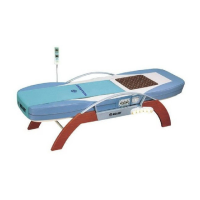
The primary unit of the product and its storage basket.
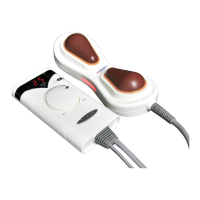
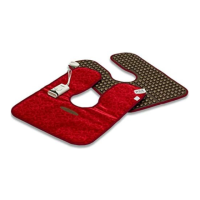
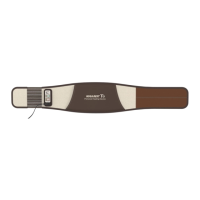
Components for massage and therapeutic heating, including optional pads.
Various accessories and necessary cords for product use and maintenance.
Guidelines for selecting a suitable installation location, avoiding hazards.
Precautions for safe handling, moving, and operating the controller.
Emphasizes voltage verification and avoiding flammable materials on the device.
Instructions for safely transporting the device using its wheels.
Step-by-step guide for assembling and setting up the main product components.
Instructions for connecting power and turning on the controller.
Method for adjusting product height using included rubber pieces.
Procedure to verify that the product is receiving power correctly.
Steps to test the functionality of the controller and its settings.
How to test the auxiliary heating function of the product.
Basic instruction on how to lie down and start the automatic mode.
Identification and function of various physical buttons on the controller.
Explanation of the information displayed on the controller's LCD screen.
Details on how the controller display is configured and what it shows.
Detailed guide on operating the product using Auto I and Auto II modes.
Instructions on how to adjust the temperature settings for various parts.
Explanation of how to operate in manual mode and control projector movement.
Specific steps for setting the temperature of the auxiliary heating element.
Guide on connecting and using the low-frequency pad for pain relief.
Instructions on adjusting the intensity level of the low-frequency pad.
Detailed instructions for using the external projector and abdominal heating pad.
Steps to activate and utilize the preheating feature for optimal comfort.
Guide on accessing and controlling the sleep music feature.
Instructions on changing music files and playback control.
Advice on using earphones for private listening.
Fundamental steps for lying down and applying massage with the product.
Guidance on using the product while in a sitting position.
Instructions for using the product with two people.
Specific method for applying massage to the abdominal area.
General guidelines for product storage and component cleaning.
Recommended environmental parameters and disposal information.
Detailed instructions on cleaning different parts of the product.
Lists error codes for internal, auxiliary, and external projectors and their meanings.
Crucial immediate actions to take in case of specific emergencies or hazards.
Lists of items to verify before and after operating the product.
Steps to check for issues with controller, projector, or low-frequency pad before service.
Product name, model, manufacturer, weight, and dimensions.
Outlines intended use, contraindications, electric rating, and product lifespan.
Information regarding the product's electromagnetic emissions and immunity.
Guidance on electromagnetic environment for conducted RF emissions.
Guidance on electromagnetic environment for radiated RF emissions.
Guidelines for maintaining safe distances from RF transmitters.
Details the warranty terms, conditions, and claims process.
Space for user notes and reminders.
Blank space for user notes and reminders.
 General
| Brand | Nuga |
|---|---|
| Model | N6 |
| Category | Personal Care Products |
| Language | English |


 To Next Page