- 10 -
Charging
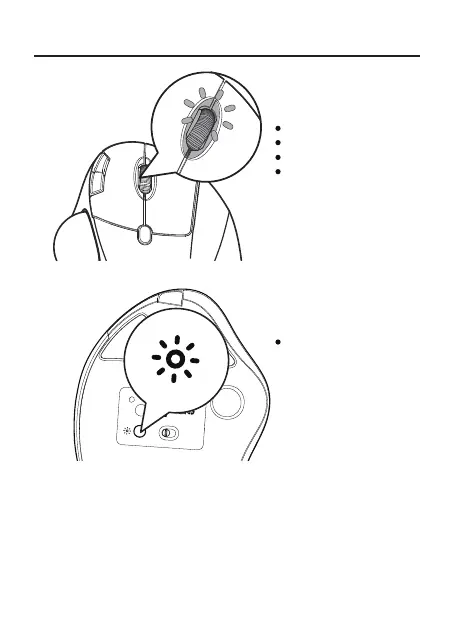
1. Low battery indicator glows blue, in order not to affect the experience and
function of the mouse, please charge in time.
2. The charging indicator will glow red while the mouse is charging. The
indicator light turns green when fully charged.
3. The voltage is below 3.3V, and the low-voltage indicator ashes 10 times at
a rate of 1 time per second.
Model Name: M507
S/N:B1201
support@nulea.com
FCC ID : 2A59F-M501
MADE IN CHINA
USB
BT2
BT1
ON OFF
MODE
Light Indication
DPI Switching: blue light
Charging: red light
Fully Charged: green light
Low Battery: blue light
Press the button to switch
the light mode



 To Next Page