- 6 -- 6 -
Important Safety Instructions
PleaseNote:Long-termrepetitiveuseofanykeyboardandmousecould
causeinjurytouser.Werecommenduserstoavoidexcessiveuseofthisorany
keyboardandmouse.
Avoid dropping.
Donotdisassemble.
Donotexposetoliquids.
Thisproductissuitableformoderateclimatesonly.
Themaximumambienttemperatureduringuseofthisproductmustnot
exceed40degree.
Openfamesources,suchascandles,mustnotbeplacedonthisproduct.
Only use a dry cloth or brush to clean this product.
FAQ1
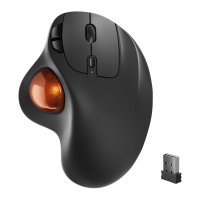
How to Clean Your Trackball Mouse?
Ifyourtrackballmousecursorisstickingorjumpingaroundonyourscreen,
orit'sjustnotmovingsmoothly,youcancleanitforbetterperformance.
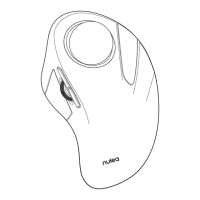
(1)Pushthetrackballfromthebottomofthemouse.
(2)Useahumidclothtocleanthetrackball,thesurfaceoftheinnertrackball
housing and the sensor. Then use a cotton swab to clean the dust on three
white rollers.
Note:
Don'tcleanthemouseandtrackballwithalcoholorwetwipescontaining
alcohol.
Whenyoucleanneartheopticalsensor,pleasewipeitcarefullytoavoid
damagingit.



 To Next Page