- 02 -- 02 -
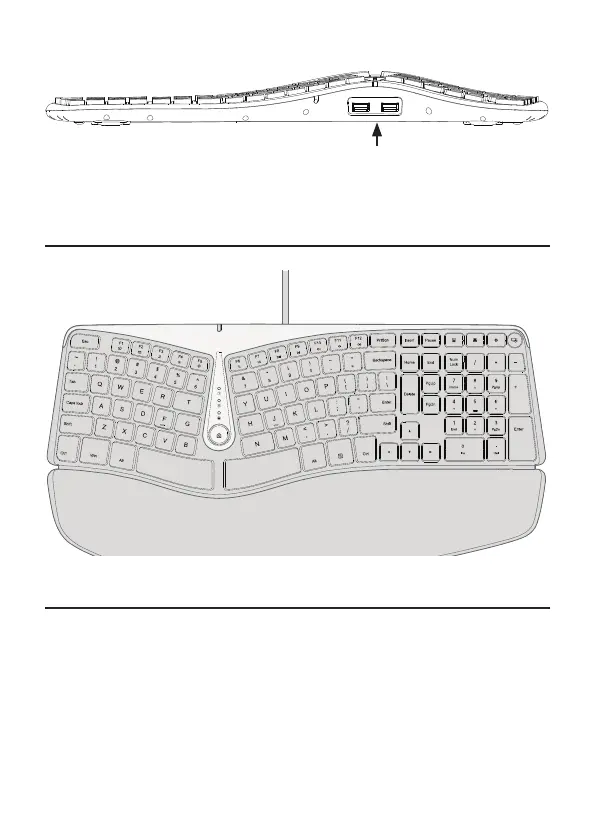
3. Dual USB Port
Note:
Hardware Basics
Keys Function
1. Some of the shortcut keys are not compatible with Mac.
2. F1-F12 key mode is the standard mode of this keyboard.
3.Press the Fn Lock key to switch to F1-12 mode. The Fn Lock LED will light up.
When you want to switch back to shortcut mode, simply press the Fn key to
cancel the Fn Lock, and the Fn Lock LED will turn off. Please note that when
you start/restart your computer or unplug the keyboard from the computer,
the LED will go out and the keys will automatically revert to shortcut mode.
USB


 To Next Page