35
TROUBLESHOOTING
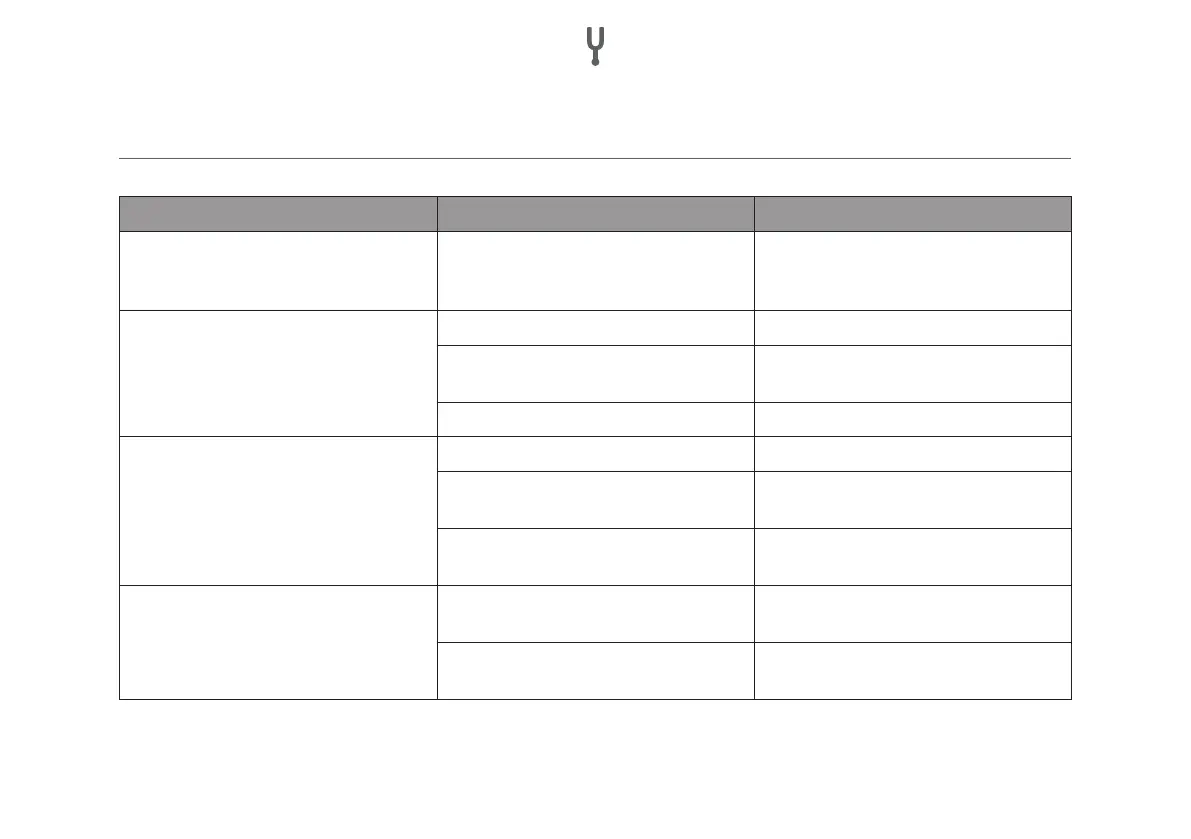
Problem Possible cause Resolution
The device does not work No power Make sure that the device is plugged in.
Check the function of the socket outlet
with another device.
No sound Incorrect input source selected Select the correct input source
Volume set too low Gradually increase the volume of the ampli-
er and the mobile device
Incorrect connection Check all cable connections
No sound in BT mode No BT connection Establish a BT connection
The device was not selected as the output
source.
Select the device as output source
BT connection is affected by another radio
device
Move the device to another location and
check the BT connection again.
Interfering noises System overload Turn down the output level of the external
playback device.
Poor sound quality Check the unit again by selecting a higher
quality source.


 To Next Page