EasyManua.ls Logo

Numark NS6 - User Manual

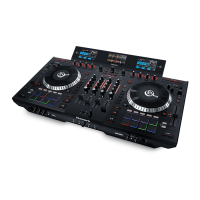
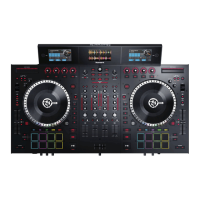
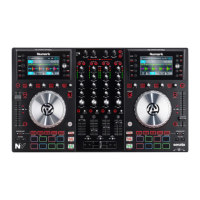
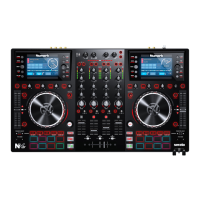
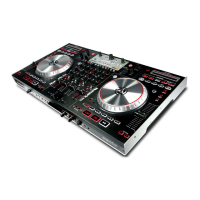
Numark NS6
36 pages
Print Icon
To Next Page IconTo Next Page
Loading...
QUICKSTART GUIDE
ENGLISH ( 3 – 8 )
GUÍA DE INICIO RÁPIDO
ESPAÑOL ( 9 – 14 )
GUIDE D’UTILISATION RAPIDE
FRANÇAIS ( 15 – 20 )
GUIDA RAPIDA
ITALIANO ( 21 – 26 )
KURZANLEITUNG
DEUTSCH ( 27 – 32 )

Other manuals for Numark NS6

Questions and Answers

  • T
    tina18Jul 26, 2025
    What to do if Numark NS6 DJ Equipment has audio dropouts or slow response?
    • V
      Victoria HendersonJul 26, 2025
      Audio dropouts or slow response can occur if other programs are using your computer's CPU. Close any unnecessary programs and turn off your computer's wireless card (or disconnect from the internet). You may also need to disable anti-virus software or other programs that regularly scan your computer or regularly search for an internet connection. Try changing the buffer size settings in the software to find the optimal settings for your computer.
  • M
    Matthew OrtizAug 9, 2025
    Why does my Numark NS6 show a 'Hardware Disconnected' message?
    • P
      Patricia BartlettAug 9, 2025
      A 'Hardware Disconnected' message may appear if the USB cable isn't properly connected to your computer or NS6. Ensure both USB connections are secure. It can also happen if the software was opened before NS6 was connected; in this case, close the software and reopen it after properly connecting and powering on NS6. Finally, check that your NS6 is powered on.

Summary

Box Contents

Getting Started with Serato ITCH

Downloading and Installing Serato ITCH

Guide to downloading and installing the software.

Windows Installation Notes

Specific instructions and warnings for Windows users during installation.

Important Connection and Usage Notes

Crucial pre-operation steps and tips for connecting and using the device.

Connection Diagram

Power and USB Cable Setup

Step-by-step guide for setting up power and USB connections.

Rear and Front Panel Features

Rear Panel Features

Detailed explanation of all rear panel ports and their functions.

Front Panel Features

Explanation of front panel controls like headphone volume and split cue.

Top Panel Features

Useful Terms

Definitions of key operational terms like Audio Pointer and Cue Points.

Mixer Controls

Detailed description of mixer controls like Gain, EQ, and Channel Faders.

Playback Controls

Explanation of playback controls like Layer, Platter, and Play/Pause.

Cue Controls

Setting and Managing Cue Points

Explains how to set, delete, and return to temporary and assigned cue points.

Loop Controls

Loop Operation Modes

Details manual and autoloop modes and their respective controls.

Track Controls

Strip Search and Beat Grid Functions

Explains strip search, beat marker setting, and beat grid adjustment.

Pitch Controls

Tempo and Pitch Adjustment

Covers tap tempo, master tempo, pitch range, pitch fader, and bend.

Navigation Controls

Browsing and Loading Tracks

Explains scrolling, selecting panels, and loading tracks to decks.

Effects Controls

Applying and Adjusting Effects

Details how to select, mix, and adjust audio effects.

Specifications

Analog Specifications

Lists analog performance metrics like SNR and THD+N.

Digital and Hardware Specifications

Details digital parameters and physical hardware dimensions and weight.

Numark NS6 Specifications

General IconGeneral
Sample rate441 kHz
Channels quantity4 channels
Digital sound processing24 bit
MIDI outYes
Booth out (1/4\")1
Dimensions (WxDxH)603 x 340 x 64 mm
Weight and Dimensions IconWeight and Dimensions
Weight6330 g

Related product manuals