Moving your Numera PERS 4200X
If you wish to move the location of your Numera PERS 4200X within your home,
please contact the Connect Care office.
If you will be moving to a new residence and wish to bring your response
equipment with you, contact the Connect Care office to ensure that service can be
provided in your new residence and to provide us with your new address details.
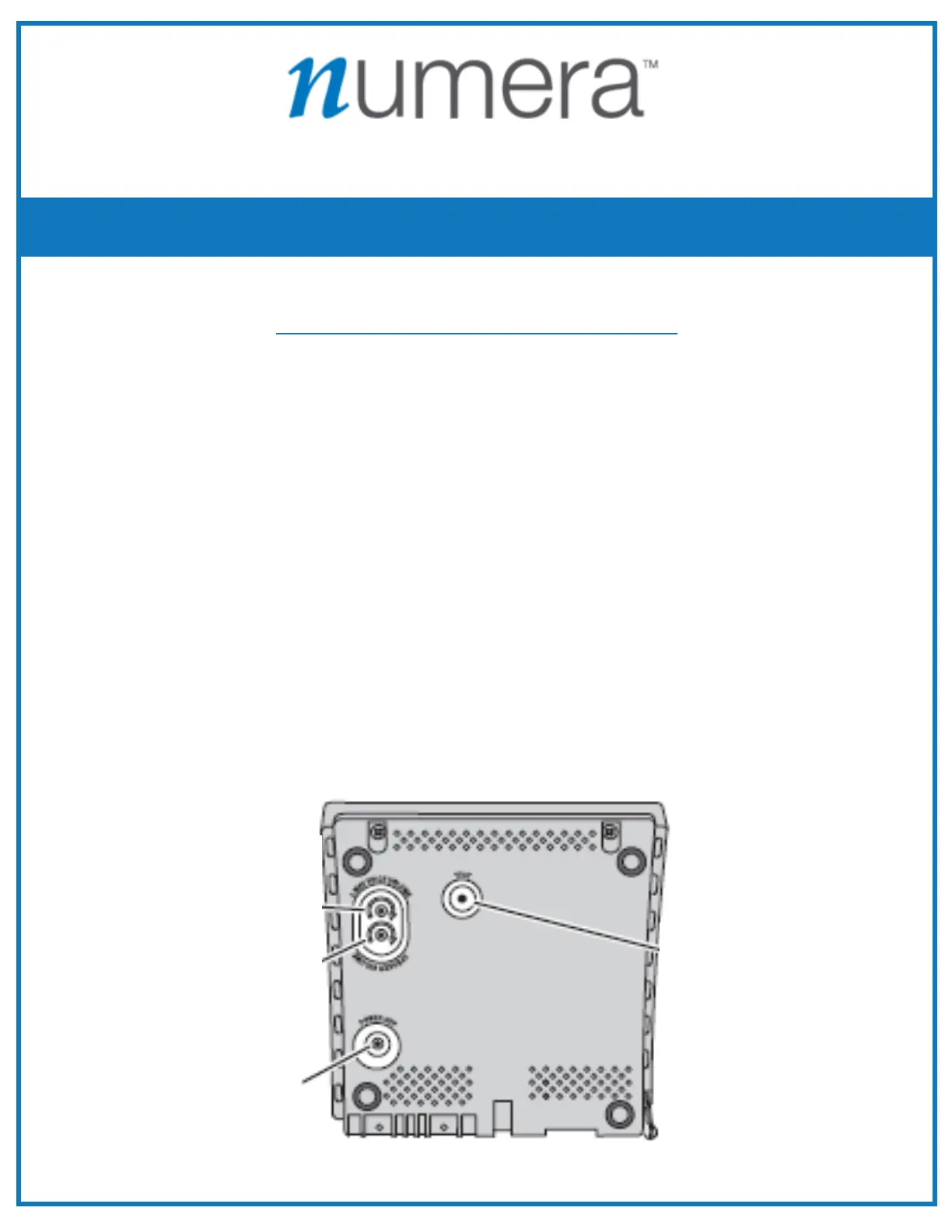
To Power off the console follow the steps below:
14 Unplug phone cord from the wall outlet.
?4 Unplug AC power from wall outlet.
@4 Press & Hold the POWER OFF button (located at the bottom of the
console) until console announces “Console Power Off” then release the
Power Off button.
From Connect Care Medical Alert Service
Important Notes
7.
POWER OFF
BUTTON
CONSOLE
BOTTOM


 To Next Page