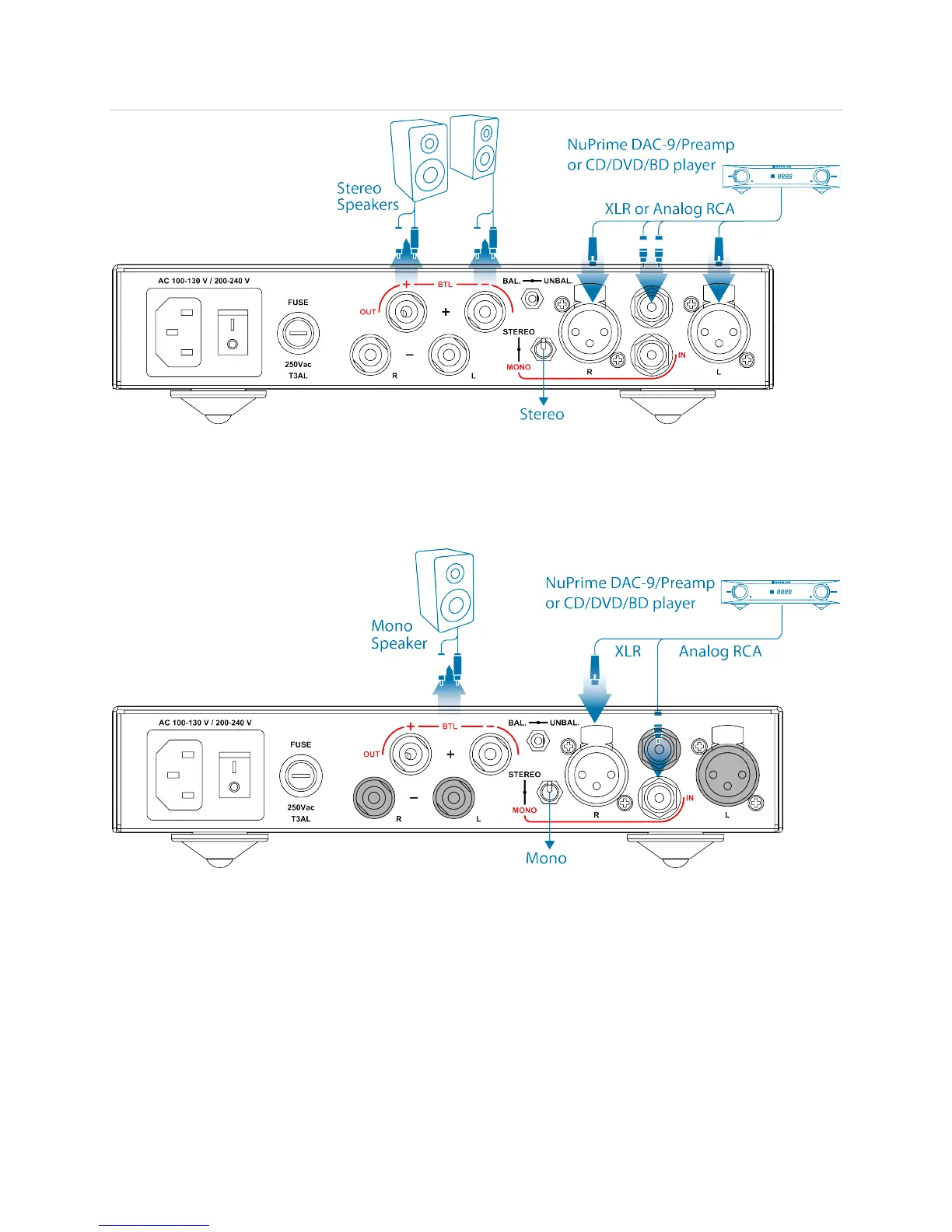
1. Make sure the Stereo/Mono switch is switched properly to STEREO.
2. Choose either XLR balance or RCA Unbalance connection from the source.
3. Connect stereo speakers to the output terminals.
Mono Connection:
1. Make sure the Stereo/Mono switch is switched properly to MONO.
2. Choose either XLR balance or RCA Unbalance connection from the source.
(Gray-out inputs do not work under MONO mode)
3. Connect mono speaker to the output terminals.
(Gray-out output terminals do not work under MONO mode)


 To Next Page