Page 22 of 54
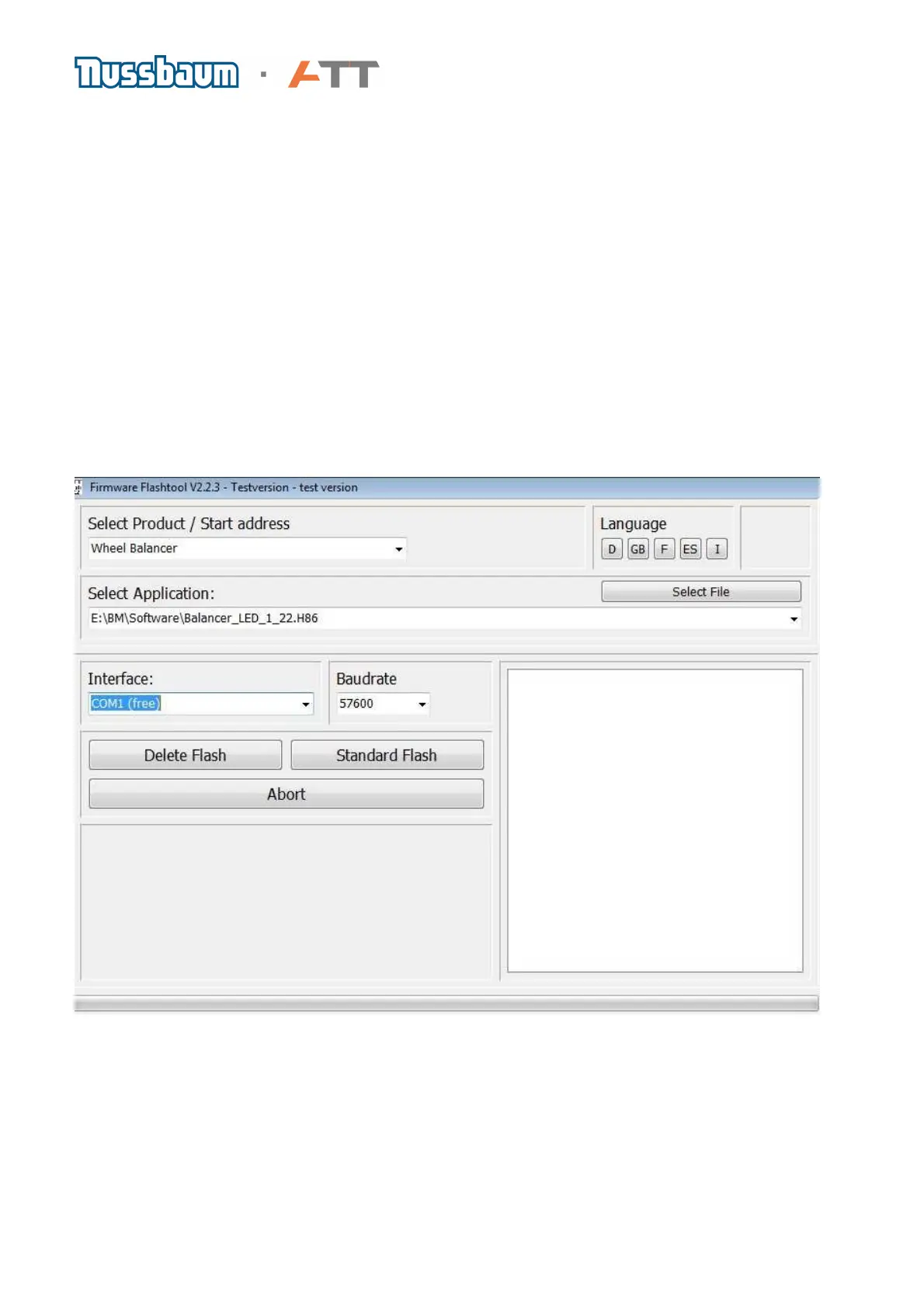
d. Screen layout:
1 Program-title bar for instance with the name of the program and version
2 Product selection: Here you select the product on which you want to actualise the software
3 Selection of application: Shows the trails and names of the data that has been selected and
transmitted by flashing procedure. The last 5 selected data’s are available.
4 Deletes the flash memory, means prepares the software to install
5 Cancelled the flash procedure
6 Is to select the interface for which should be flashed
7 Here you select the Baudrate (speed) for the data transfer
8 Here you can select the data who has to be flashed
9 Starts the standard flash procedure with the under 3 or 8 selected data
10 View window: Shows all necessary information
11 The progress display shows the current situation of the selected functions (delete/flash)
12 Select the language
Picture 1: The standard version of the flash tools
1
2
3
4
5
6
8
7
9
10
11
12



 To Next Page