EasyManua.ls Logo

NuTone SFDB-DE - User Manual

NuTone SFDB-DE
12 pages
Print Icon
To Next Page IconTo Next Page
Loading...
HOMEOWNERS OPERATING INSTRUCTIONS
READ AND SAVE THESE INSTRUCTIONS
AB0028
30042442 Rev. E
Broan-NuTone Canada Inc.;
Mississauga, Ontario
www.broan.ca www.nutone.ca
1-888-882-7626
To register this product,
visit www.broan.ca or www.nutone.ca
CENTRAL VACUUM KITS
HOUSEHOLD TYPE
CXKIT400A/HHKIT400A
MODELS NO. SFDB-DD/SFDB-DE
!
!

Questions and Answers

  • G
    Gary CaldwellAug 8, 2025
    What to do if my NuTone SFDB-DE power unit stops suddenly?
    • D
      Darren BeltranAug 8, 2025
      If your NuTone Vacuum Cleaner's power unit stops suddenly, there are several potential causes. First, the power unit overcurrent protector might have been activated; turn the unit off, check the overcurrent protector button on the left side of the unit (push to reset), and then turn the unit back on. Another possibility is that the thermoprotector has been activated; in this case, turn the unit off and wait 30 minutes for it to cool down before turning it back on. Also, check the house electrical panel for a blown fuse or tripped circuit breaker and replace the fuse or reset the breaker. Finally, a defective inlet or hose could be the cause, requiring replacement of the defective wall inlet or hose as needed.
  • C
    Christy Jones MDAug 16, 2025
    How to fix a NuTone SFDB-DE that won't start?
    • K
      klittleAug 16, 2025
      If your NuTone Vacuum Cleaner won't start, consider these potential solutions: 1. Replace a defective wall inlet. 2. Reset the overcurrent protector by turning off the unit, pushing the overcurrent protector button on the left side, and then turning the unit back on. 3. Replace any blown fuse or reset the circuit breaker on your house's electrical panel. 4. Allow the unit to cool down for 30 minutes if the thermoprotector has been activated. 5. Replace a defective hose.
  • J
    jonathon52Nov 26, 2025
    Why is there a loss of vacuum in my NuTone SFDB-DE Vacuum Cleaner?
    • E
      Erin WallaceNov 26, 2025
      A loss or decrease of vacuum in your NuTone Vacuum Cleaner can occur for several reasons. Make sure the plastic cap is installed on any unused inlet. Check if the disposable bag is full and change it if needed, cleaning the secondary filter if necessary. There might also be an obstruction in the hose; disconnect it and use a flexible garden hose (or similar blunt instrument) to clear any blockage. Another cause may be obstruction in the tubing system inside the walls; try this procedure: insert hose end into any inlet with power unit running, place the palm of your hand over the opposite end of the hose. When you can feel the suction increase, hold your hand over the hose end for a few seconds and then quickly remove your hand. Repeat this several times. Also, ensure all wall inlet covers ...

Summary

Homeowners Operating Instructions

Important Safety Instructions

Operation

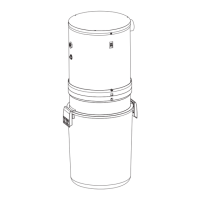
Detailed View of Power Unit

When to Change the Bag

Bag Replacement Procedure

Secondary Filter Maintenance

Removing the Secondary Filter

Instructions for removing the secondary filter from the vacuum unit.

Reinstalling the Secondary Filter

Steps to reinstall the secondary filter after cleaning or replacement.

Power Unit Installation Guide

Locating the Power Unit

Guidance on choosing an appropriate location for the central vacuum power unit.

Mounting the Power Unit

Detailed steps for securely mounting the power unit to a wall stud.

Grounding Instructions

Accessory Kits Overview

Vacuum Power Control Adjustment

Troubleshooting Guide

Limited Lifetime Warranty

Replacement Parts and Repairs

NuTone SFDB-DE Specifications

General IconGeneral
BrandNuTone
ModelSFDB-DE
CategoryVacuum Cleaner
LanguageEnglish

Related product manuals