EasyManua.ls Logo

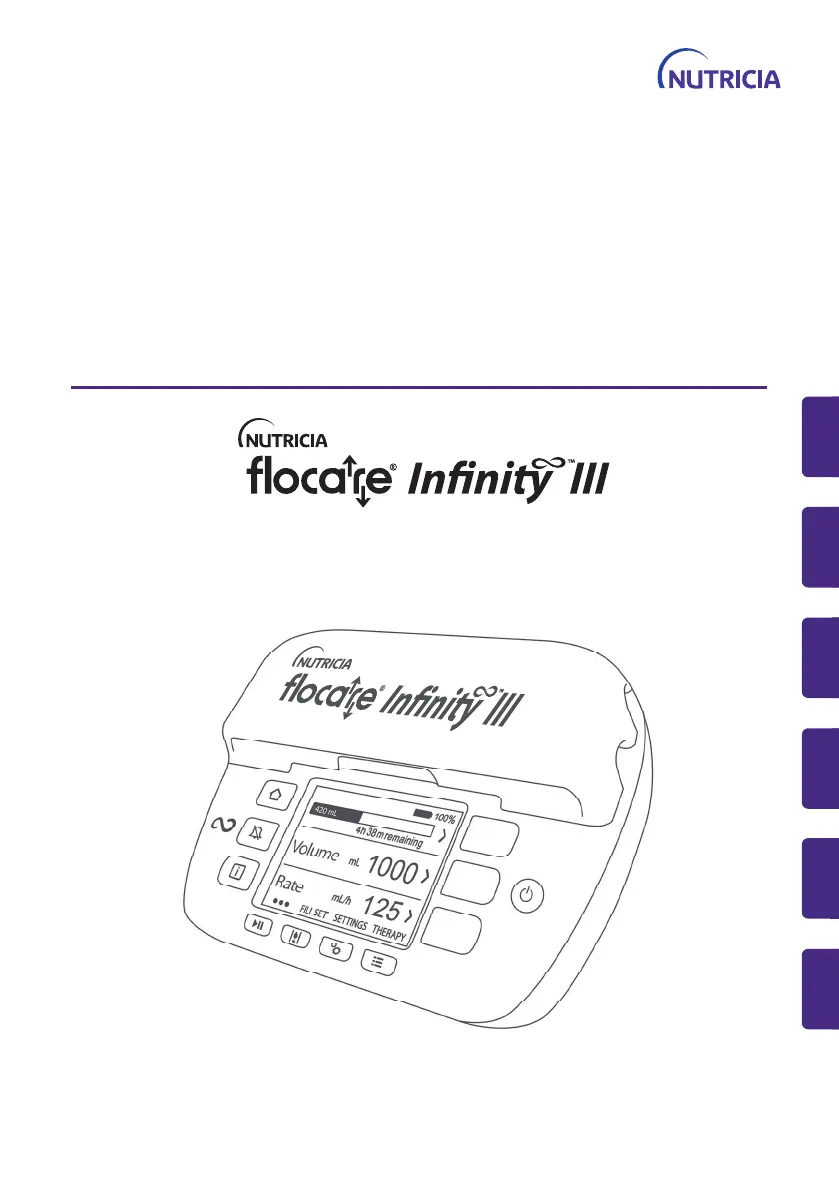
Nutricia flocare Infinity III - User Manual

Nutricia flocare Infinity III
168 pages
Print Icon
To Next Page IconTo Next Page
Loading...
59512 rev A
Instructions for Use
Gebrauchsanweisung
Mode demploi
Istruzioni per l'uso
Gebruiksinstructies
Bruksanvisning
DE
EN
FR
IT
NL
SE
59512 rev A
Instructions for Use
Gebrauchsanweisung
Mode demploi
Istruzioni per l'uso
Gebruiksinstructies
Bruksanvisning
DE
EN
FR
IT
NL
SE
59512 rev B
ZMNL900822_AW.indd 1 22.01.20 11:00

Table of Contents

Other manuals for Nutricia flocare Infinity III

Questions and Answers

  • M
    Melissa VelasquezAug 20, 2025
    Why Nutricia Water Pump says 'Occlusion out'?
    • K
      Karl SmithAug 20, 2025
      The 'Occlusion out' message on your Nutricia Water Pump typically indicates that the sensor area is dirty. Here's what you should do: * Check the Flocare Infinity giving set between the pump and feeding tube for any kinks or obstructions, and correct them if found. * Inspect the feeding tube itself for kinks or obstructions, following your training, and correct them. * Clean the sensor area. If the alarm persists after these steps, replace the Flocare Infinity giving set.
  • G
    gbrooksAug 21, 2025
    How to unlock keypad on Nutricia Water Pump?
    • M
      Miguel SloanAug 22, 2025
      The keypad on the Nutricia Water Pump is locked to prevent unintended button presses. To unlock it, press the i-Button [ ] and SOFT BUTTON 3 simultaneously.
  • E
    Emily TranAug 25, 2025
    Why Nutricia Water Pump says 'Occlusion in'?
    • S
      Sydney RoweAug 25, 2025
      The 'Occlusion in' message on your Nutricia Water Pump means that the sensor area is dirty. To resolve this: * Check the Flocare Infinity giving set between the pump and the reservoir for kinks or other obstructions, and correct them. * Restart the pump. * Clean the sensor area. If the alarm continues, replace the Flocare Infinity giving set.
  • M
    Mark LinAug 26, 2025
    What to do if Nutricia Water Pump shows 'Set > 24 hrs'?
    • J
      John RobertsAug 26, 2025
      The 'Set > 24 hrs' message on the Nutricia Water Pump is a reminder that the giving set has been used for more than 24 hours and needs to be replaced. Replace the Flocare Infinity giving set with a new one.
  • C
    Chelsea WrightAug 28, 2025
    What to do if Nutricia Water Pump displays 'Replace giving set'?
    • T
      Tyler SmithAug 28, 2025
      If the Nutricia Water Pump displays 'Replace giving set', it means the giving set has been used for more than 24 hours. Replace the Flocare Infinity giving set with a new one.
  • R
    ricesherylAug 29, 2025
    What to do if Nutricia Water Pump displays 'Re-insert giving set'?
    • J
      jonathanleeAug 30, 2025
      If the Nutricia Water Pump displays 'Re-insert giving set', it indicates that the giving set is not properly installed. Insert a Flocare Infinity giving set.
  • V
    vargaspeterSep 1, 2025
    What to do if Nutricia Water Pump shows 'Air in giving set'?
    • M
      Michelle DavisSep 1, 2025
      If your Nutricia Water Pump shows 'Air in giving set', it may be because the air sensor area is dirty. If your feeding reservoir is intended to be empty, disconnect and discard the feeding reservoir and Flocare Infinity giving set, or replace them as per your training. If your feed reservoir is NOT intended to be empty, disconnect it from the feeding tube and use the FILL SET function to clear the air. Reattach the feeding tube and restart feeding. Also, ensure there is no excessive foam in the feeding reservoir and that the air sensor is clean.
  • A
    Anthony OconnorSep 3, 2025
    What to do if Nutricia Water Pump shows 'System failure'?
    • J
      Jacob FisherSep 3, 2025
      If the Nutricia Water Pump displays 'System failure', turn the pump OFF, ensure the pump door is closed, and then switch the pump back ON. If the error persists, contact your pump provider for a replacement.
  • K
    Kristine TownsendSep 5, 2025
    Why Nutricia Water Pump is not charging?
    • R
      Russell DuncanSep 5, 2025
      If the plug symbol is not visible while your Nutricia Water Pump is connected to the mains, it could be due to a non-functional mains outlet or a damaged AC power adapter. Try connecting the pump to another mains outlet. If the issue persists, contact your pump provider for a replacement adapter.
  • M
    Mario DelgadoSep 7, 2025
    What to do if Nutricia Water Pump displays 'Last feeding incomplete'?
    • J
      James PerrySep 7, 2025
      If the Nutricia Water Pump displays 'Last feeding incomplete,' it means the pump was turned off before the therapy was completed. Press the START/PAUSE button to start the same therapy all over, or press RESUME to continue your active therapy.

Summary

Introduction and Intended Use

Introduction

Overview of the Flocare Infinity III pump and its capabilities for enteral feeding.

Intended Use

Details the pump's purpose for administering enteral nutrition and hydration fluids.

Safety Information

General Safety

Essential safety guidelines for operating the Flocare Infinity III pump and its accessories.

Warnings, Precautions, and Contraindications

Critical warnings, precautions, and contraindications for safe pump usage.

Quick Reference Overview

User Interface

Buttons

Explains the function of each physical button on the Flocare Infinity III pump interface.

Pump Status Indicator

Describes the pump's status indicator lights and their meaning.

Display

Details the pump's display screen and its visual output.

Home Screen

Details the components and layout of the pump's home screen interface.

Pump Setup

Attaching to Pole Clamp

Steps for attaching the pump to a pole stand.

Connecting to AC Power

Instructions for connecting the pump to the AC power adapter.

Switching Pump On;Off

Procedure for turning the Flocare Infinity III pump on and off.

Basic Settings

Instructions for setting language, time, and date on the pump.

Operating Instructions

Load and Fill Giving Set

Procedures for correctly loading and priming the Flocare Infinity giving set.

Pause; Running Mode

Explains how to switch between pause and running modes for therapy.

Settings Menu

Overview of options within the pump's settings menu, including therapy definitions and locks.

Programming Therapies

Guides on programming different therapy types like Volume-Rate, Rate, and Intermittent.

Information & Memory Functions

Accessing therapy history, portions, and progress bar information.

Keypad Lock and Connectivity

How to lock the keypad and connect to external systems like Nurse Call or PDMS.

Battery Management

Information on the pump's battery technology, charging, and expected lifespan.

Advanced Settings

Communications Mode

Configures pump communication settings for external systems.

Change PIN Code

Instructions for changing or resetting the pump's PIN code.

Factory Reset

Resets the pump to its original factory settings.

Alarms, Warning Messages and Troubleshooting

Responding to Alarms

How to acknowledge, snooze, or get information about pump alarms.

Problem Solver Chart

A guide to diagnose and resolve common pump alarms and their causes.

Cleaning, Inspection & Servicing Guidelines

Switching Between Patients

Procedures for cleaning and preparing the pump for a new patient.

Cleaning and Disinfection

Detailed instructions for cleaning and disinfecting the pump.

Inspection Procedures

Step-by-step checks for housing, keypad, rotor, power plug, and electrical components.

Servicing Information

Information on scheduled servicing and what it includes.

Repair, Parts, and Accessories

Repair Procedures

Details on authorized repair centers and procedures.

Spare Parts

List of available spare parts for the Flocare Infinity III pump.

Available Accessories

List of available accessories for the Flocare Infinity III pump.

Specifications

Performance Specifications

Technical details on pump performance, accuracy, and capabilities.

Electrical;Mechanical Specifications

Details on pumping mechanism, dimensions, weight, and ingress protection.

Operating and Storage Conditions

Specifies environmental conditions for operation and storage.

EMC Information

Information regarding electromagnetic compatibility and interference.

Volumetric Accuracy

Details test conditions and results for measuring volumetric accuracy.

Alarm Response Times

Table showing maximum response times for occlusion and air alarms.

Glossary of Terms

Symbols

Warranty

Nutricia flocare Infinity III Specifications

General IconGeneral
TypeEnteral feeding pump
ManufacturerNutricia
ModelFlocare Infinity III
Accuracy+/- 5%
AlarmsOcclusion, Low battery
CompatibilityFlocare giving sets

Related product manuals