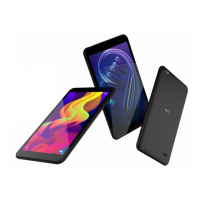
The NUU TAB 8 PLUS (Model: T0805L) is a 4G LTE tablet designed for everyday use, offering a range of features for communication, entertainment, and productivity.
Function Description:
The TAB 8 PLUS serves as a portable computing device, enabling users to browse the internet, make calls (with a SIM card), play games, watch videos, and access various applications. It supports 4G LTE connectivity for fast mobile data and includes Wi-Fi for wireless internet access. The tablet features a front and rear camera for photography and video calls, a USB Type-C connector for charging and data transfer, and an AUX-In/headset jack for audio. Physical controls include a volume control and a wake/sleep button. The device is designed for ease of use, with a straightforward setup process for SIM and SD cards.
Important Technical Specifications:
- Model: T0805L, Tab 8 Plus
- Connectivity: 4G LTE, Wi-Fi
- Ports: USB Type-C connector, AUX-In/Headset jack
- Card Slots: Micro SIM card slot, Micro SD card slot (optional)
- Operating Temperatures: Ideal operating temperatures are 0 °C to 35 °C.
- Storage Temperatures: Ideal storage temperatures are -20 °C to 45 °C.
- SAR (Specific Absorption Rate):
- At the ear: 0.143 W/Kg
- Body-worn: 0.946 W/Kg
- FCC limit: 1.6 W/kg (averaged over one gram of tissue)
- Battery: Rechargeable, with a limited lifespan. Replacement batteries are available, and built-in batteries require authorized service for replacement.
- FCC Compliance: Complies with Part 15 of the FCC Rules.
Usage Features:
- Setup: The tablet requires a simple setup process. Users can gently pry off the protective cover on the top edge to access the SIM and SD card slots. The SIM card slot is designed for a Micro SIM, and the SD card slot is for a Micro SD card. Both cards should be inserted with contacts facing the back of the device and pressed in until they engage the spring-loaded trap. The protective cover should then be repositioned flush with the frame.
- Cameras: Equipped with a main camera and a front camera, allowing for photo capture and video communication. The flash assists in low-light conditions.
- Audio: Features a speaker for audio output and an AUX-In/headset jack for private listening. Volume control buttons are located on the side of the device.
- Power Management: A wake/sleep button controls the device's power state. The tablet should be powered off before inserting or removing cards.
- Safety Guidelines: Users are advised to follow safety information regarding electronic devices, medical equipment interference, hearing protection, use in hazardous environments, traffic safety, and operating environment conditions.
- Child Safety: SIM and microSD cards are small and pose a choking hazard; they should be kept away from children and pets. The device and accessories are not intended for use by children without adult supervision.
- Accessories: Only NUU-approved power adapters, chargers, and batteries should be used to avoid fire, explosion, or other hazards. The use of unapproved accessories may void the warranty and violate local regulations.
- Battery Caution: The battery should be kept away from excessive heat and direct sunlight. Users should not attempt to modify or remanufacture the battery. If the battery leaks, contact with skin or eyes should be avoided, and medical attention sought if necessary. Overheating, deformation, or color change of the battery warrants immediate cessation of use and removal. Batteries should not be disposed of in fire or subjected to smashing/piercing.
- Body-worn Operation: For compliance with RF exposure requirements, a minimum separation distance of 0mm must be maintained between the user's body and the handset, including the antenna. Third-party belt-clips, holsters, and similar accessories should not contain metallic components. Only supplied or approved antennas should be used.
Maintenance Features:
- Cleaning: The device and accessories should be kept dry. Avoid using external heat sources like microwave ovens or hair dryers for drying. Do not use chemical detergents, powders, or other chemical agents (e.g., alcohol, benzene) for cleaning, as these can damage parts or pose a fire hazard. A clean, soft, and dry cloth should be used for cleaning.
- Environmental Protection: The device and its accessories should not be disposed of with household garbage. Proper collection and recycling in accordance with local regulations are encouraged.
- Damage Prevention: Avoid collision, extreme heat or cold, and direct sunlight exposure for prolonged periods. Do not place sharp metal objects near the earpiece or speaker. If the device overheats, stop using it and allow it to cool. Do not touch the device's antenna to maintain communication quality.
- Battery Care: If the device's standby time shortens significantly, the battery should be replaced.
- Repair: Do not dismantle or remanufacture the device or its accessories, as this voids the warranty. In case of damage, contact an authorized service center for assistance or repair. If the screen is broken, stop using the device immediately and contact an authorized service center.
- Charging: Avoid using or covering the tablet and charger while charging. Charging times may vary based on ambient temperature and battery level.

 Need help?

 To Next Page
 General