
 Need help?
Do you have a question about the Nuu TAB 8 and is the answer not in the manual?
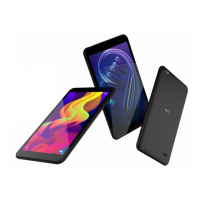
Describes the front components and buttons of the NUU Tab 8 tablet.
Instructions for removing the SIM tray from the tablet.
Guidance on inserting the SIM card into the tray.
Guidance on inserting the microSD card into the tray.
Steps for reinserting the SIM tray after card insertion.
How to connect the tablet for charging or data transfer.
Safe usage guidelines for electronic devices, avoiding interference.
Precautions regarding pacemakers, hearing aids, and medical facilities.
Recommendations for safe listening volumes to prevent hearing damage.
Warnings for using the device near flammables, explosives, or in extreme temperatures.
Regulations and advice for safe device use while driving.
Suitable environments for device operation, avoiding dust, moisture, and magnetic fields.
Warnings about device safety for children, including choking hazards.
Using only approved chargers, cables, and accessories.
Precautions for battery use, charging, and disposal.
How to properly clean and maintain the tablet and accessories.
Information on the availability and limitations of emergency calls.
Guidance on responsible disposal and recycling of the device.
Additional safety advice, including RF exposure and active medical implants.
Guidelines for maintaining safe RF exposure during body-worn use.
The NUU Tab 8 is a 4G LTE tablet designed for everyday use, offering a range of features for communication, entertainment, and productivity. This guide provides essential information for setting up, using, and maintaining your device safely and effectively.
The NUU Tab 8 functions as a portable computing device with 4G LTE connectivity, allowing users to browse the internet, make calls (if supported by the SIM card and service plan), send messages, and run various applications. It supports both SIM cards for cellular connectivity and microSD cards for expandable storage, making it versatile for different user needs. The tablet is equipped with a front camera for video calls and selfies, and a rear camera for capturing photos and videos. Audio input/output is handled via an AUX-In/Headset jack, and data transfer and charging are facilitated through a USB Type-C connector. Physical controls include a volume control and a Wake/Sleep button for power management.
To begin using your NUU Tab 8, you'll need to set it up by inserting the necessary cards. First, power off the tablet. Locate the SIM tray at the top edge of the device and remove it by hand; no special tool is needed. The tablet supports a Micro SIM card for 2G, 3G, and 4G-LTE connections. Orient your SIM card to match the layout on the tray and place it securely. Additionally, the tablet supports a microSD™ Card (optional) for expanded storage up to 128GB. Place the microSD card in the tray, ensuring it matches the layout. Once the cards are in place, slide the SIM tray back into its slot until it clicks and holds. Finally, plug in the USB Type-C connector to charge the tablet or transfer data.
The NUU Tab 8 emphasizes user safety with comprehensive guidelines. It is crucial to read and understand all safety information before using the device. Avoid using the device where electronic device usage is prohibited, such as in hospitals or near medical equipment like pacemakers, to prevent interference. Maintain a minimum distance of 15 cm between the device and a pacemaker. When using a headset, protect your hearing by avoiding high volume levels for prolonged periods and lowering the volume to a safe level.
The tablet should not be used in environments with flammables or explosives, such as gas stations or chemical plants, to prevent fire or explosion hazards. Store and transport the device away from flammable liquids, gases, or explosives. For traffic safety, always prioritize driving and observe local laws; avoid using the device while driving, and use hands-free accessories if necessary. Do not place the device over an airbag or in its deployment area. Avoid dusty, damp, dirty, or magnetic environments, as these can cause circuit malfunctions. The ideal operating temperature for the device is 0 °C to 35 °C, and storage temperature is -20 °C to 45 °C. Avoid direct sunlight exposure for prolonged periods and keep the device away from heat sources like heaters, microwaves, and stoves. Do not touch the device's antenna during use, as this may reduce communication quality. Keep the device and its accessories away from children and pets to prevent damage or choking hazards.
Only use NUU-approved batteries, chargers, and cables to prevent explosion or damage. Unapproved accessories can void the warranty and pose safety risks. While batteries can be recharged many times, they have a limited lifespan. If you notice a significant deterioration in battery life, a replacement battery may be needed. If the battery is built-in, contact an authorized service center for replacement. The tablet may become warm during prolonged use or in high ambient temperatures; if it becomes hot, unplug the USB cable, disable non-essential features, and allow it to cool down in a cool location. Avoid using or covering the tablet/charger while it is charging. Keep the battery away from excessive heat and direct sunlight, and do not place it on heating devices. Do not modify or remanufacture the battery, insert foreign objects, or expose it to water or other liquids. If the battery leaks, avoid contact with skin and eyes; flush with clean water and consult a doctor if contact occurs. Stop using the device immediately if the battery deforms, changes color, or overheats. Do not put batteries in fire, smash, or pierce them, or expose them to high external pressure. Avoid dropping the device or battery, especially on hard surfaces.
The availability of emergency calls depends on cellular network quality, service provider policy, and local laws. Do not rely solely on the device for critical communications like medical emergencies.
Keep the device and accessories dry. Do not attempt to dry them with external heat sources like microwave ovens or hair dryers. Avoid exposing your device or accessories to extreme heat or cold, as this can interfere with proper function and lead to fire or explosion. Avoid collisions, which can cause malfunctions, overheating, fire, or explosion. Before cleaning or maintaining the device, stop using it, close all applications, and disconnect all cables. Do not use chemical detergents, powders, or other chemical agents (such as alcohol and benzene) to clean the device or accessories, as these substances can damage parts or present a fire hazard. Instead, use a clean, soft, and dry cloth to clean the device and accessories. Do not place magnetic stripe cards (e.g., credit cards) near the device for extended periods, as this can damage them. Do not dismantle or remanufacture the device or its accessories, as this voids the warranty and releases the manufacturer from liability for damage. In case of damage, contact an authorized service center. If the device screen is broken, stop using it immediately, do not touch or remove broken parts, and contact an authorized service center.
The device and its accessories (power adapter, headset, battery) should not be disposed of with household garbage. Dispose of the device and its accessories according to local regulations, supporting proper collection and recycling.
Visit www.nuumobile.com for detailed warranty information. To receive helpful tips and faster tech support, register your device online at us.nuumobile.com/register/.
For questions or support, contact NUU Mobile customer service. Hong Kong service center can be reached at (852) 2725-0161 during HK hours (M-F 9:00am-5:30pm CT) or via email at cs@nuumobile.com. For US support, call toll-free at 844-NUU-3365 during U.S. hours (9am-6pm ET) or use chat (M-F 24hrs), or email support@nuumobile.com.
 General
| Display Size | 8 inches |
|---|---|
| Display Resolution | 1280 x 800 pixels |
| Internal Storage | 32GB |
| Rear Camera | 5MP |
| Front Camera | 2MP |
| Battery | 4000 mAh |
| Ports | Micro USB, 3.5mm headphone jack |
| Card Slot | microSD |
| SIM | No |
| Display Type | IPS |
| Expandable Storage | microSD up to 128GB |
| Connectivity | Wi-Fi, Bluetooth |

 To Next Page
