
 Need help?
Do you have a question about the NUVE EN 300 and is the answer not in the manual?
Details the intended use and primary functions of the incubators.
Provides a detailed comparison of technical specifications across different incubator models.
Lists available accessories that can be purchased for the incubators.
Presents a visual overview of the incubator components and their functions.
Instructions for safely lifting and moving the incubator during installation.
Steps to safely remove the incubator from its packaging and check contents.
Guidelines for placing the incubator in its operational environment.
Details the power requirements and connection procedures for the incubator.
Checks and preparations to be made before starting the incubation process.
Procedure for powering on the incubator and activating the control system.
Details the function and display elements of the incubator's control panel.
Guide to configuring user settings, including password and date/time.
Step-by-step instructions for setting and saving operational parameters.
Procedures for ending an incubation cycle and handling the samples.
Information on scheduled maintenance tasks and service requirements.
Instructions for cleaning the incubator chamber and external body.
Explanation of error codes displayed by the incubator and their meanings.
Schematic diagram of the electrical components for the EN 300 model.
Schematic diagram of the electrical components for the EN 400 model.
Schematic diagram of the electrical components for the EN 500 model.
Schematic diagram of the electrical components for the EN 400P and EN 500P models.
This document is the user manual for Nüve EN 300, EN 400, EN 400P, EN 500, and EN 500P series incubators, manufactured by Nüve Sanayi Malzemeleri İmalat ve Ticaret A.Ş. The manual provides comprehensive information regarding the device's function, technical specifications, installation, operation, maintenance, and troubleshooting.
The Nüve EN series incubators are designed for incubating samples in biological, medical, pharmaceutical, and industrial control laboratories. They are capable of maintaining drying and incubation temperatures ranging from 5°C above ambient temperature up to 80°C, ensuring temperature stability within specified tolerances. The incubators achieve homogeneous temperature distribution through sheet heaters placed on three outer surfaces of the useful volume.
A key feature is the programmable microprocessor-controlled main PCB, which offers high control accuracy and reliable working conditions. An additional safety thermostat provides enhanced security. The microprocessor control system includes an alarm system that activates visually and audibly in case of temperature sensor or control system malfunctions. Study data is recorded in memory and can be transferred to an external USB memory. The device also incorporates an improved password menu to prevent unauthorized changes to parameters.
The EN series incubators comply with several standards, including EN 61010-1, EN 61010-2-010, EN 61000-6-3, EN 50419, and EN 61326-1, and are in compliance with WEEE Regulation. The expected lifetime of the device is 10 years.
The Nüve EN series offers several models with varying capacities and power consumptions:
Model-Specific Specifications:
| Model | Useful Volume (liters) | Power Consumption (W) | Internal Material | Internal Dimension (WxDxH)mm | External Dimension (WxDxH)mm | Net/Packed Weight (kg) |
|---|---|---|---|---|---|---|
| EN 300 | 22 | 100 | Electro-acid Coated Aluminum | 300x240x300 | 555x380x460 | 26/31 |
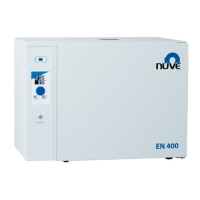
| EN 400 | 44 | 200 | Electro-acid Coated Aluminum | 420x320x360 | 705x475x540 | 39/45 |
| EN 400P | 42 | 238 | Steel Stainless | 420x280x360 | 700x525x540 | 39/45 |
| EN 500 | 120 | 350 | Electro-acid Coated Aluminum | 500x490x500 | 780x635x675 | 60/70 |
| EN 500P | 110 | 388 | Steel Stainless | 500x450x500 | 790x675x670 | 66/74 |
Note: EN 400P and EN 500P models feature stainless steel inner sides and circular heaters with circulation fans for enhanced temperature homogeneity.
Optional Accessories: Various mesh type shelves and shelf carriers are available for different EN series models.
The incubator features a user-friendly display and control panel with an encoder button for setting temperature and time values.
Control Panel Components:
Programming and Settings:
Safety Precautions:
Periodic Maintenance:
Cleaning:
Troubleshooting: The manual provides guidance for common issues and error codes:
Disposal Management:
 General
| Brand | NUVE |
|---|---|
| Model | EN 300 |
| Category | Accessories |
| Language | English |

 To Next Page
